Northbound Studios Projects
Made for
the everyday.
Alongside our websites, we build software for the things we use every day.
Meet the projects through their interfaces. Open a screen, look around, and see what we’re making.
02 studio projects 102 interface captures
01 PC, phone & TV
Universal Remote
A little less reaching for another remote.
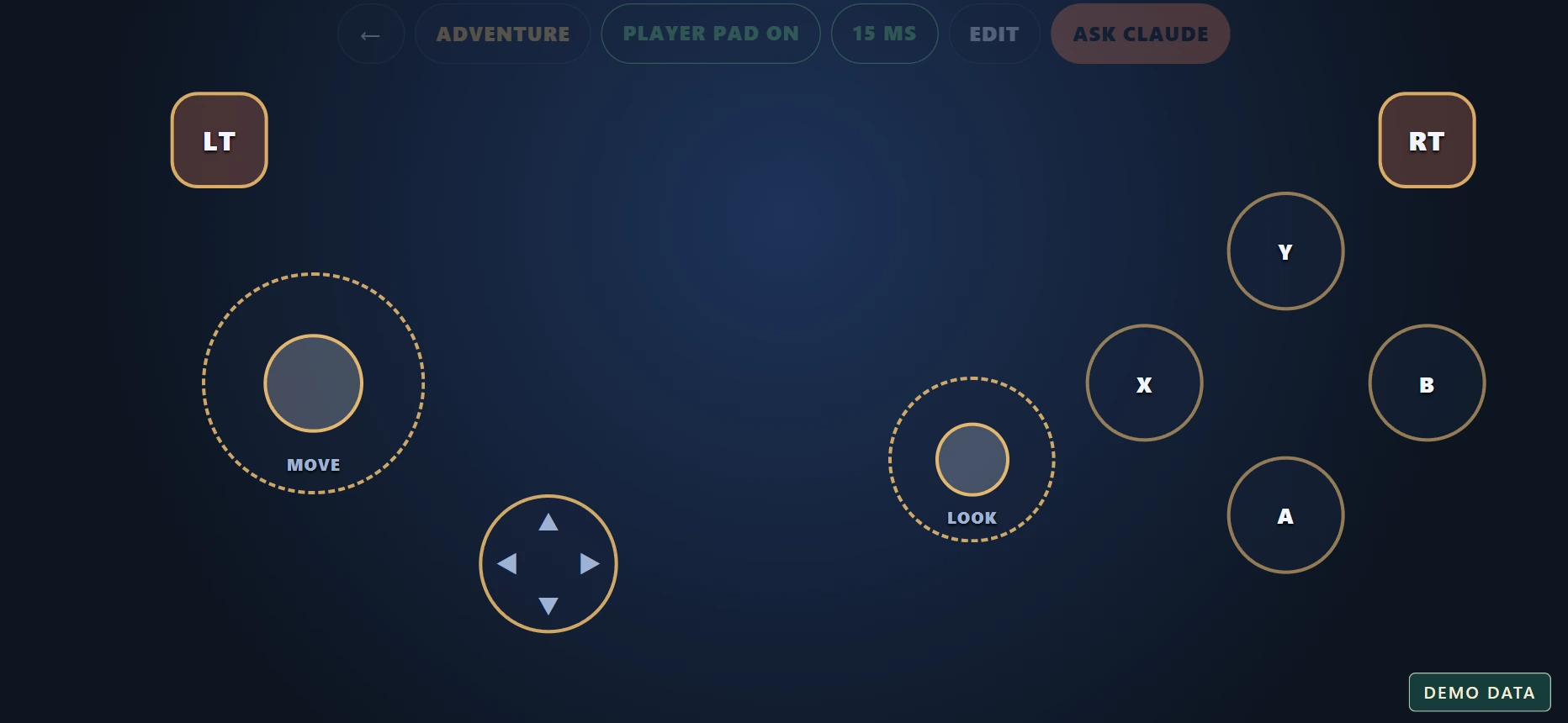 A controller that fitsExplore the screen
A local-network control hub that brings the PC, phone and TV together. Use a touch remote, build a gamepad, share files and keep a watchlist in one place.
- Touch trackpad, keyboard and media controls
- Custom touch controllers and a PC streaming lobby
- File sharing, a watchlist and everyday shortcuts
- Sentinel Cam monitoring and automation controls
A closer look.
21 screenshots Tap any image to explore
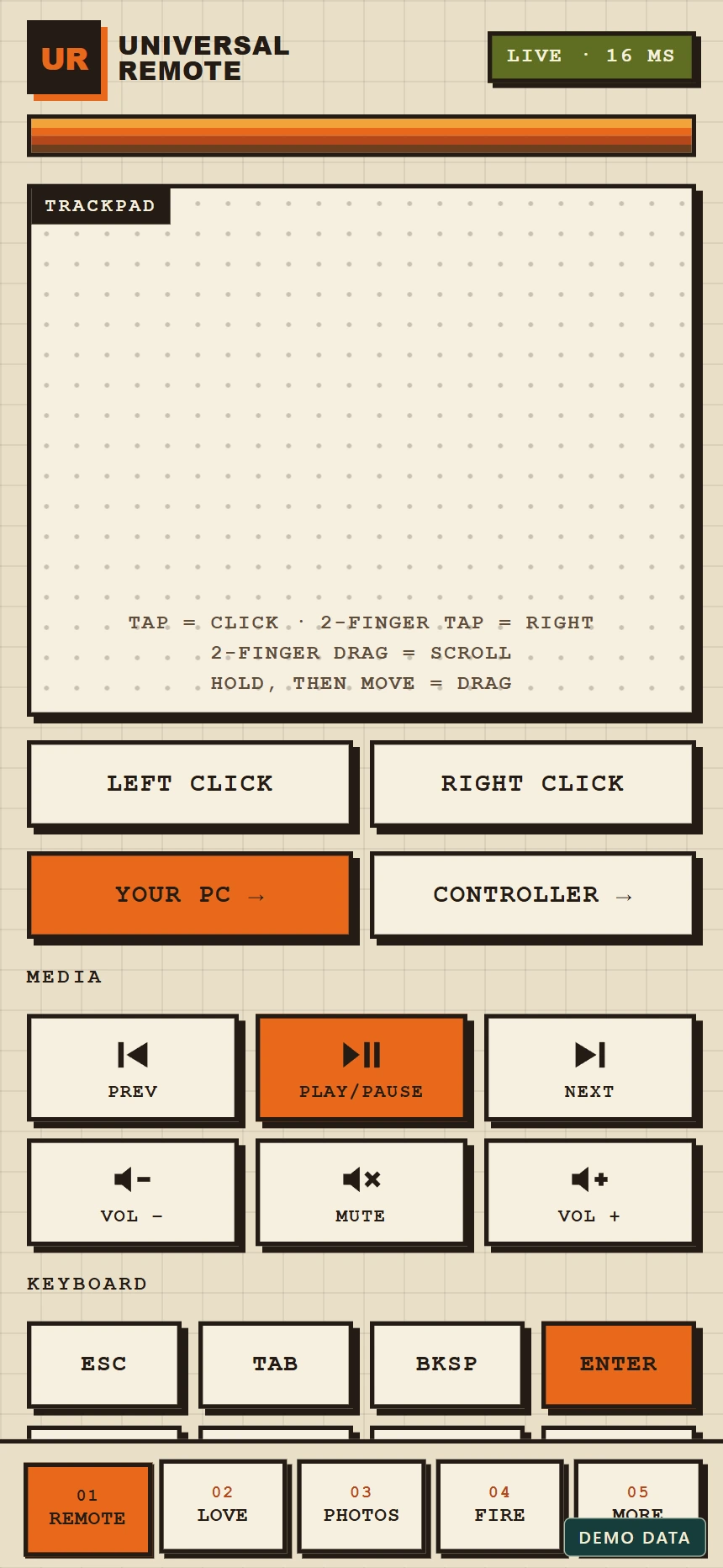
Your phone, a remote
Touch trackpad, media buttons and keyboard shortcuts in the phone interface. Demonstration connection.
A controller that fits
The landscape touch gamepad with movement, camera and action controls. Demonstration layout.
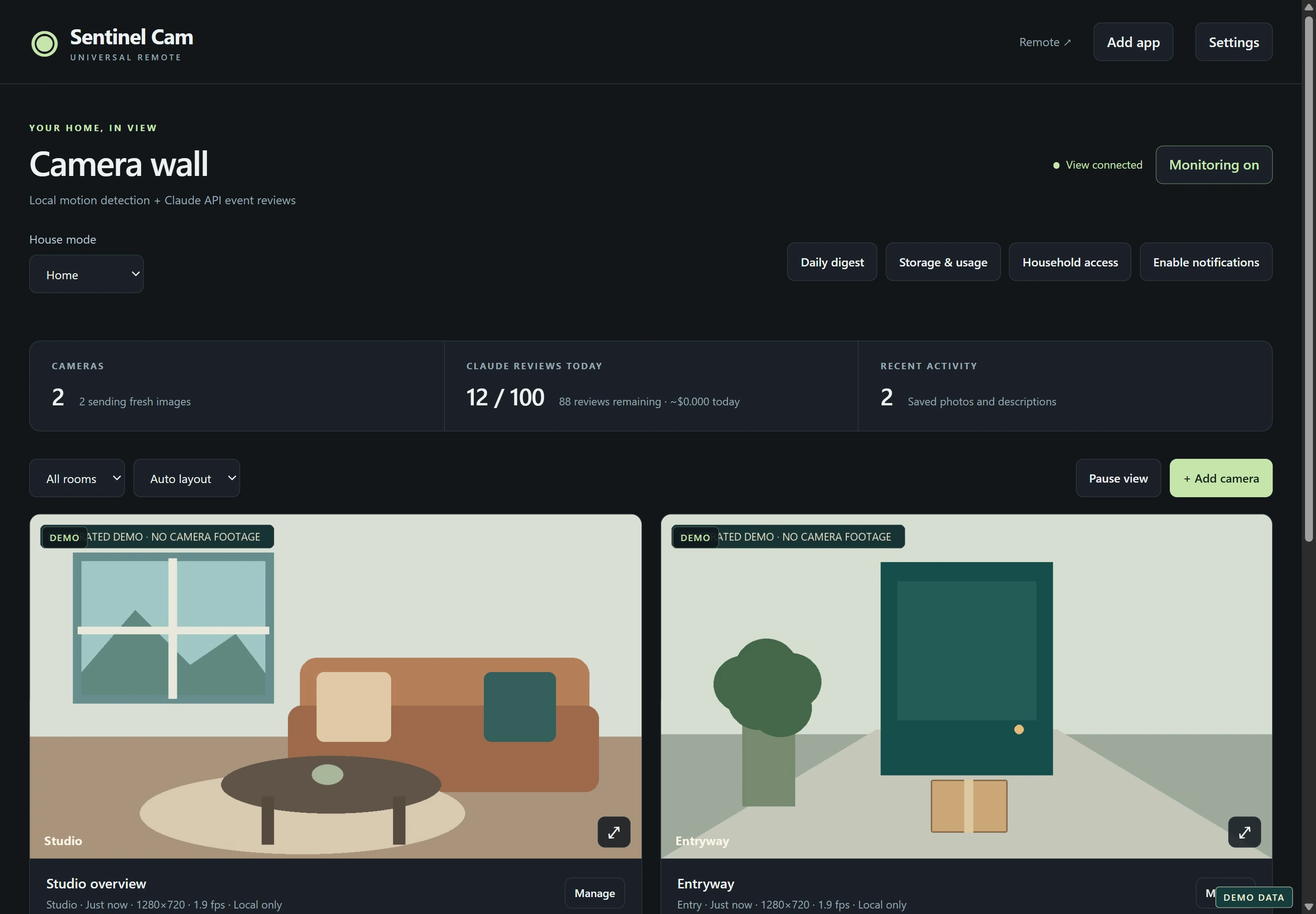
Sentinel camera wall
The camera dashboard with illustrated demo scenes. No camera footage or household information is shown.
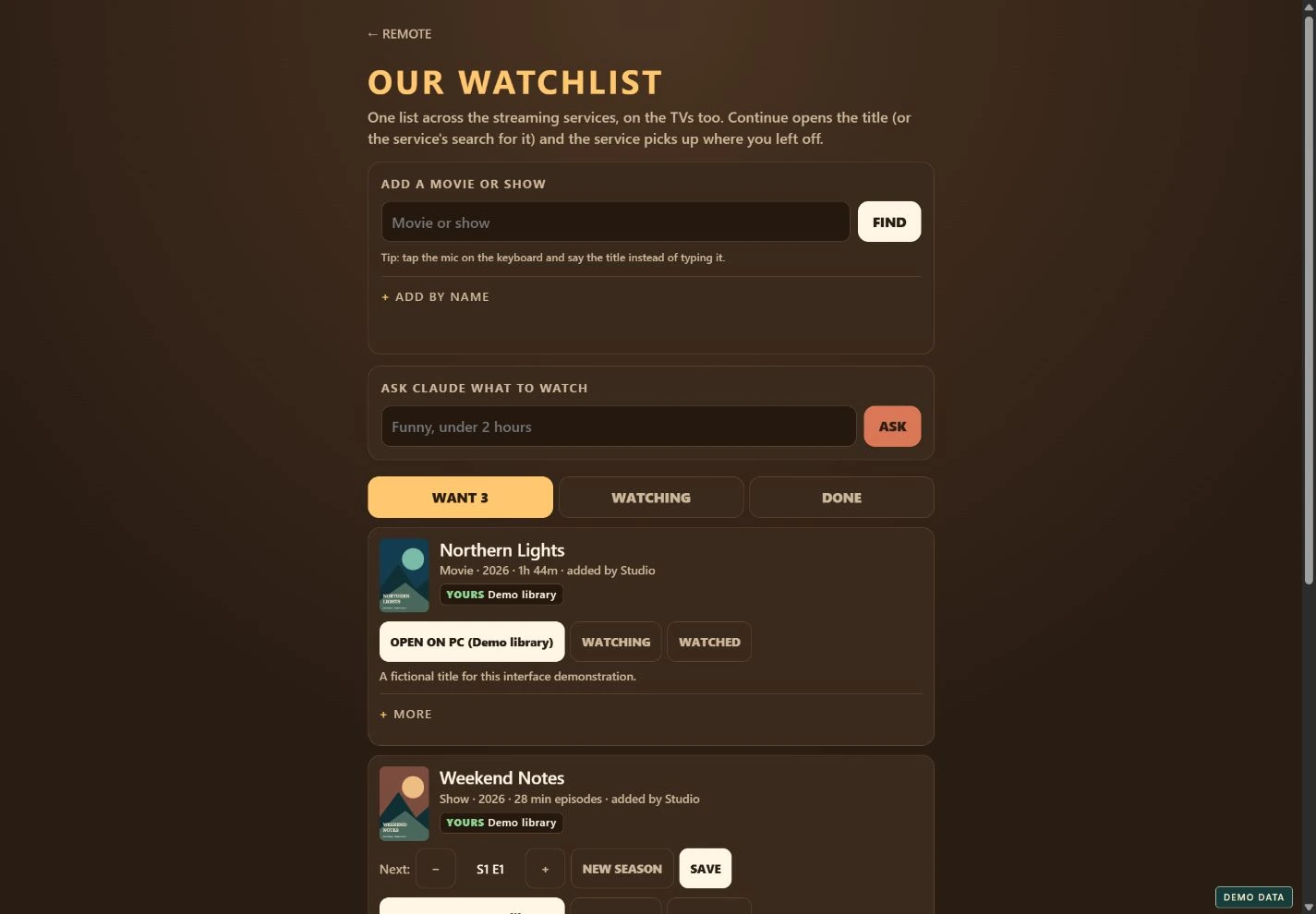
Movie night, organized
A shared watchlist with fictional titles, demo artwork and progress controls.
See all 21 screenshots
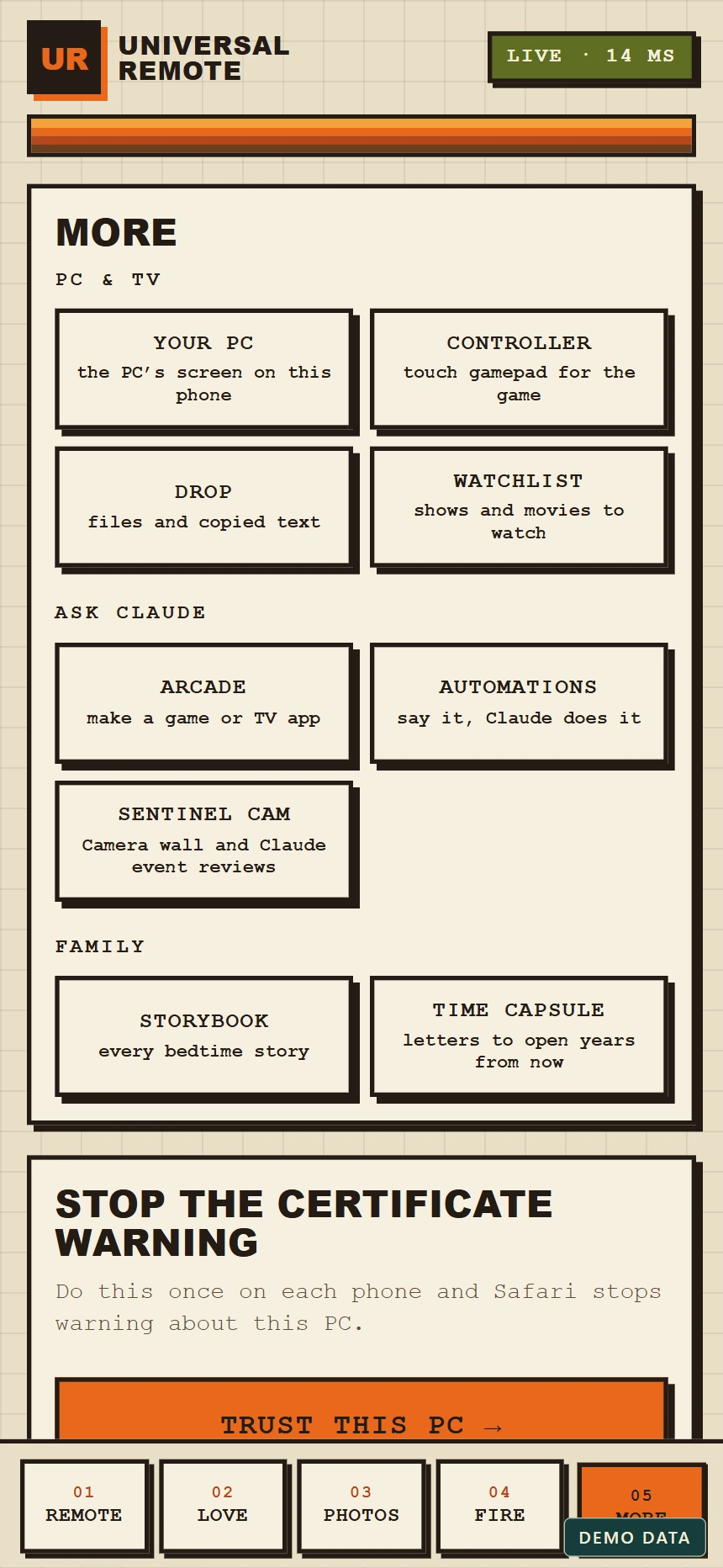
Everything in one place
The feature hub connects the remote, streaming, sharing and creative tools.
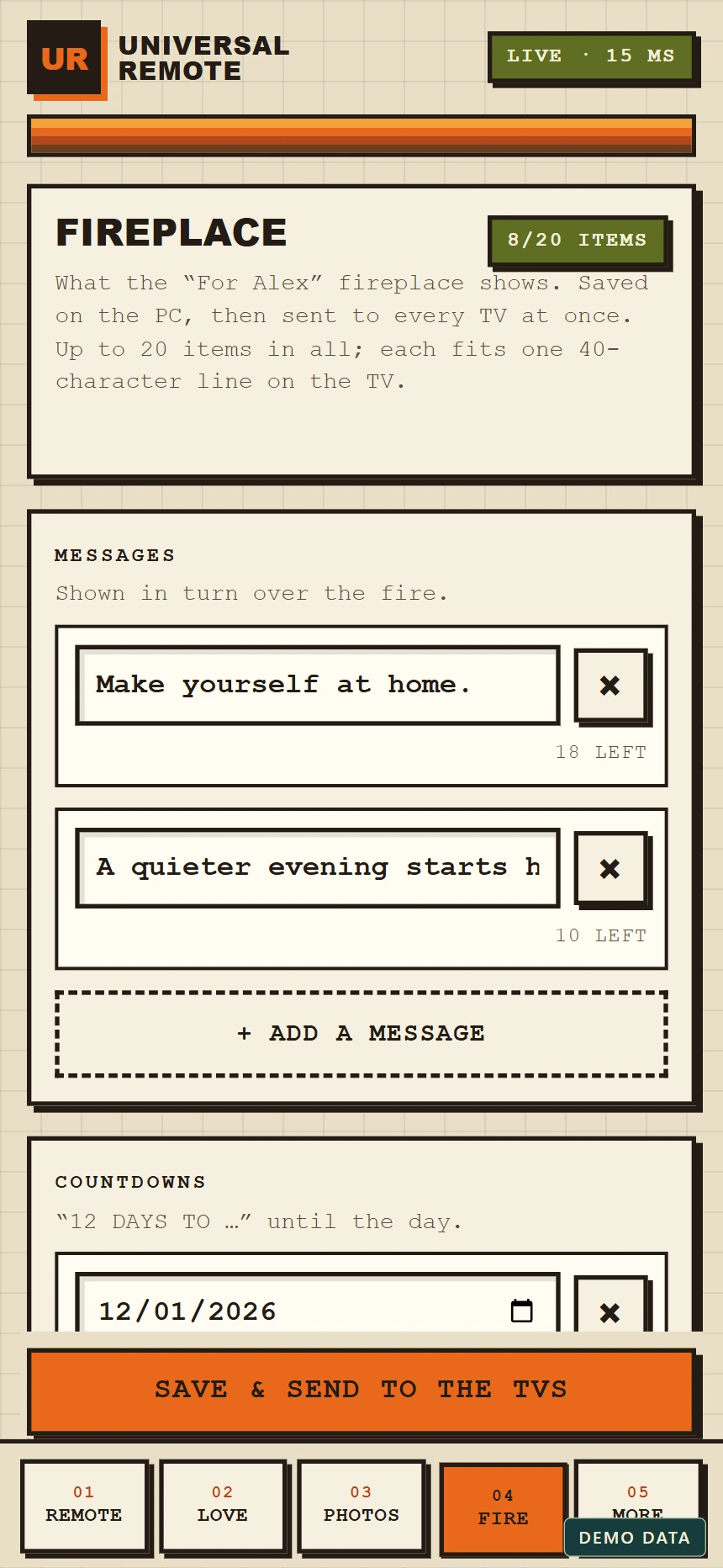
Make the room your own
The fireplace settings with example messages and a fictional movie-night countdown.
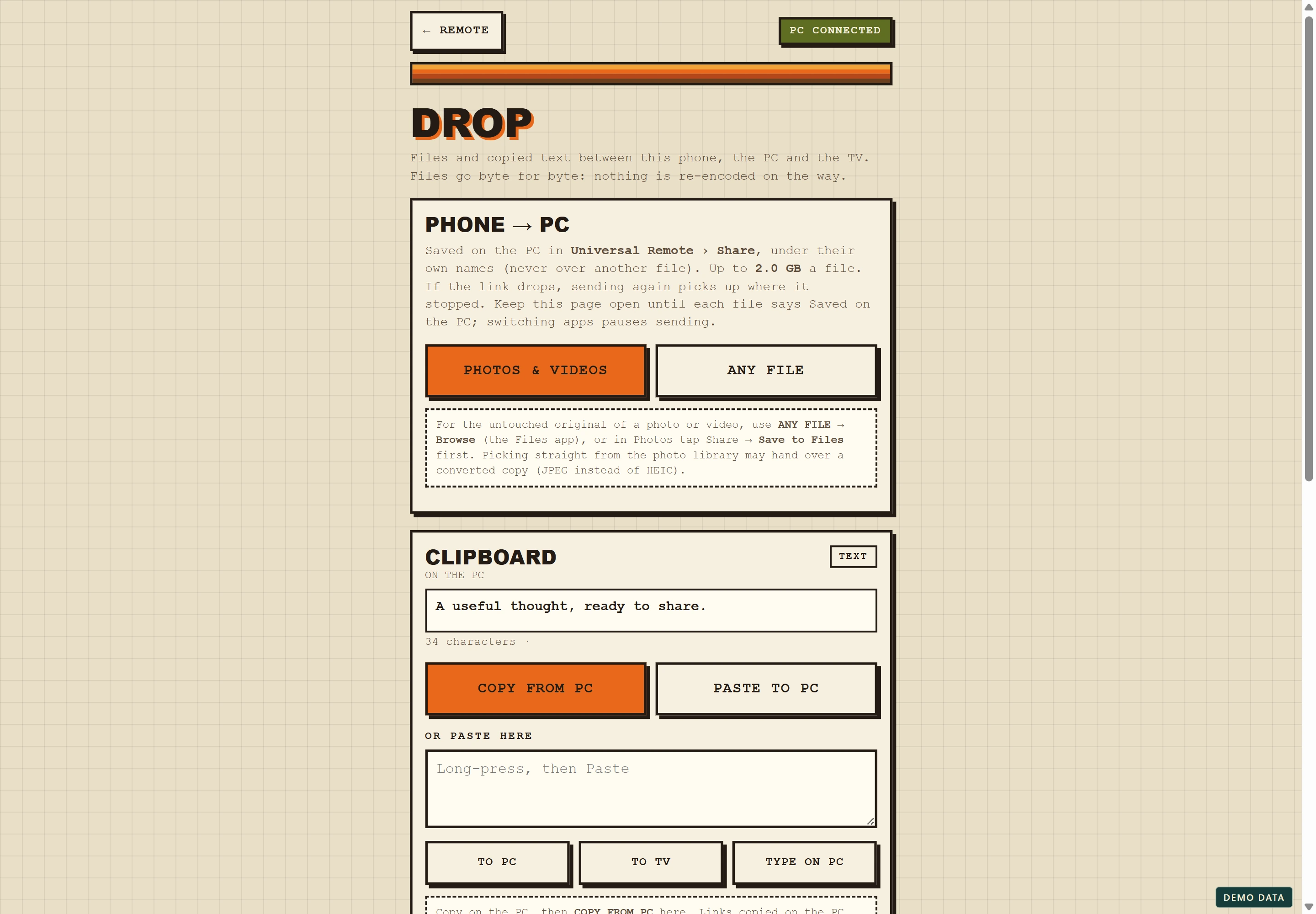
Files and clipboard
Drop brings file transfers and shared text into one interface. All listed files and text are examples.
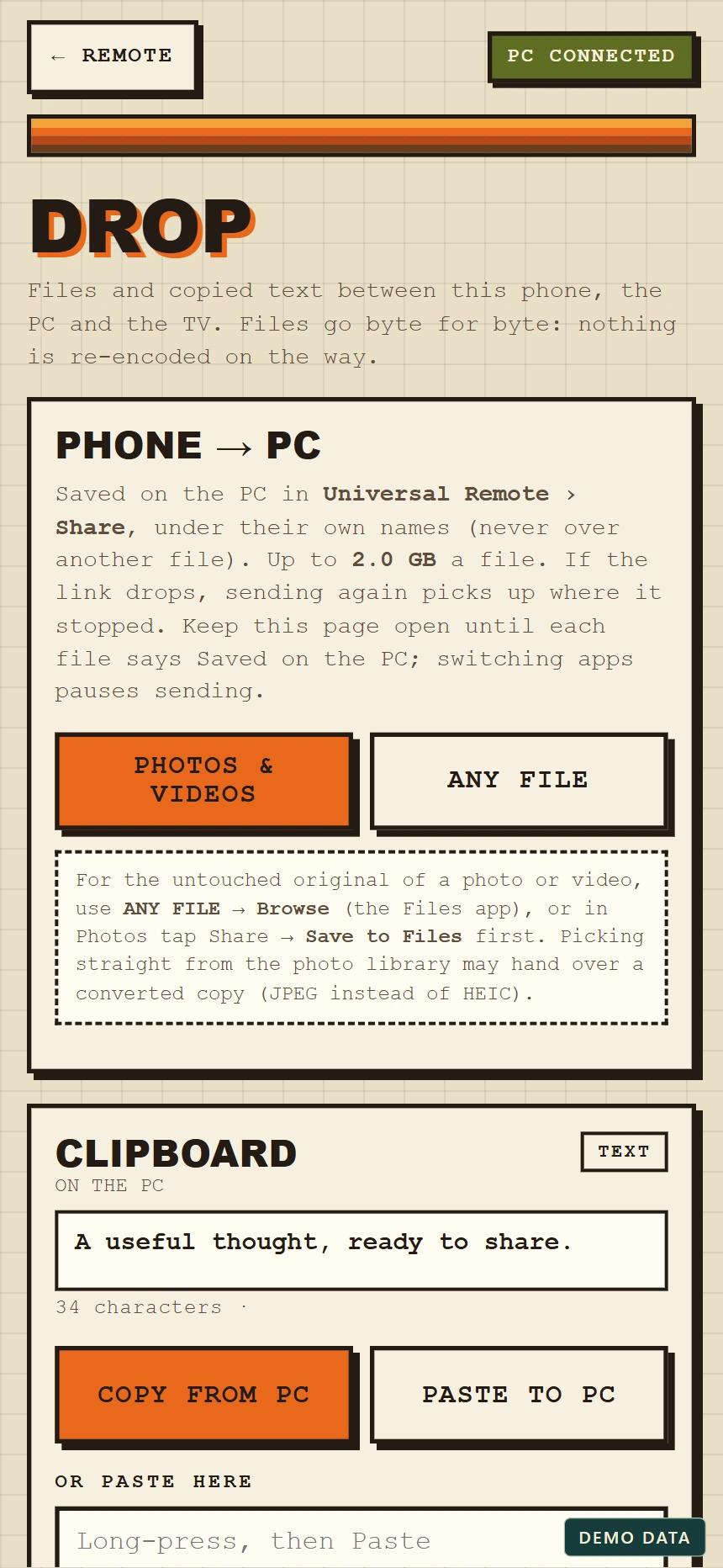
Drop on your phone
The phone view for sharing files and text with a PC. Demonstration data.
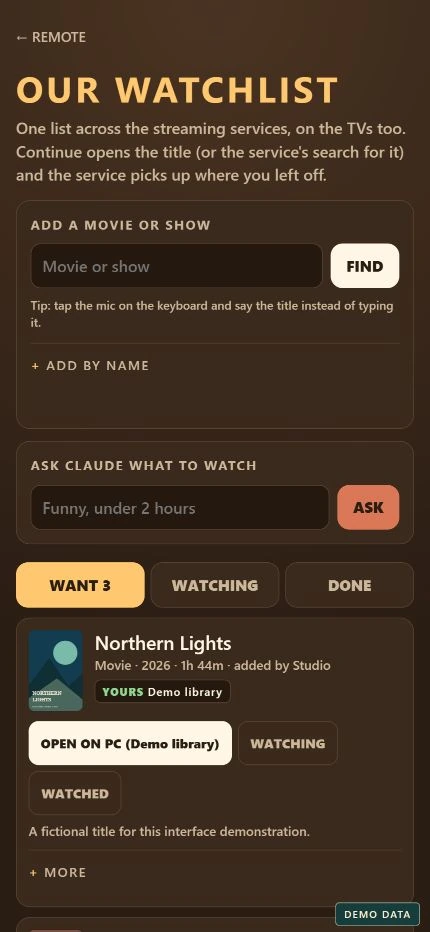
A watchlist in your pocket
The same shared watchlist on a phone, with fictional titles and demo artwork.
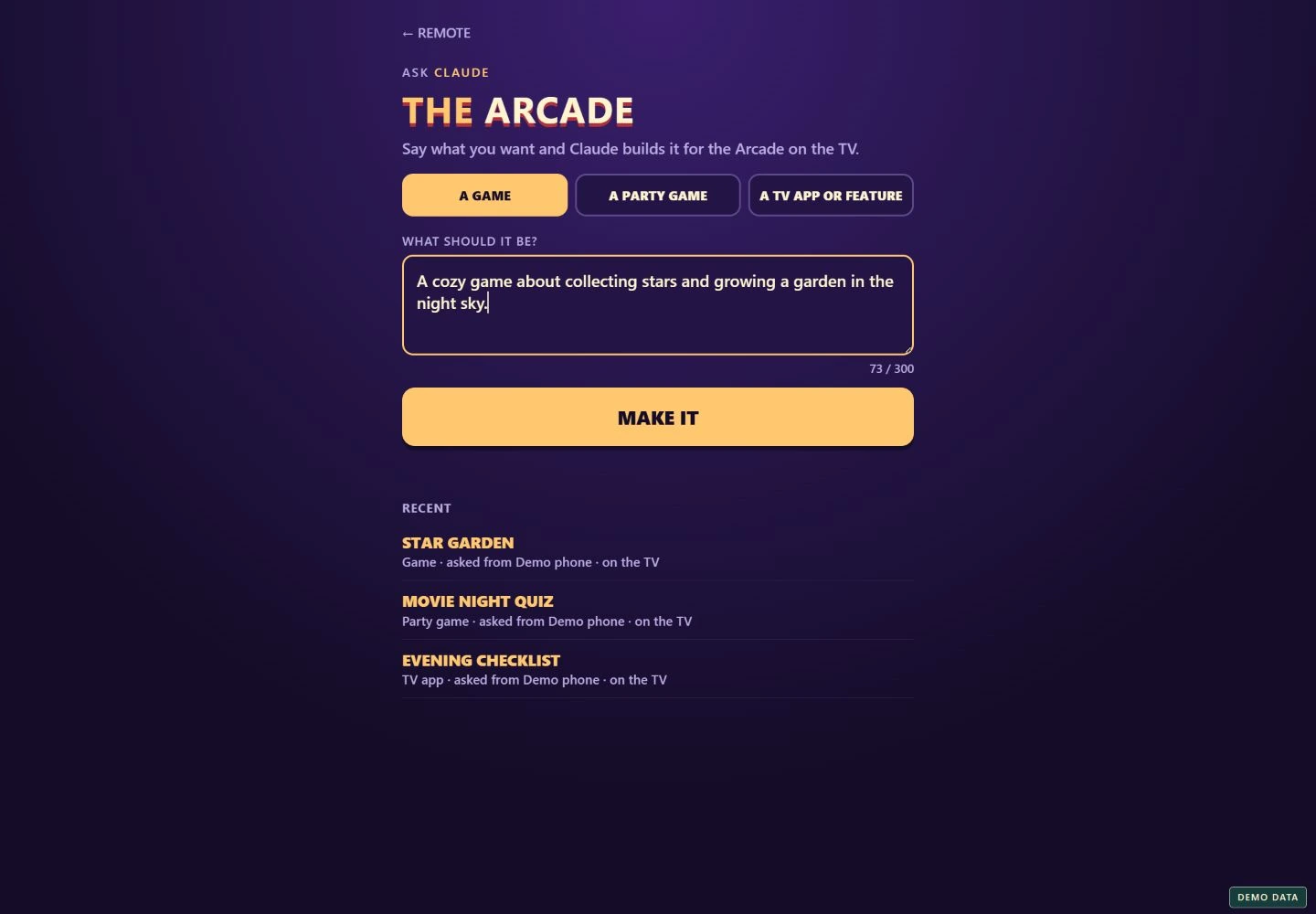
An idea for the Arcade
The Arcade request screen, with a sample game idea and fictional recent projects. No generation was submitted.
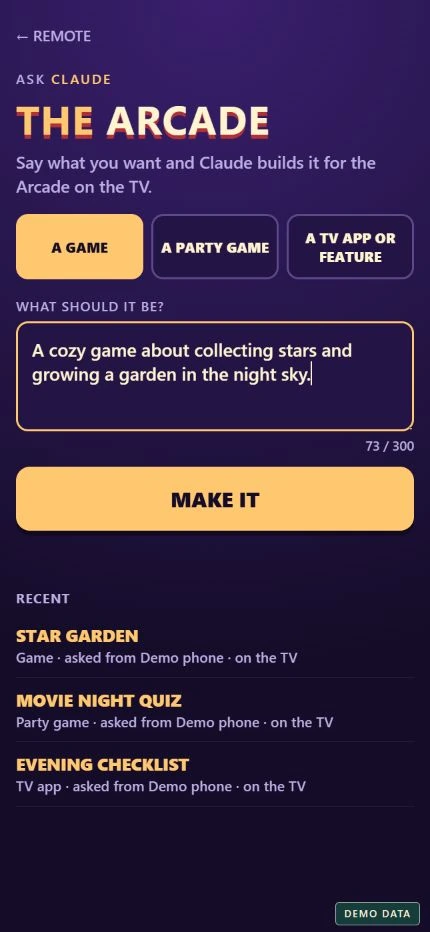
Create from your phone
The mobile Arcade interface with the same sample game idea.
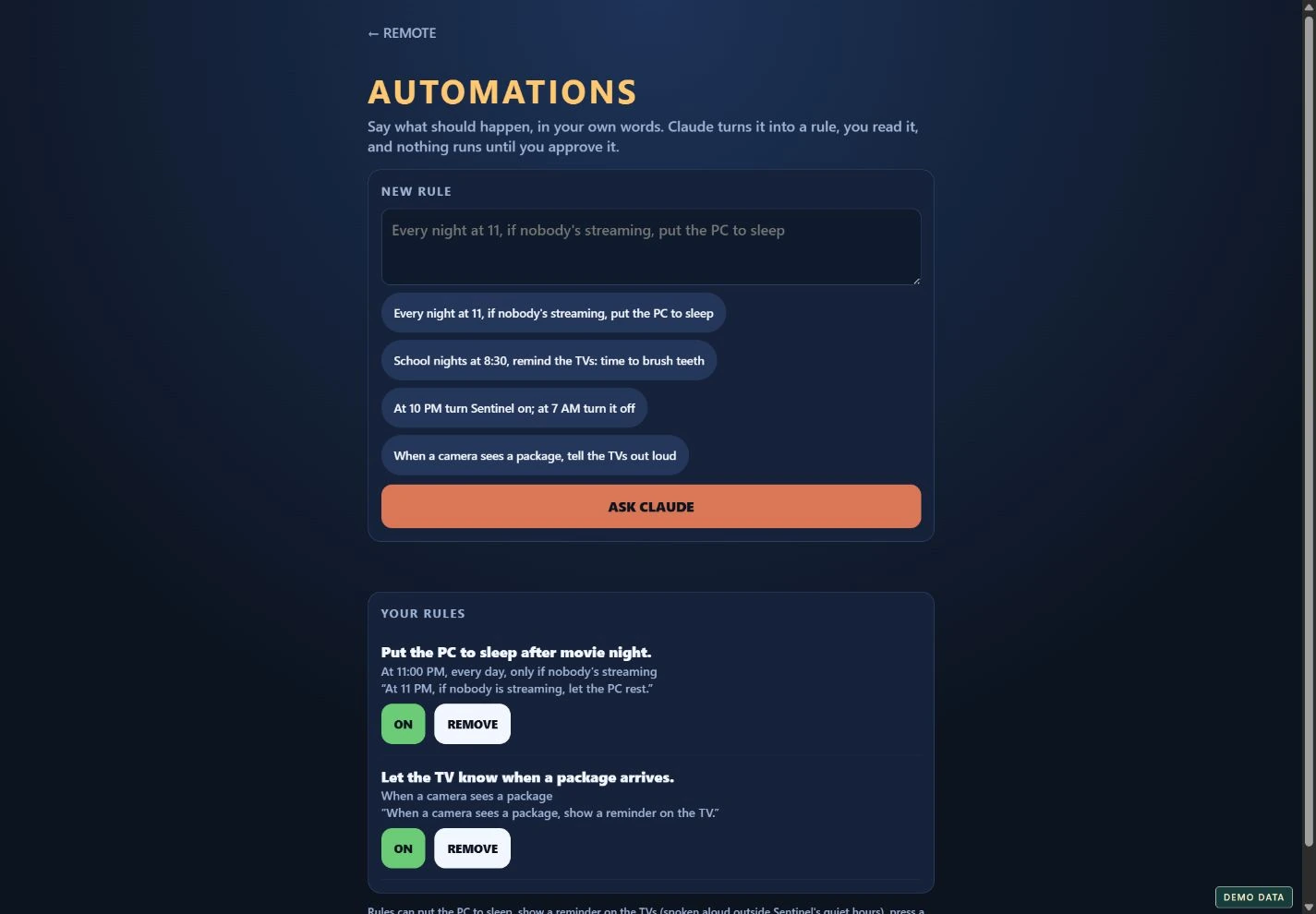
Everyday automations
Describe a rule in ordinary language and review it before approval. The rules shown are examples.
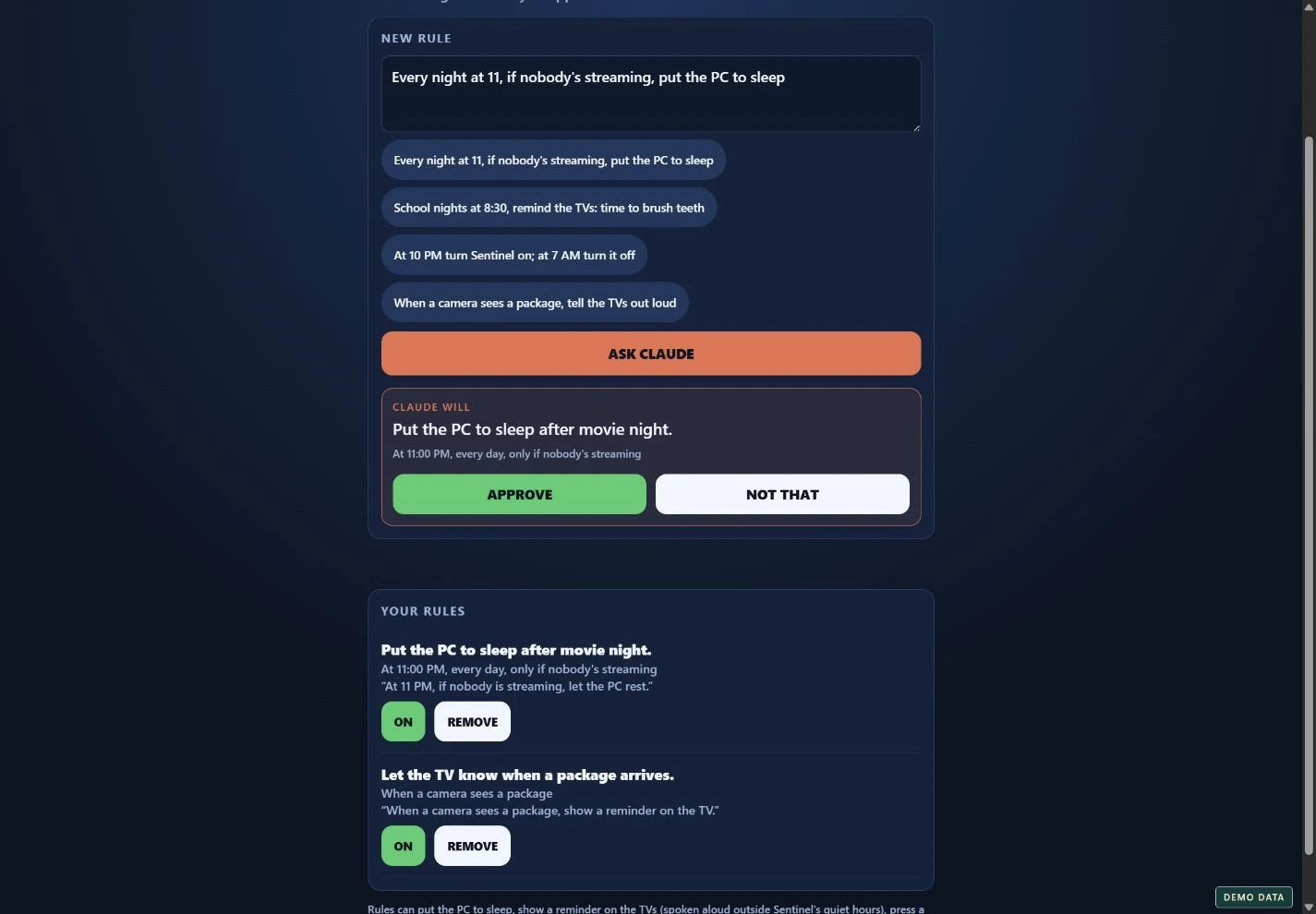
Read it before it runs
An example automation proposal awaiting approval. This demonstration does not control a PC or TV.
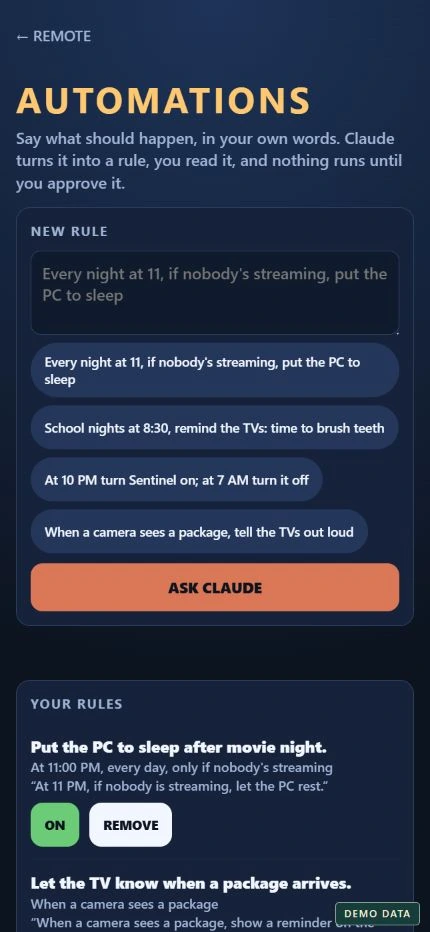
Rules on the go
Automation suggestions and example rules in the phone interface.
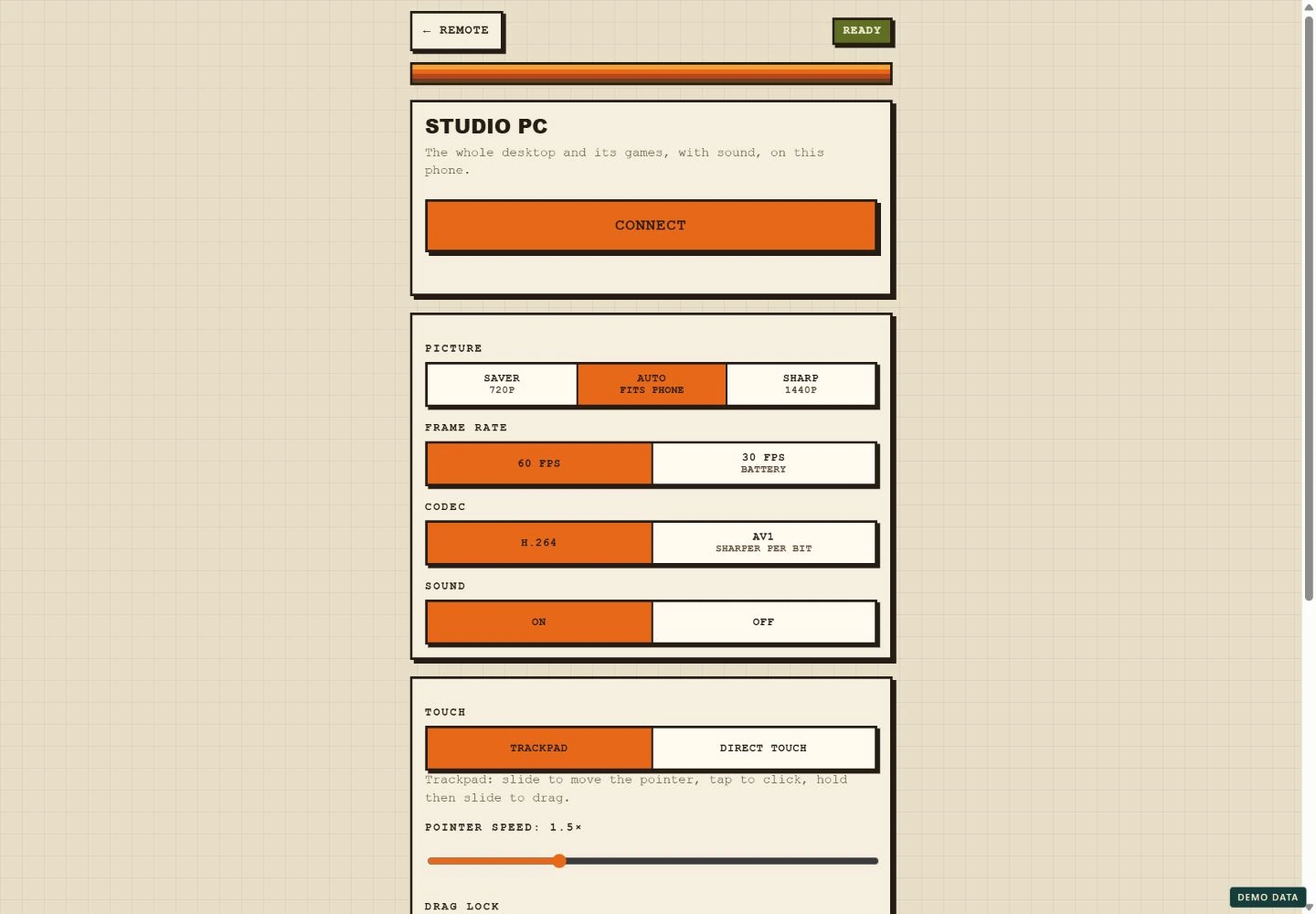
Set up your PC stream
Picture quality, frame rate, audio and touch controls in the streaming lobby. No desktop is being streamed.
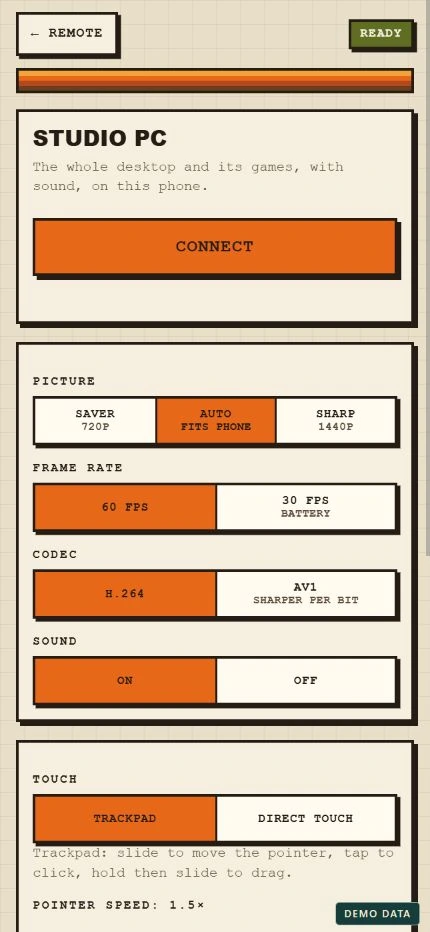
Ready for the small screen
The streaming setup on a phone. This is the connection lobby, not a live PC stream.
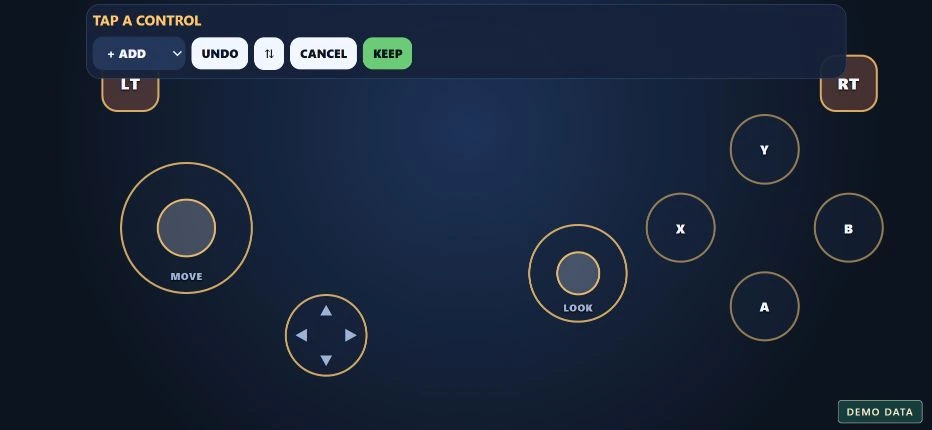
Arrange your controls
Edit the touch gamepad layout, add controls and keep the arrangement that works for you.
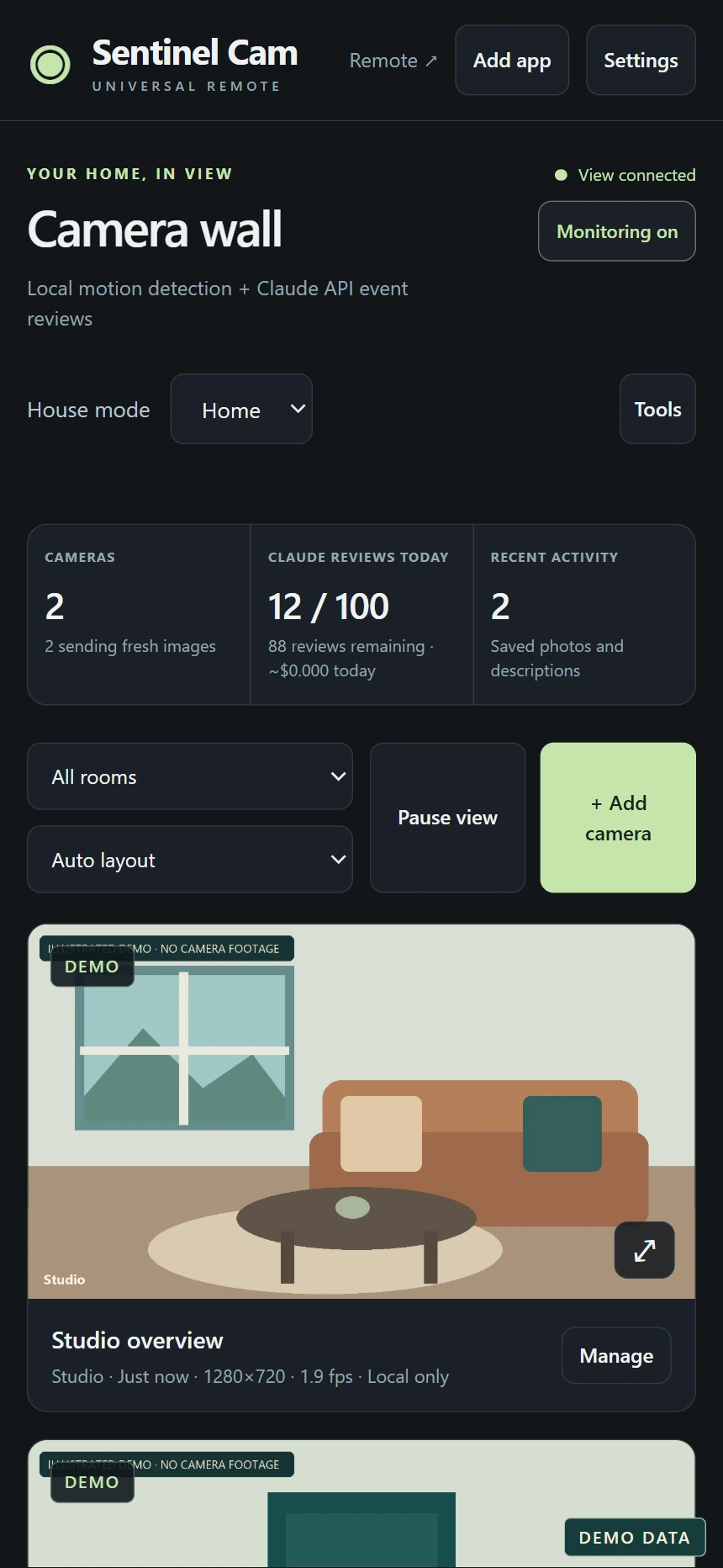
The camera wall on mobile
Sentinel's responsive dashboard with illustrated demo scenes, not real camera footage.
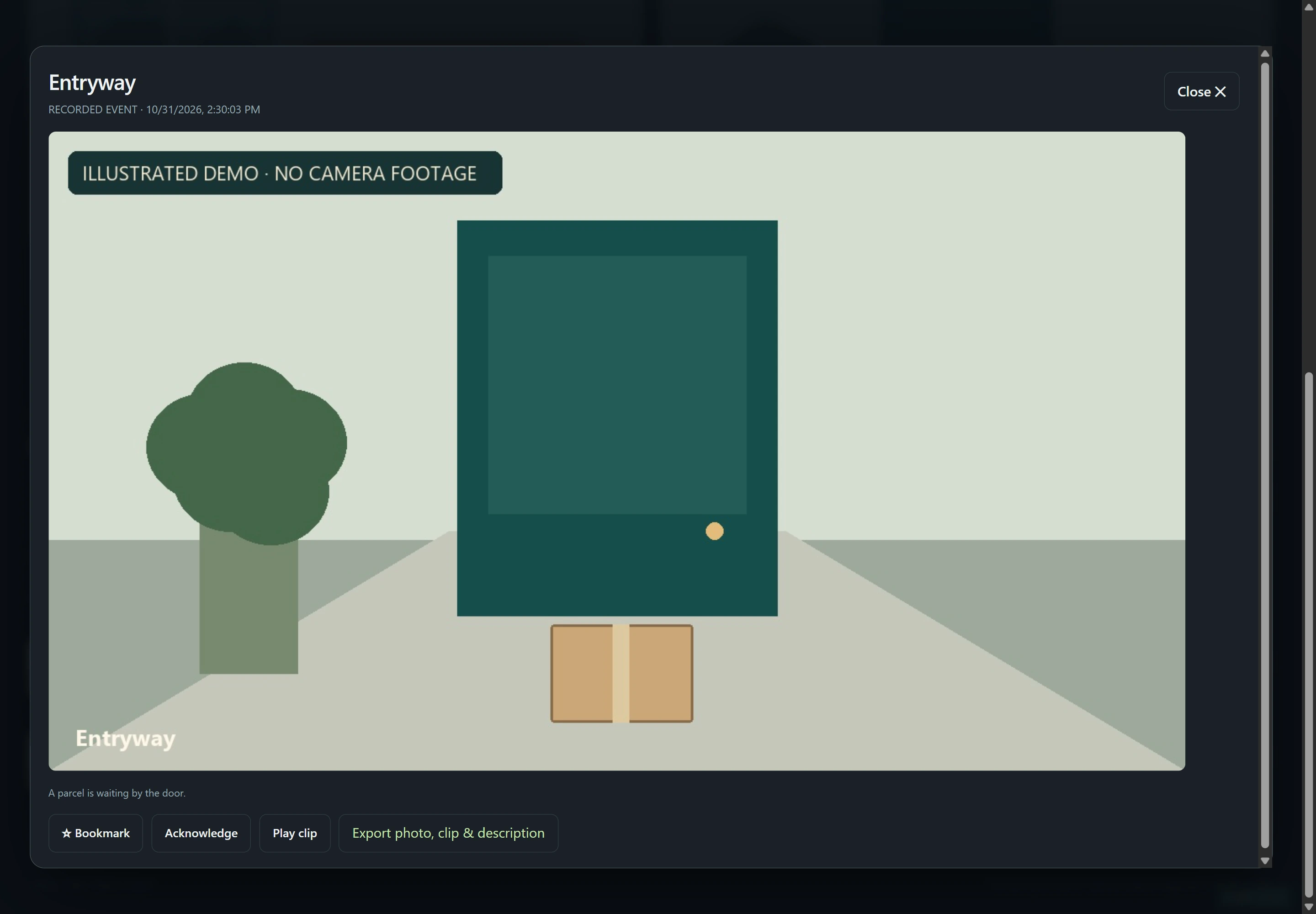
A closer look at an event
The saved-event viewer with a fictional parcel event and an illustrated image.
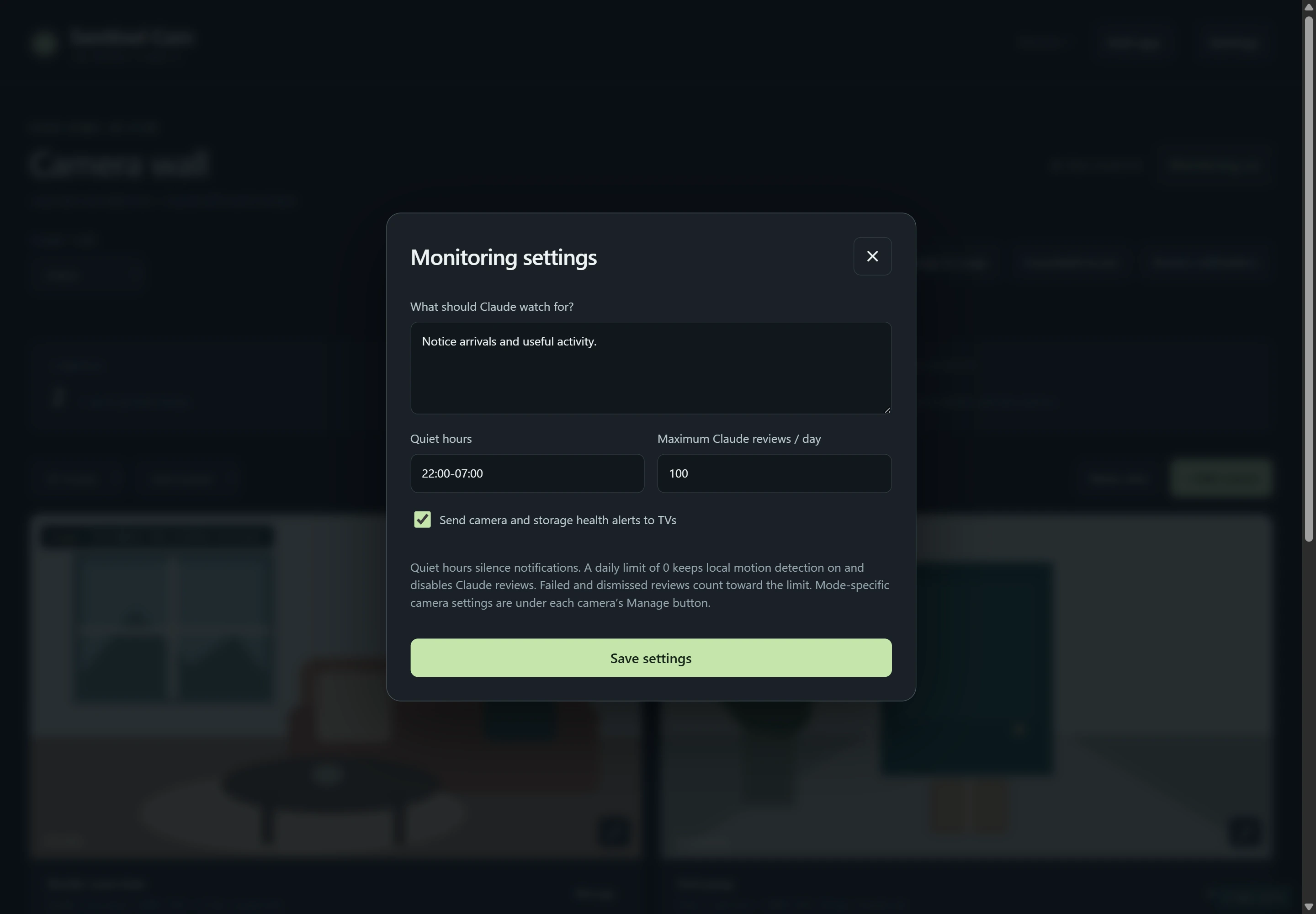
Monitoring preferences
Sample monitoring instructions, quiet hours and a daily review limit.
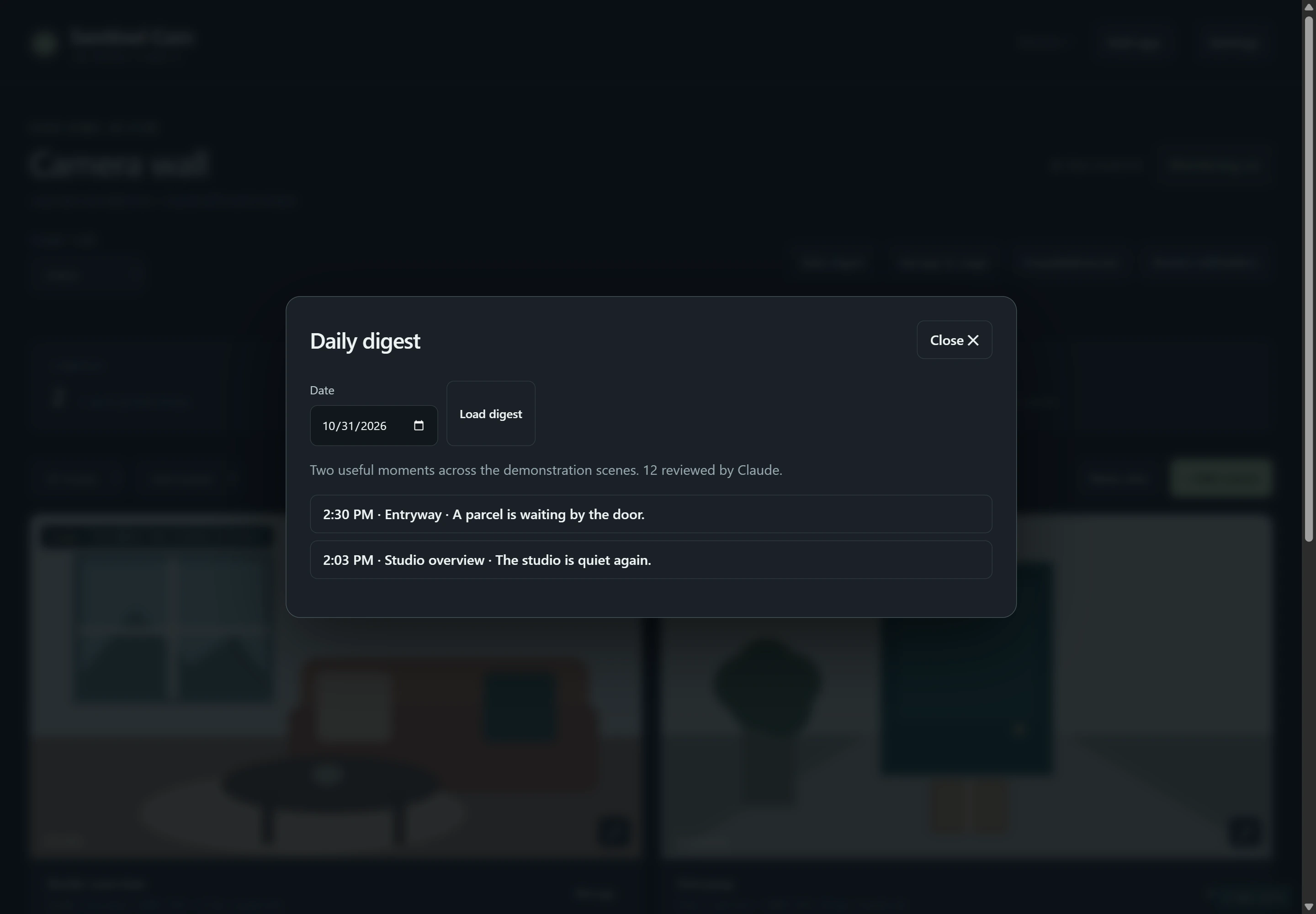
The day at a glance
A demonstration daily digest linking two fictional events.
Captured from the real app interfaces with demonstration data. Sentinel scenes are illustrations; no private files or camera footage are shown.
02 Windows · Kisnt KN104
KeyLight
Make your keyboard your own.
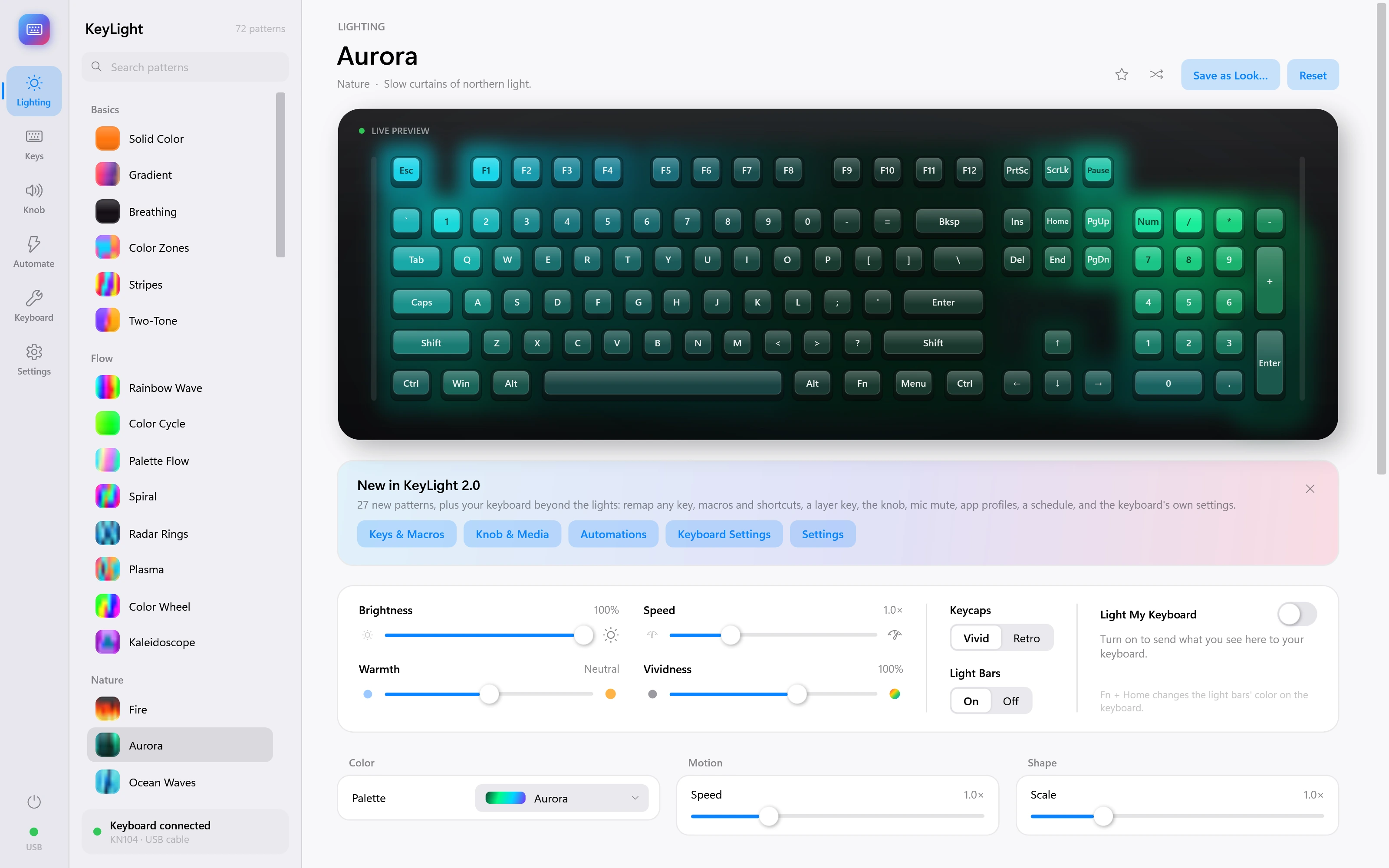 AuroraExplore the screen
A lighting and control app for the Kisnt KN104 keyboard. Explore 72 original patterns, shape the colors, remap keys and let app profiles or a schedule choose the look.
- 72 patterns, from Aurora to music-reactive lighting
- A live keyboard preview with color and motion controls
- Key remapping, shortcuts, macros and knob controls
- App profiles, scheduled lighting and light or dark appearance
A closer look.
81 screenshots Tap any image to explore
Aurora
Slow curtains of northern light.
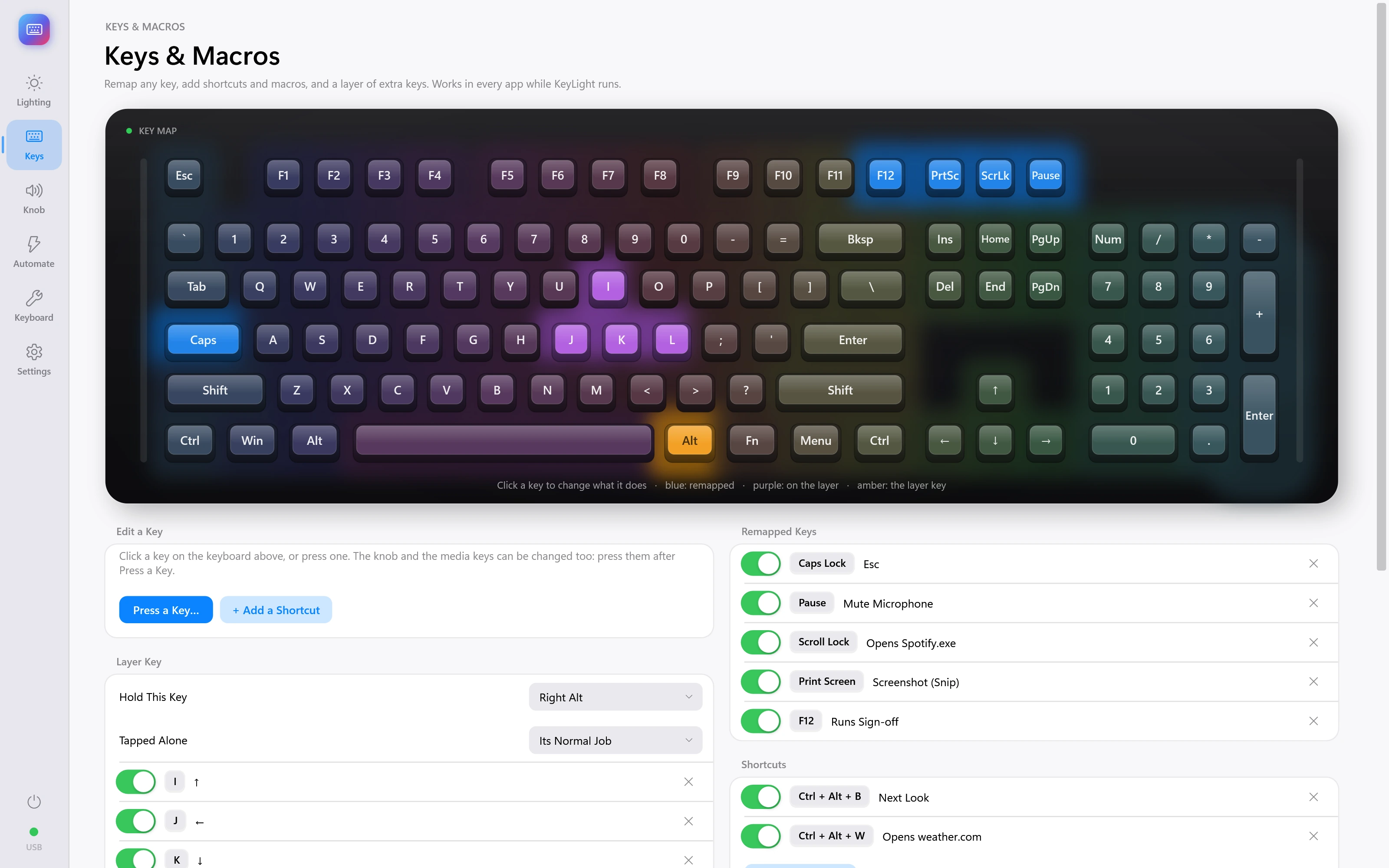
Keys & macros
A visual key map, remapped keys, shortcuts and an extra key layer. Sample setup.
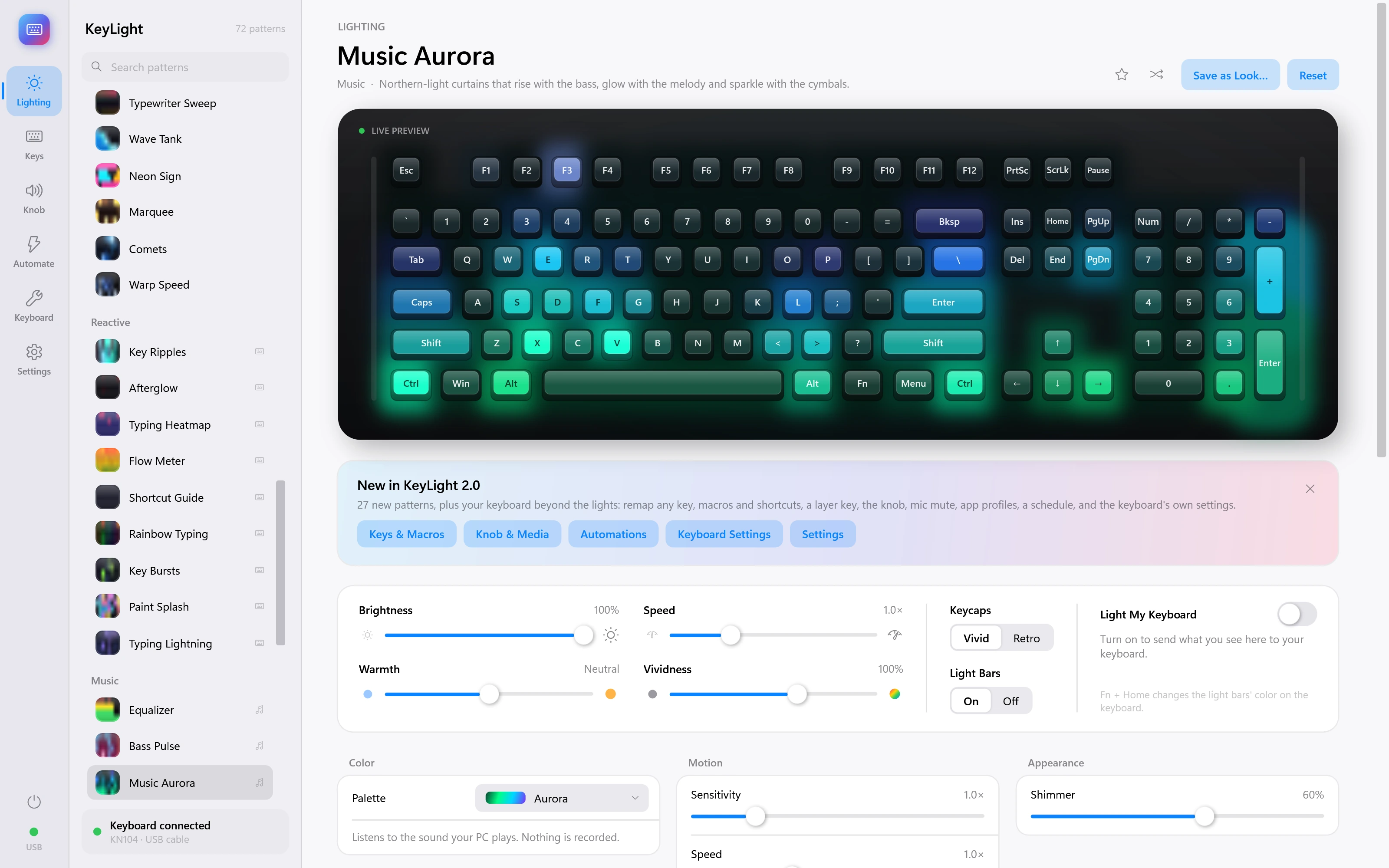
Music Aurora
Northern-light curtains that rise with the bass, glow with the melody and sparkle with the cymbals. Demonstration inputs.
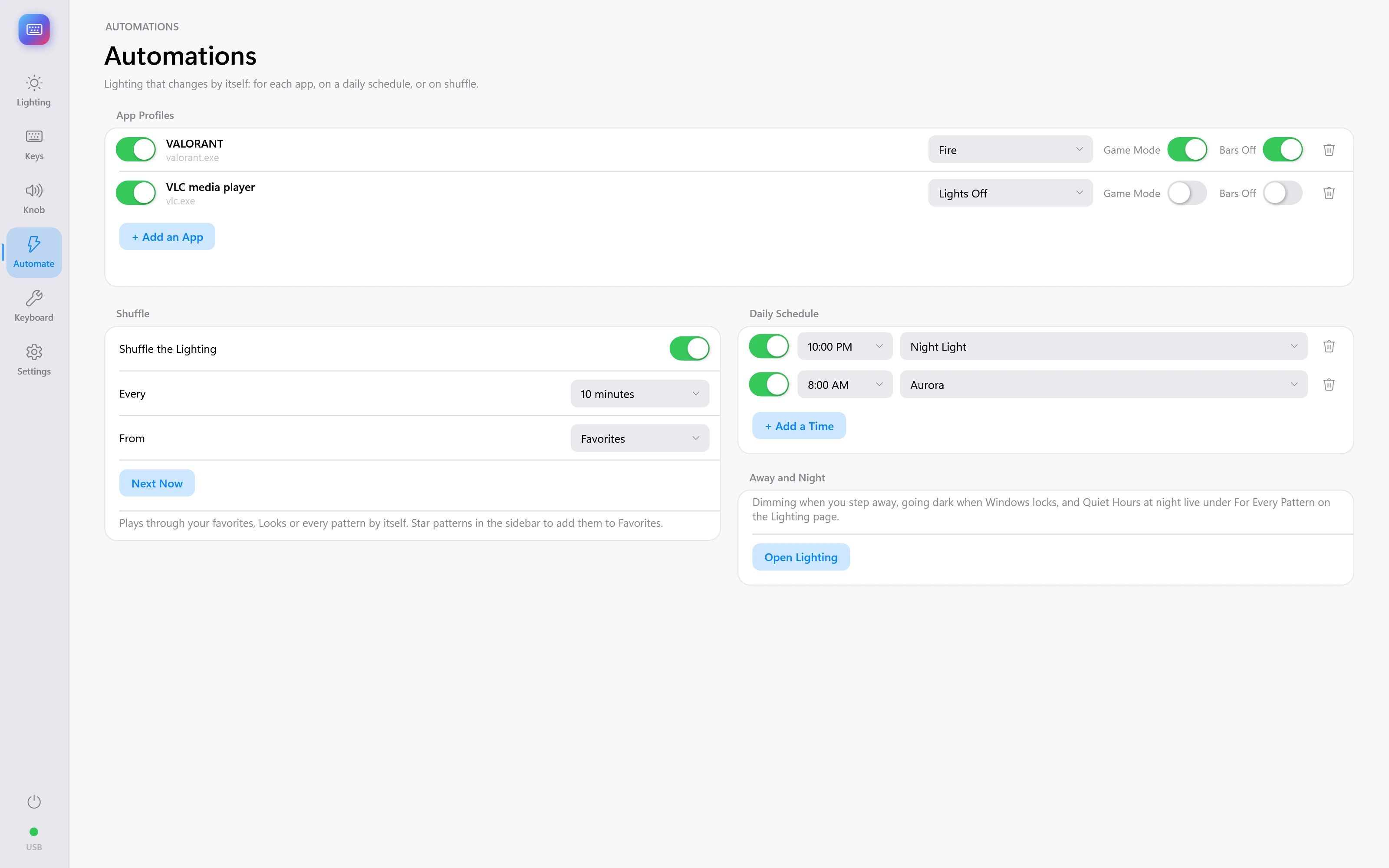
App profiles & schedules
Lighting profiles for different apps, a daily schedule and shuffle controls. Sample setup.
See all 81 screenshots
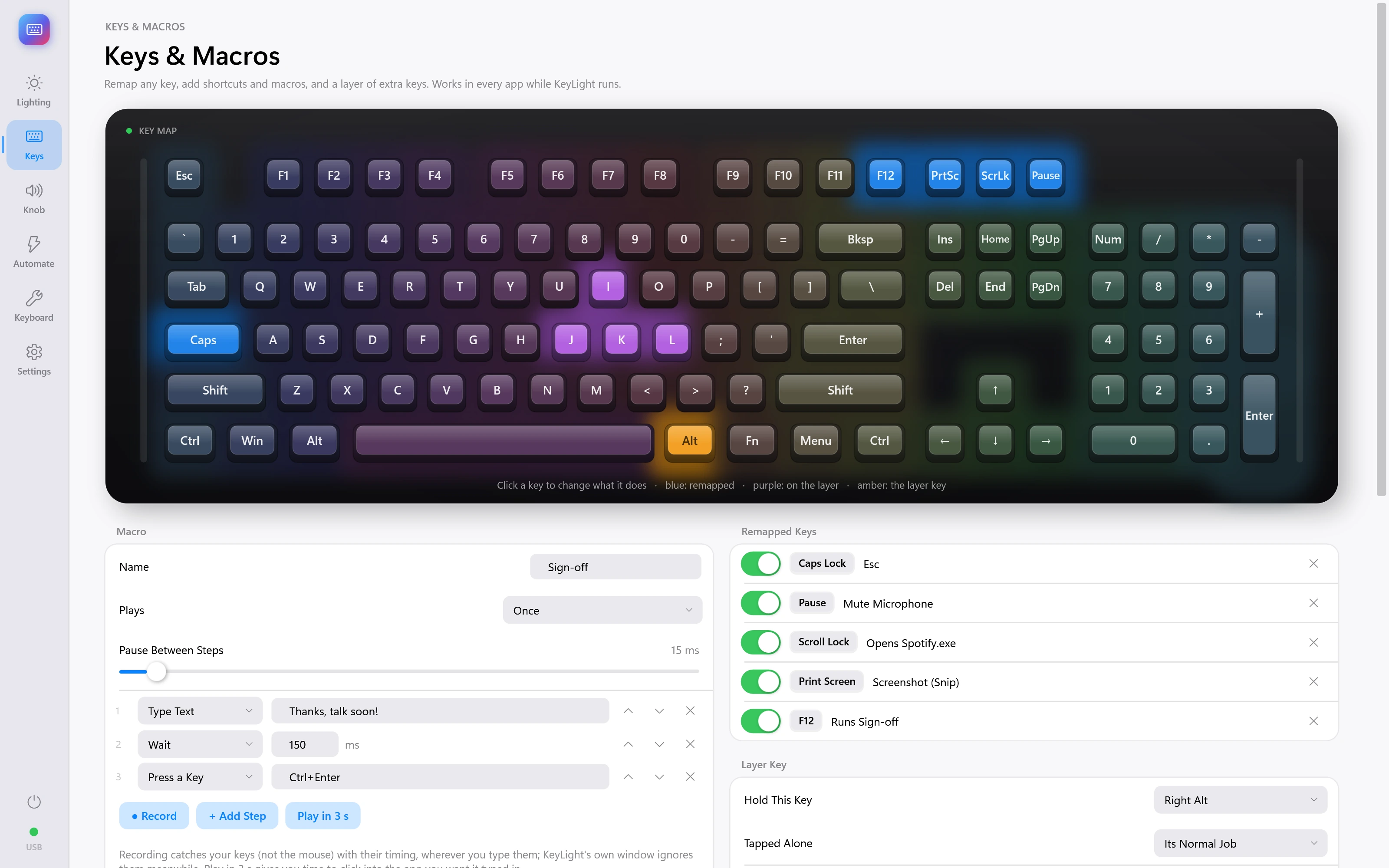
Macro editor
The macro editor with an example sequence.
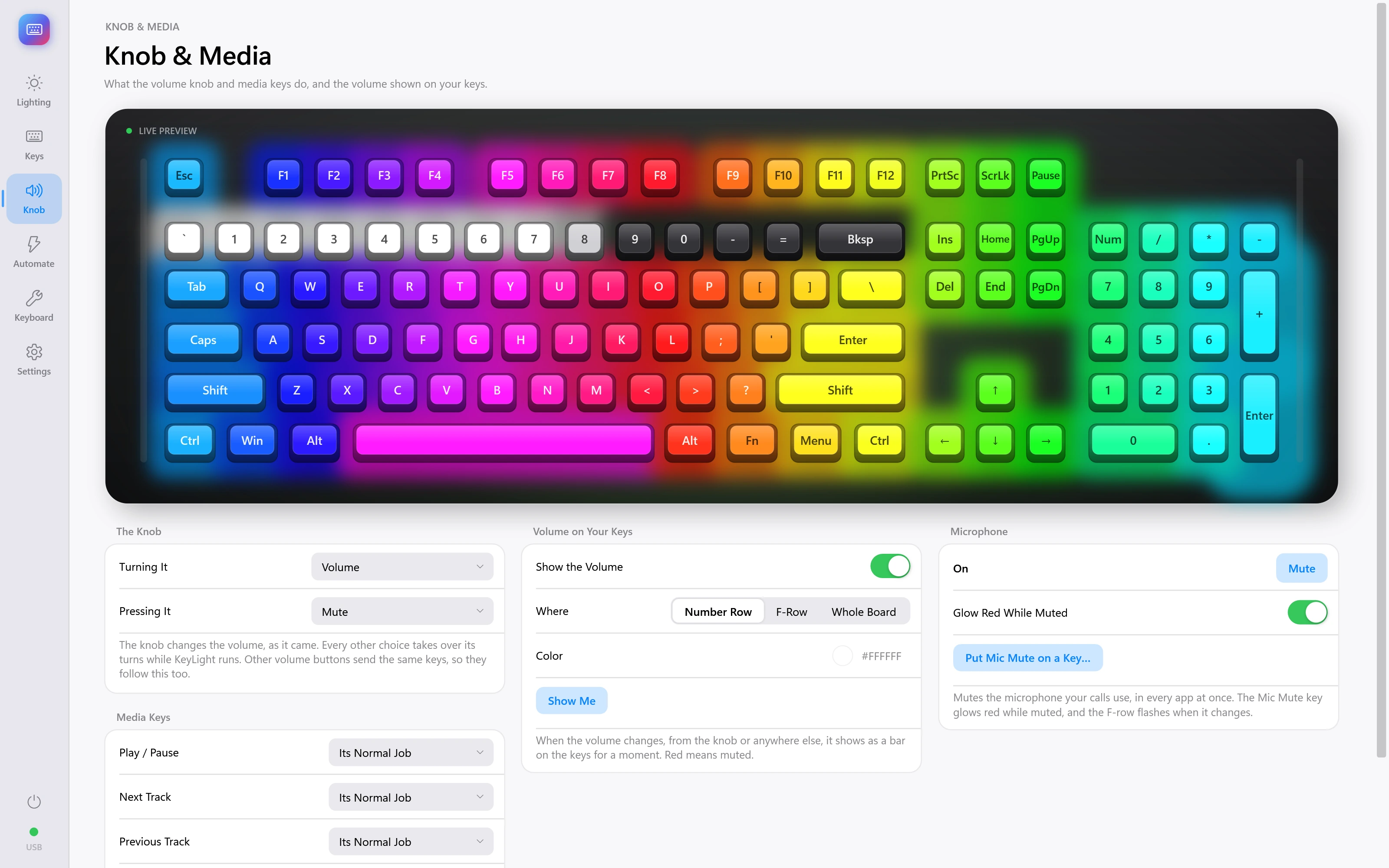
Knob & media
Choose how the keyboard knob and media controls behave. Sample setup.
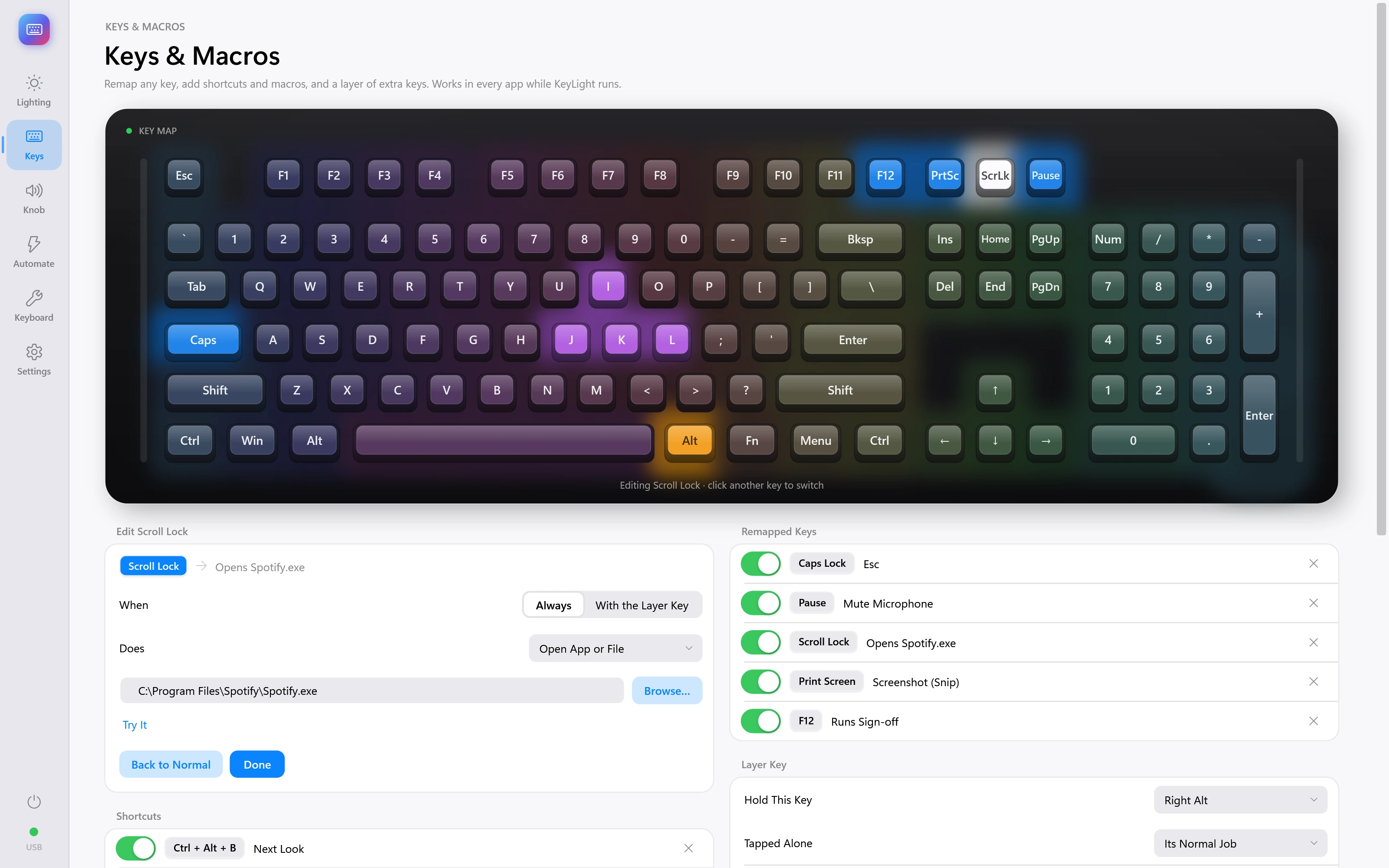
Remap a key
Choose a new action for a key. Sample setup.
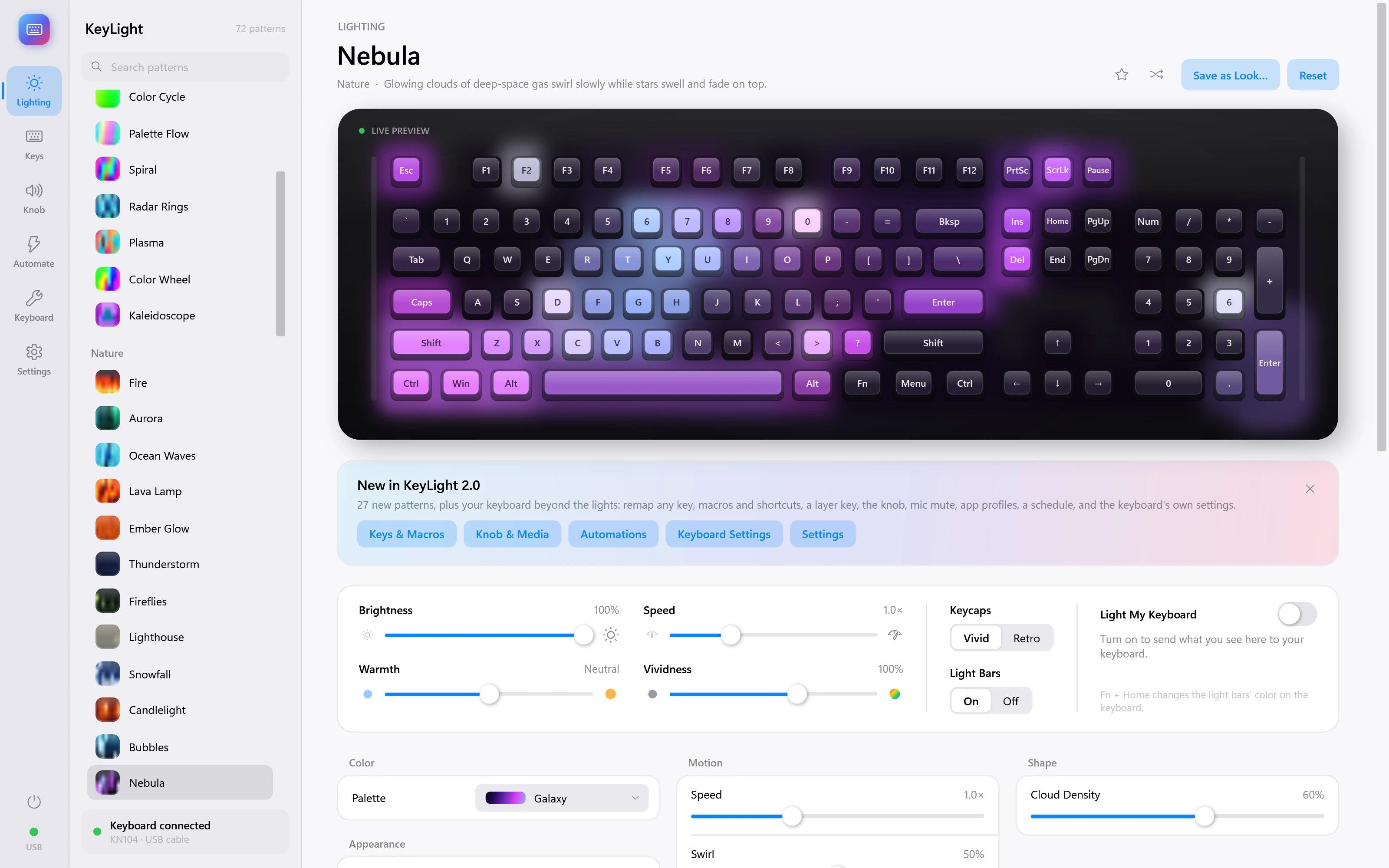
Nebula
Glowing clouds of deep-space gas swirl slowly while stars swell and fade on top.
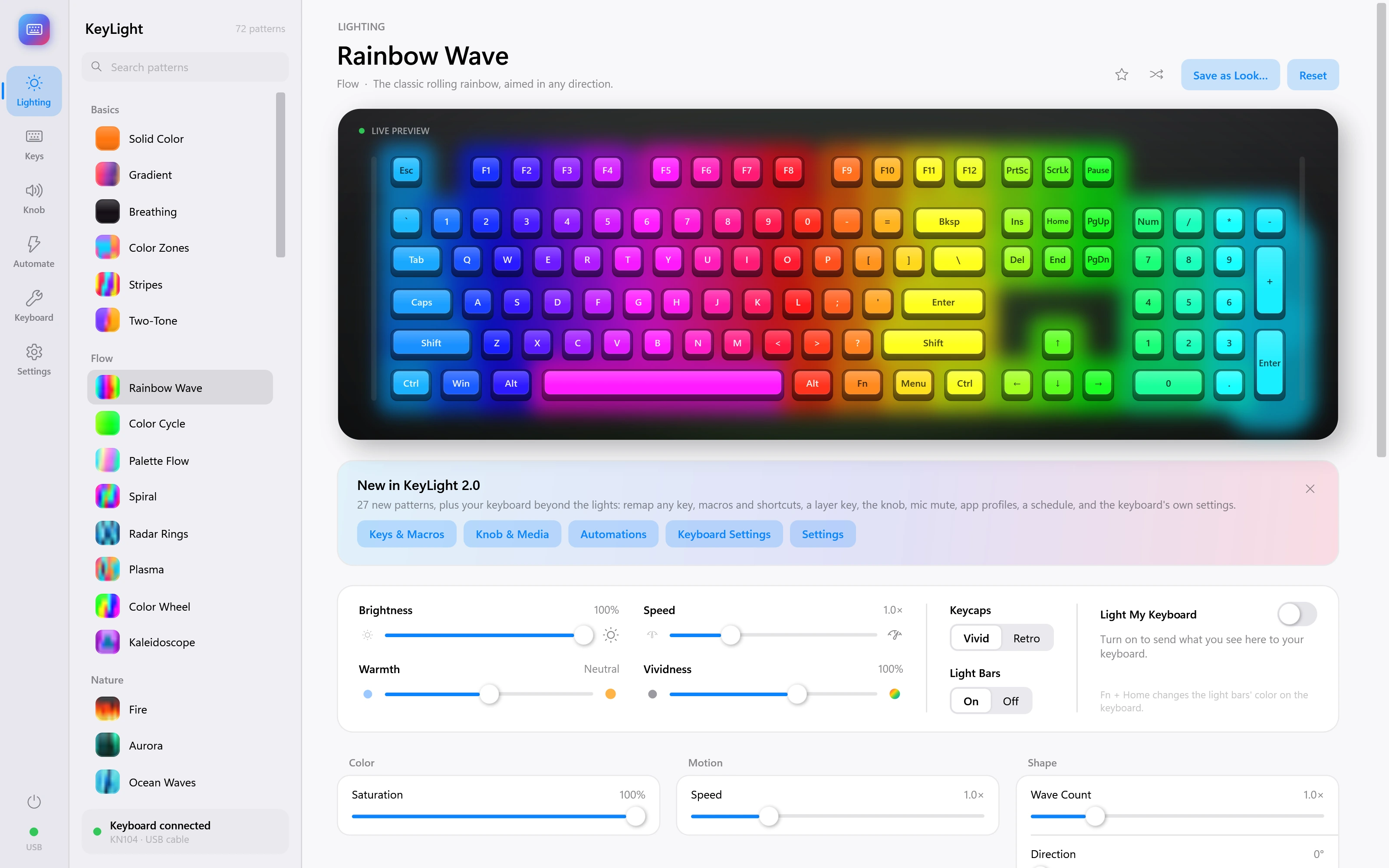
Rainbow Wave
The classic rolling rainbow, aimed in any direction.
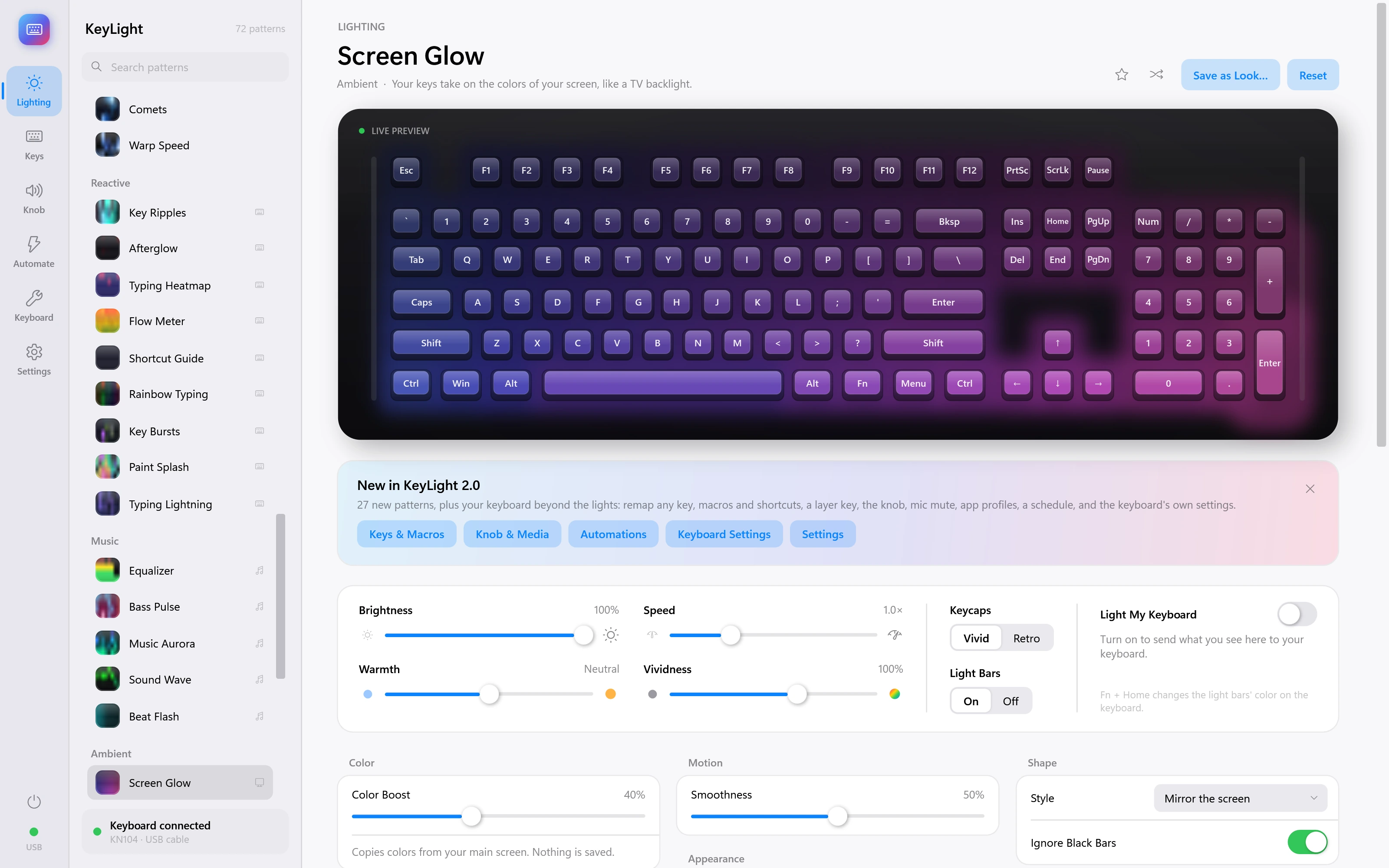
Screen Glow
Your keys take on the colors of your screen, like a TV backlight. Demonstration inputs.
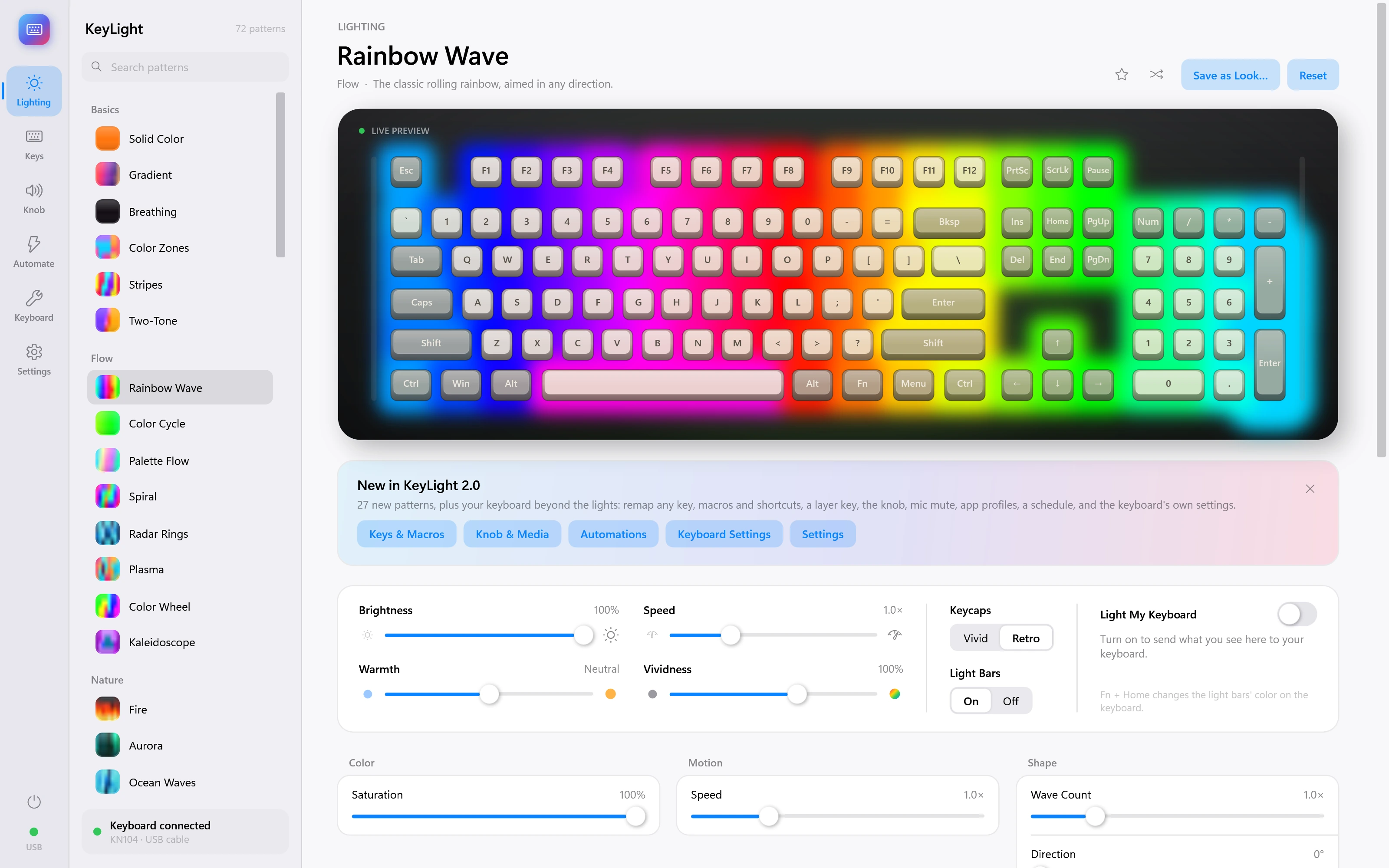
Retro keycaps
Rainbow lighting with the alternative retro keycap preview.
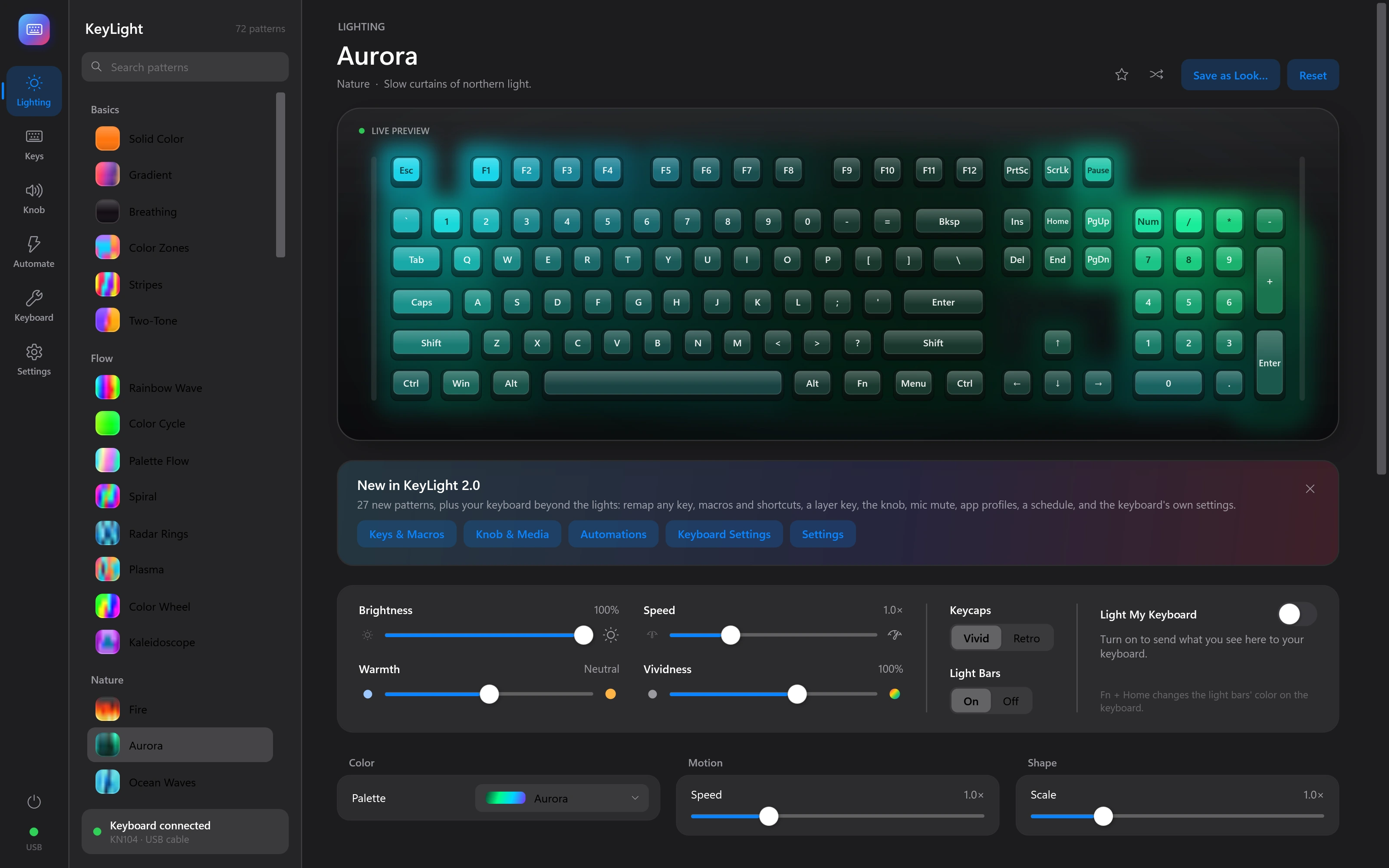
Aurora · dark theme
The same lighting preview in the app’s dark appearance.
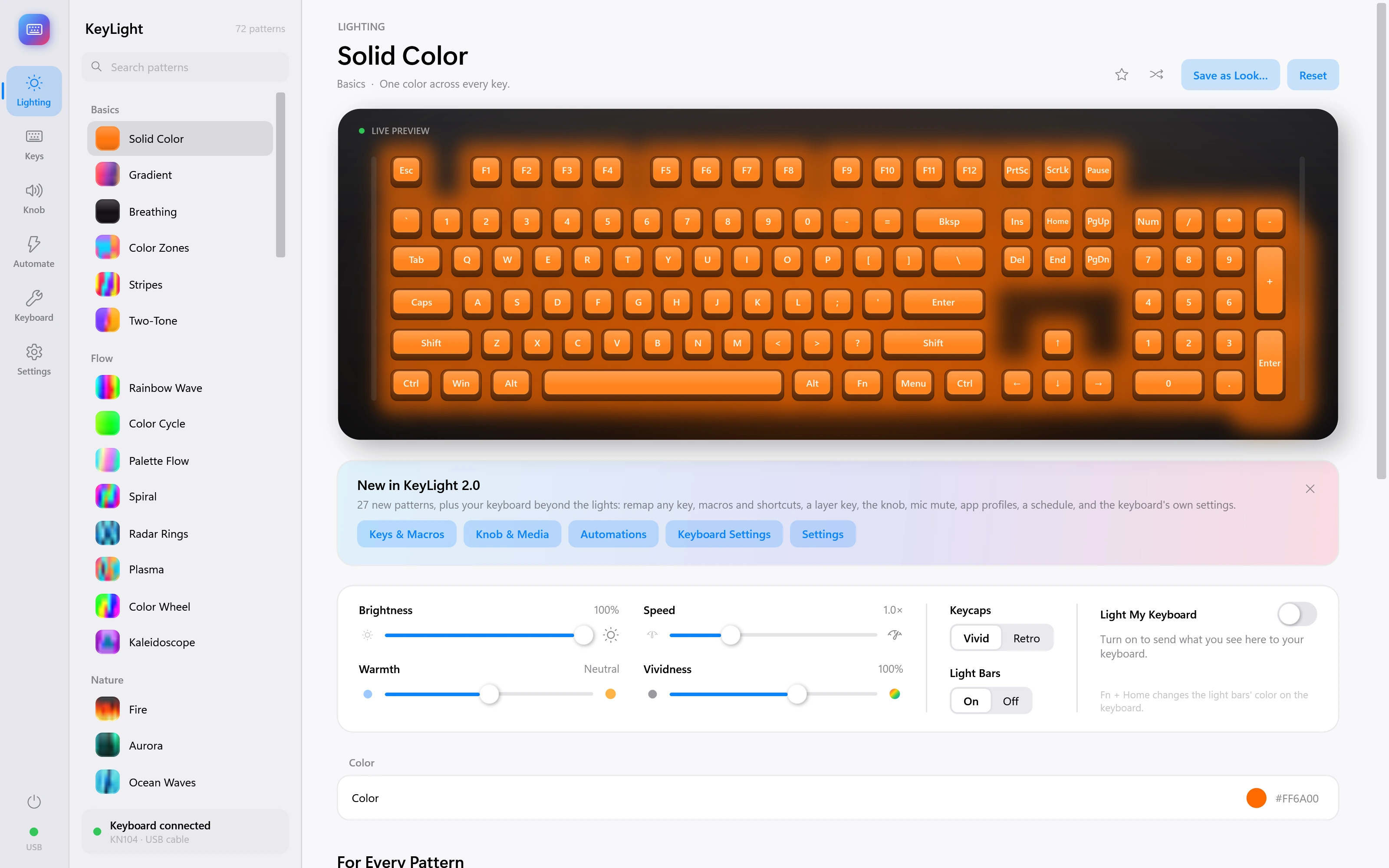
Solid Color
One color across every key.
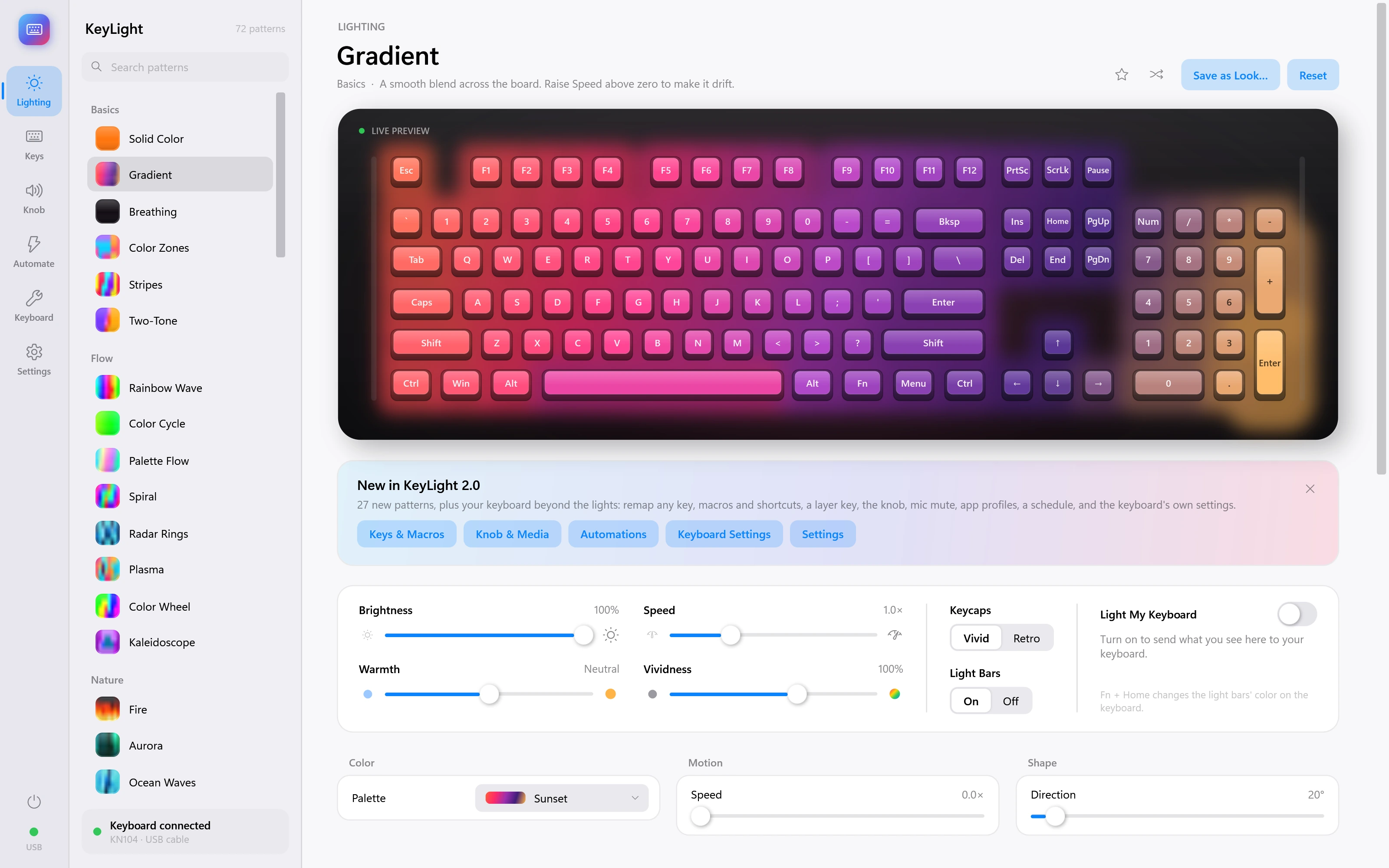
Gradient
A smooth blend across the board. Raise Speed above zero to make it drift.
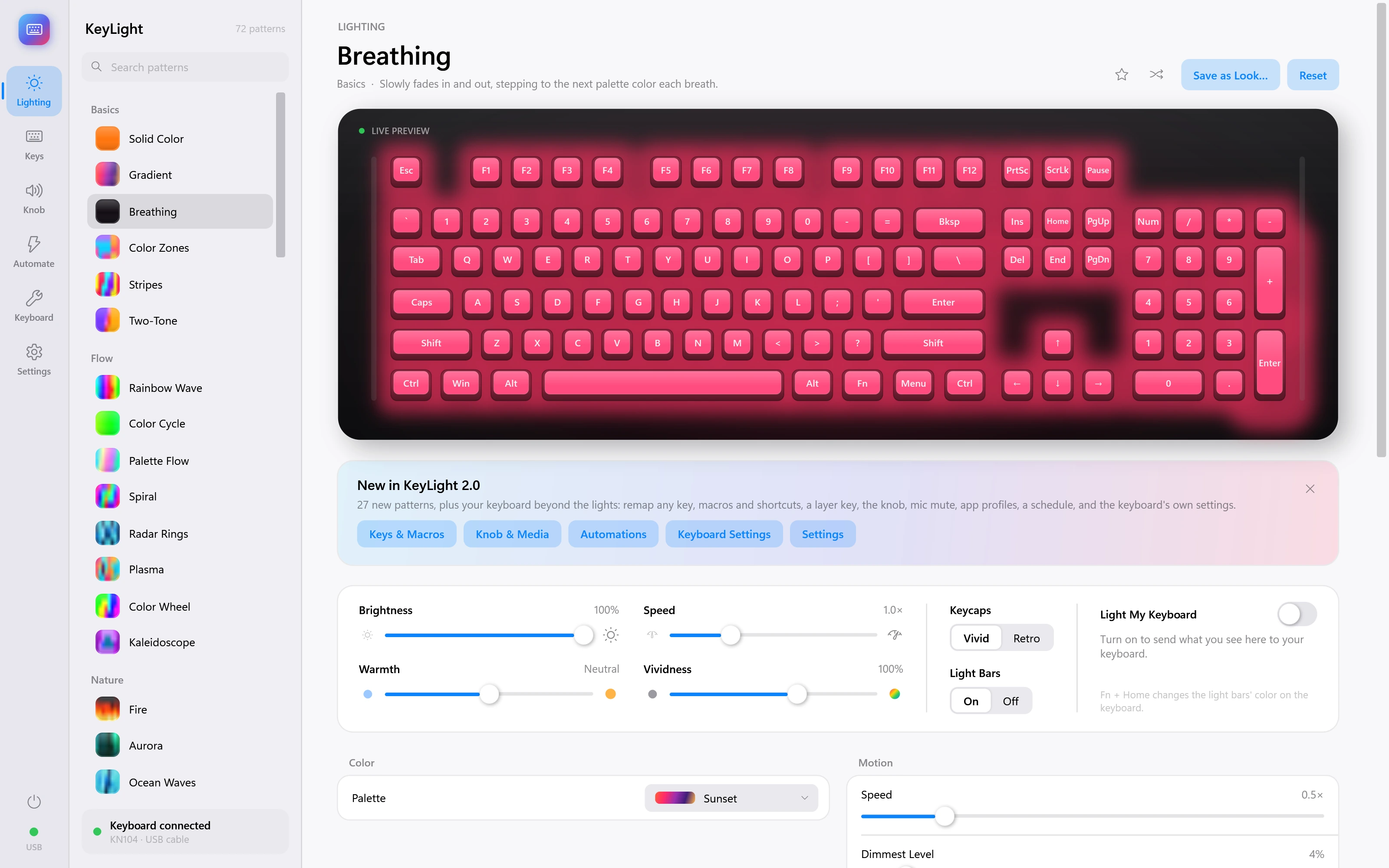
Breathing
Slowly fades in and out, stepping to the next palette color each breath.
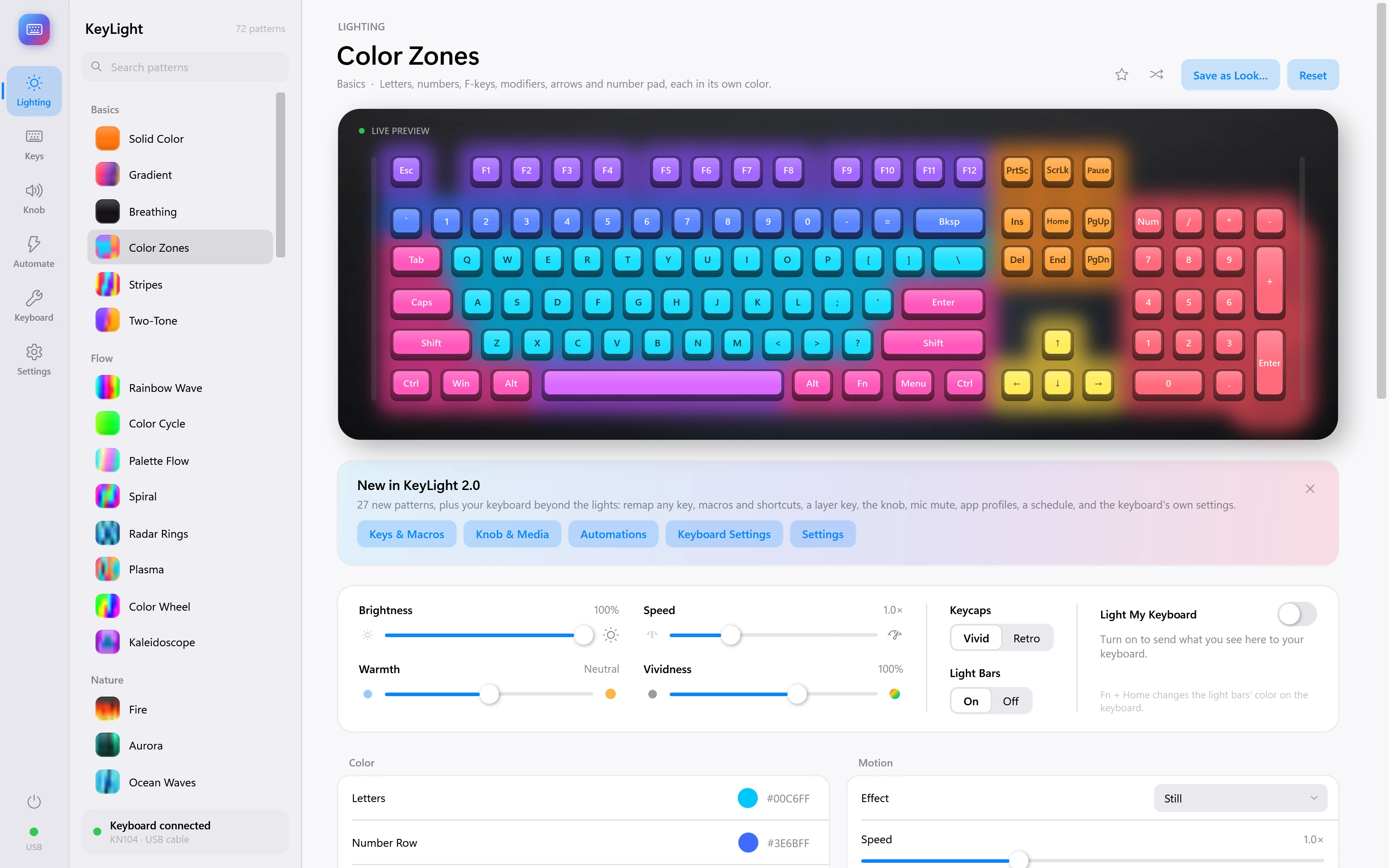
Color Zones
Letters, numbers, F-keys, modifiers, arrows and number pad, each in its own color.
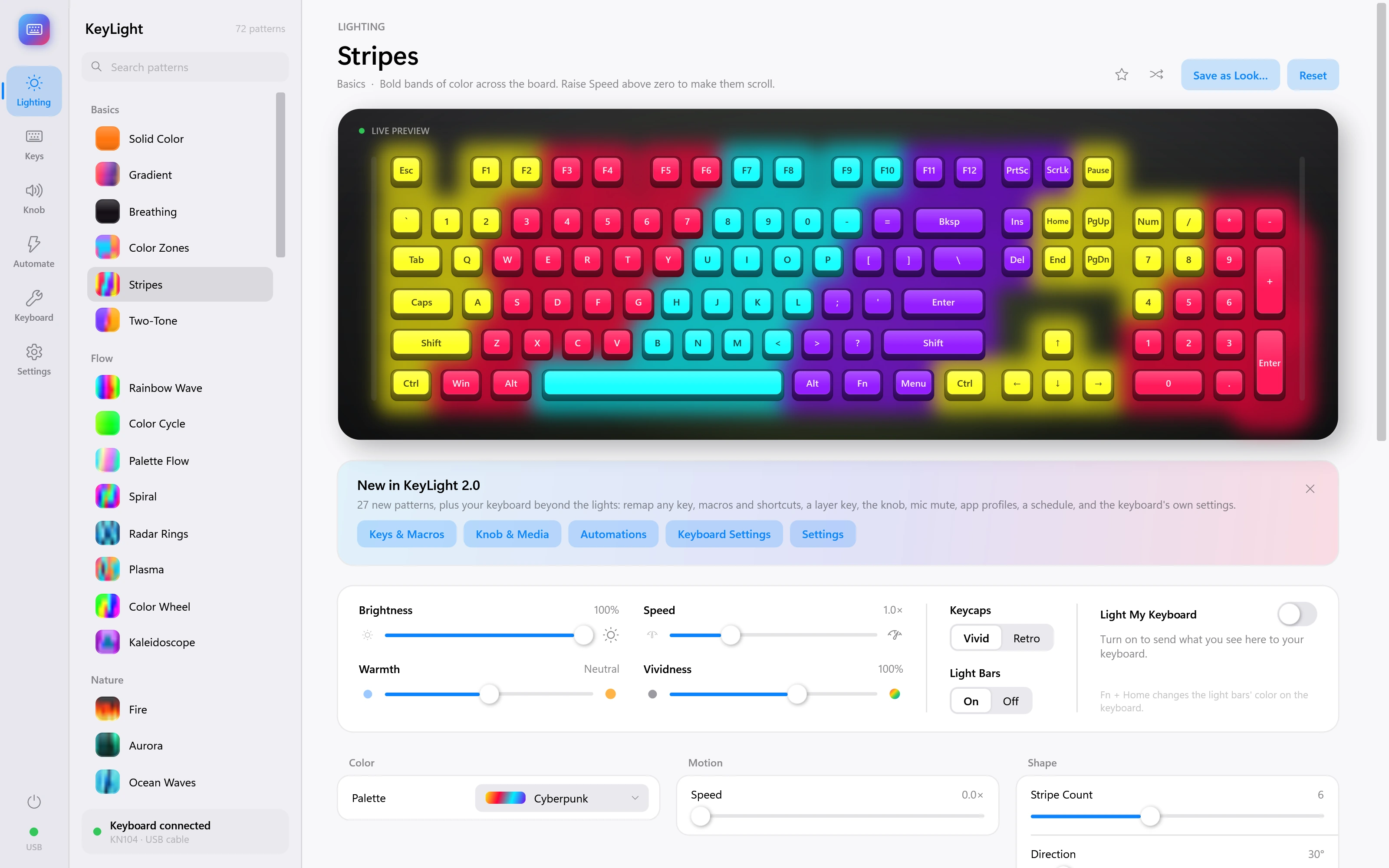
Stripes
Bold bands of color across the board. Raise Speed above zero to make them scroll.
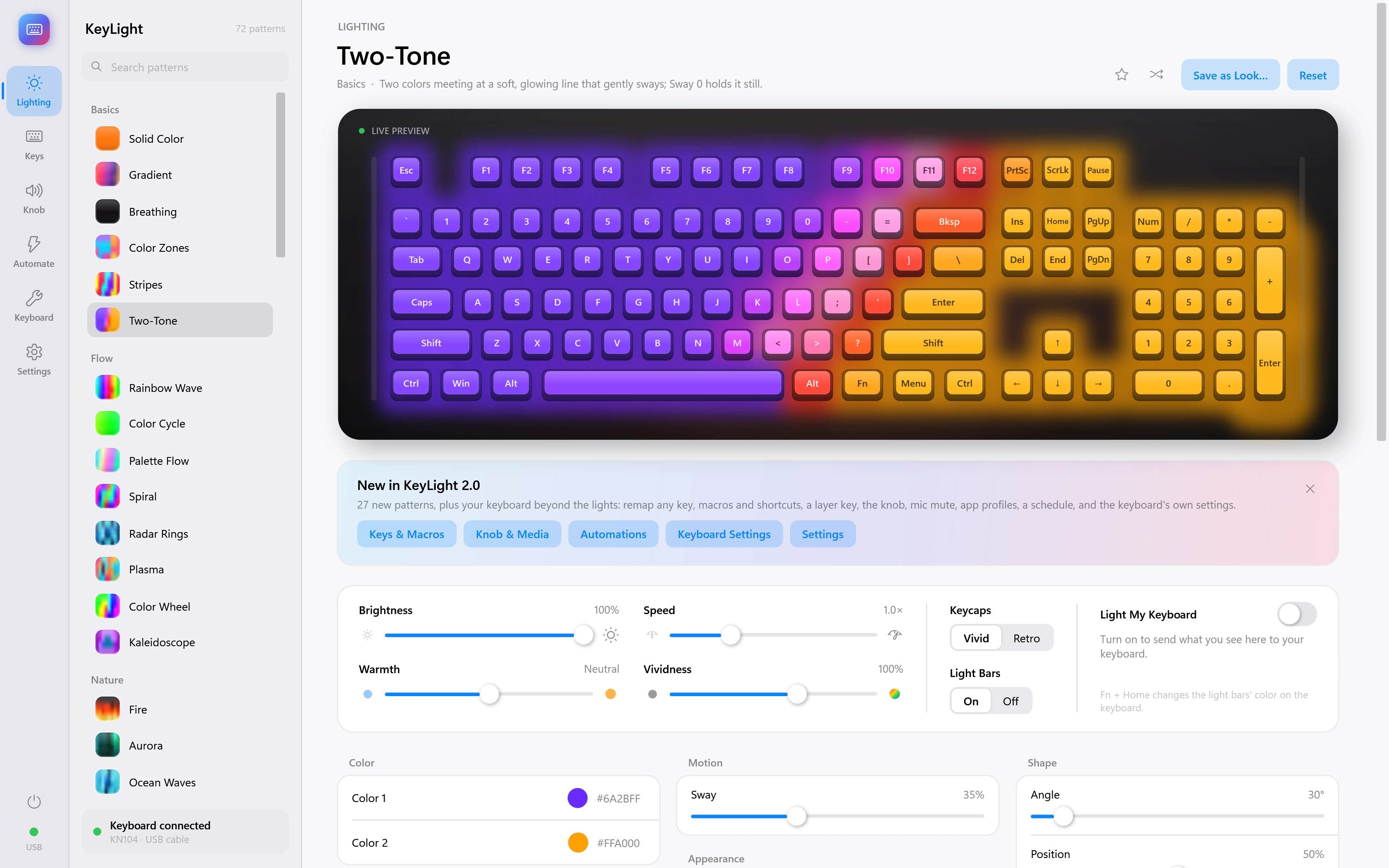
Two-Tone
Two colors meeting at a soft, glowing line that gently sways; Sway 0 holds it still.
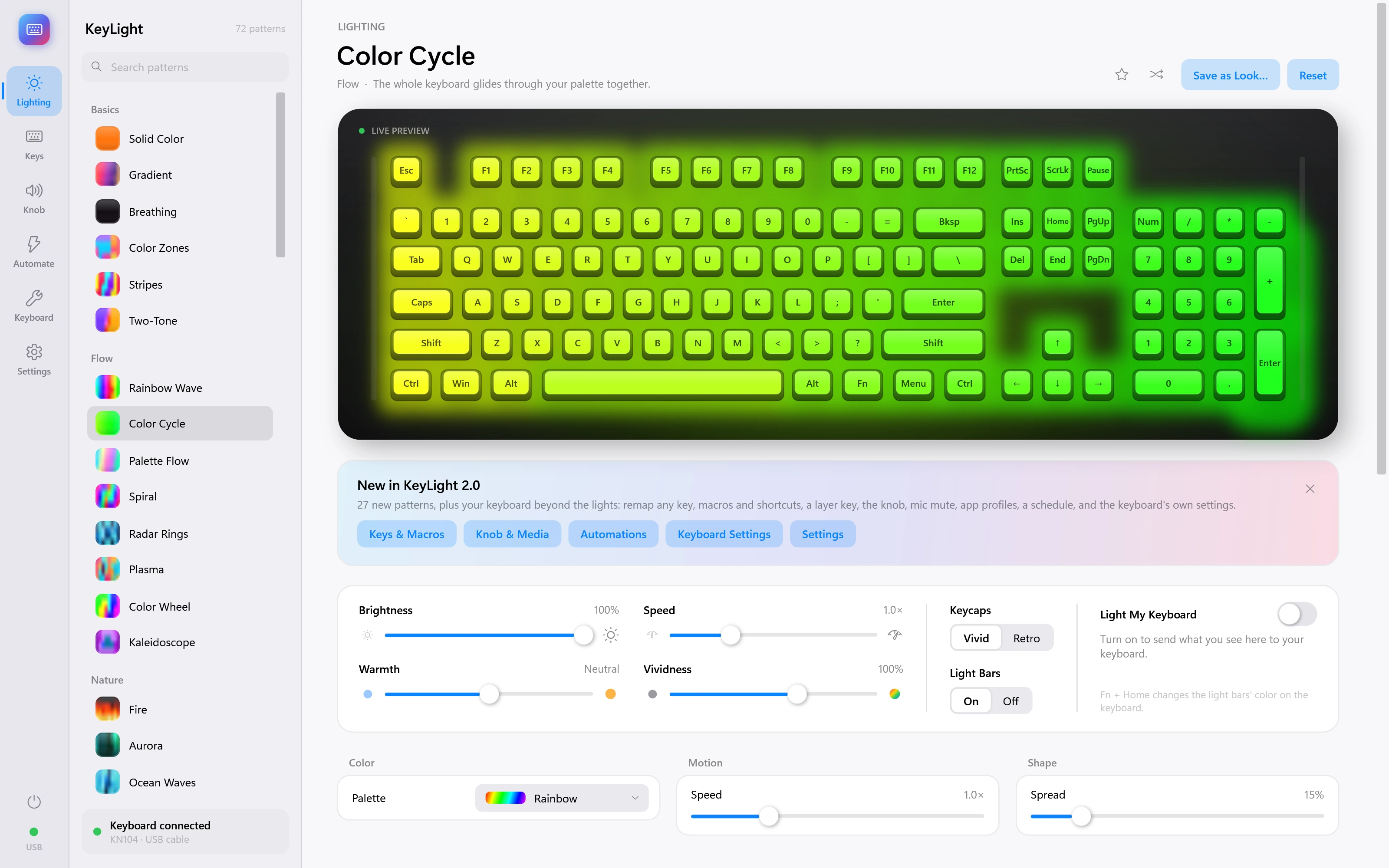
Color Cycle
The whole keyboard glides through your palette together.
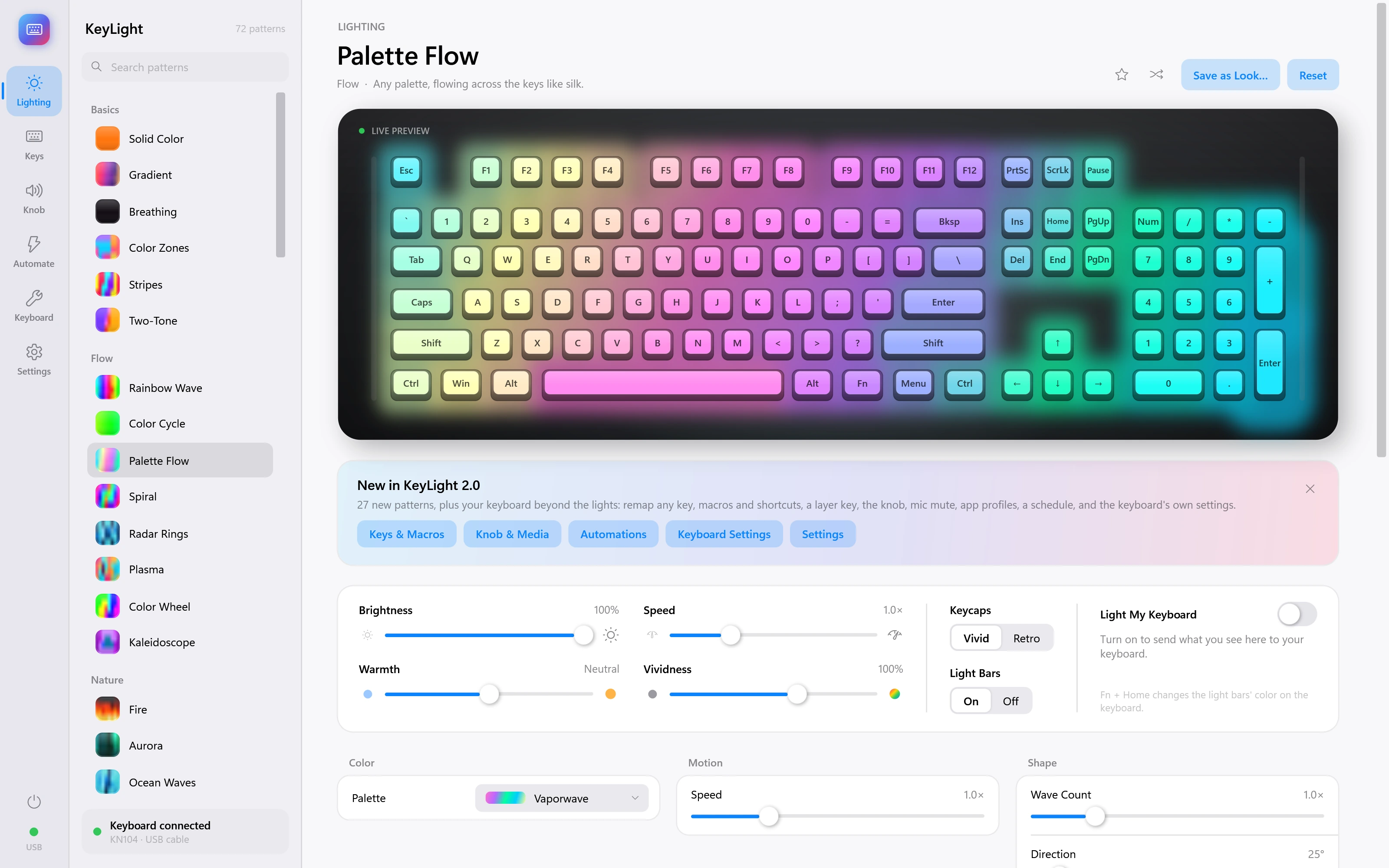
Palette Flow
Any palette, flowing across the keys like silk.
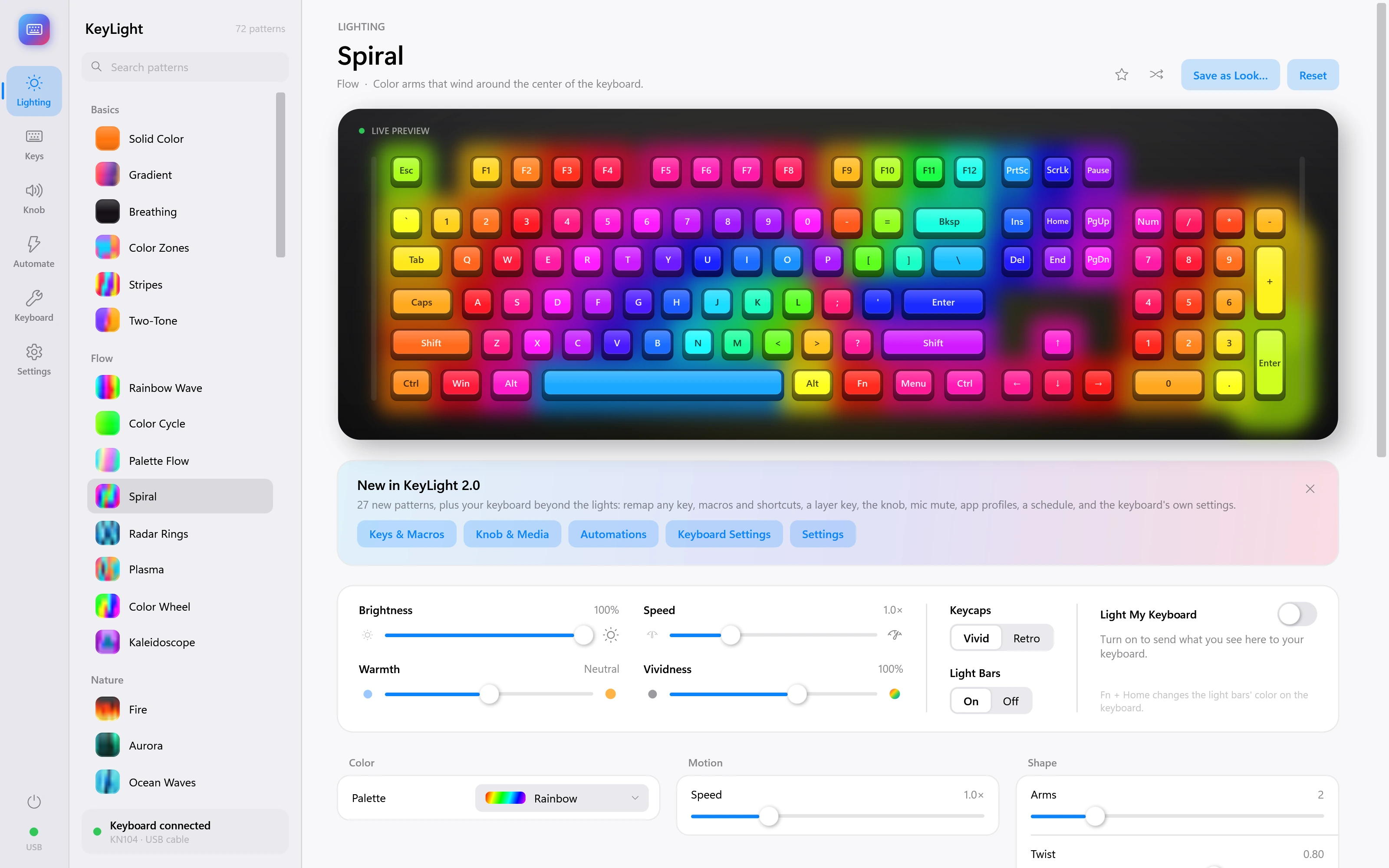
Spiral
Color arms that wind around the center of the keyboard.
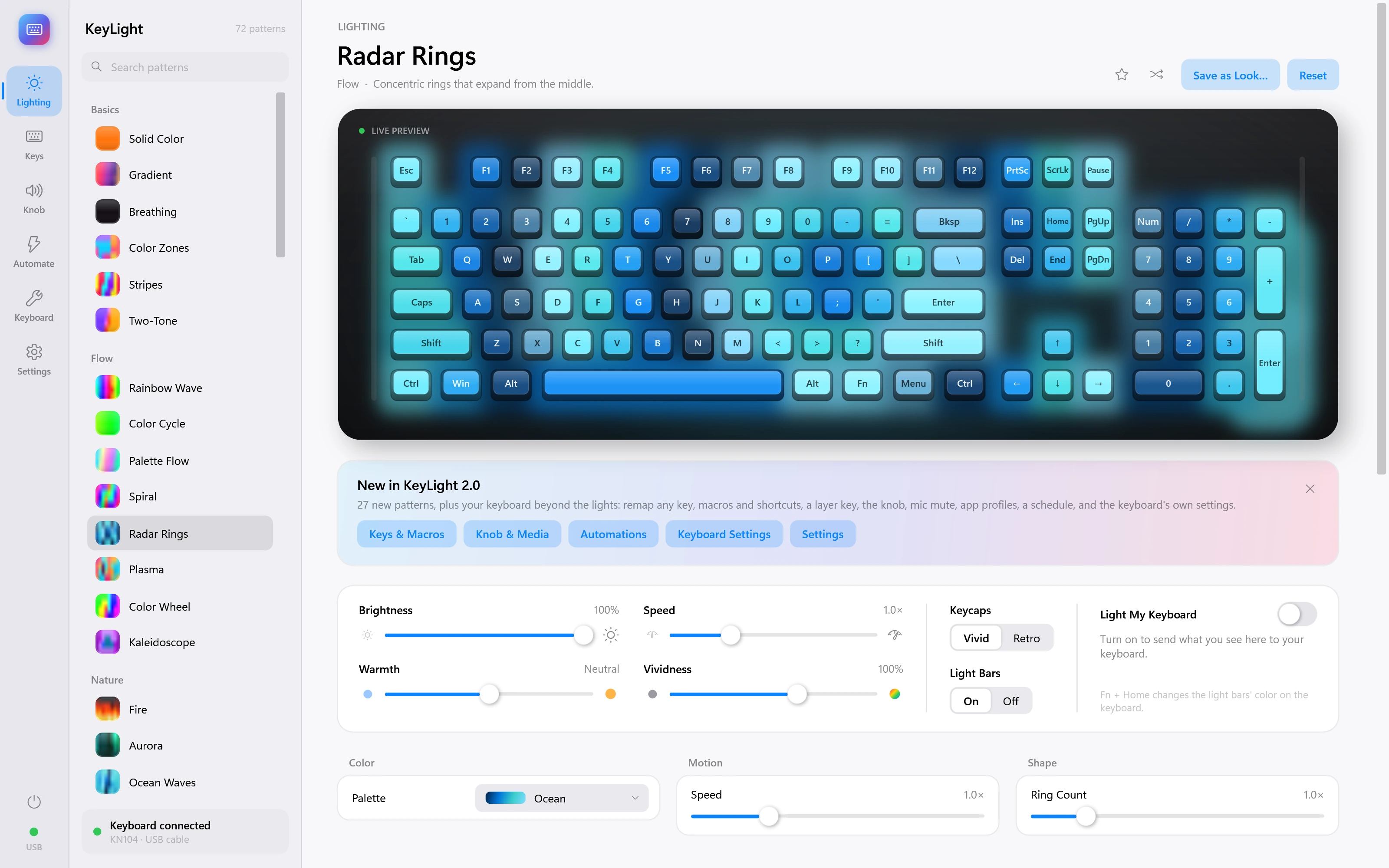
Radar Rings
Concentric rings that expand from the middle.
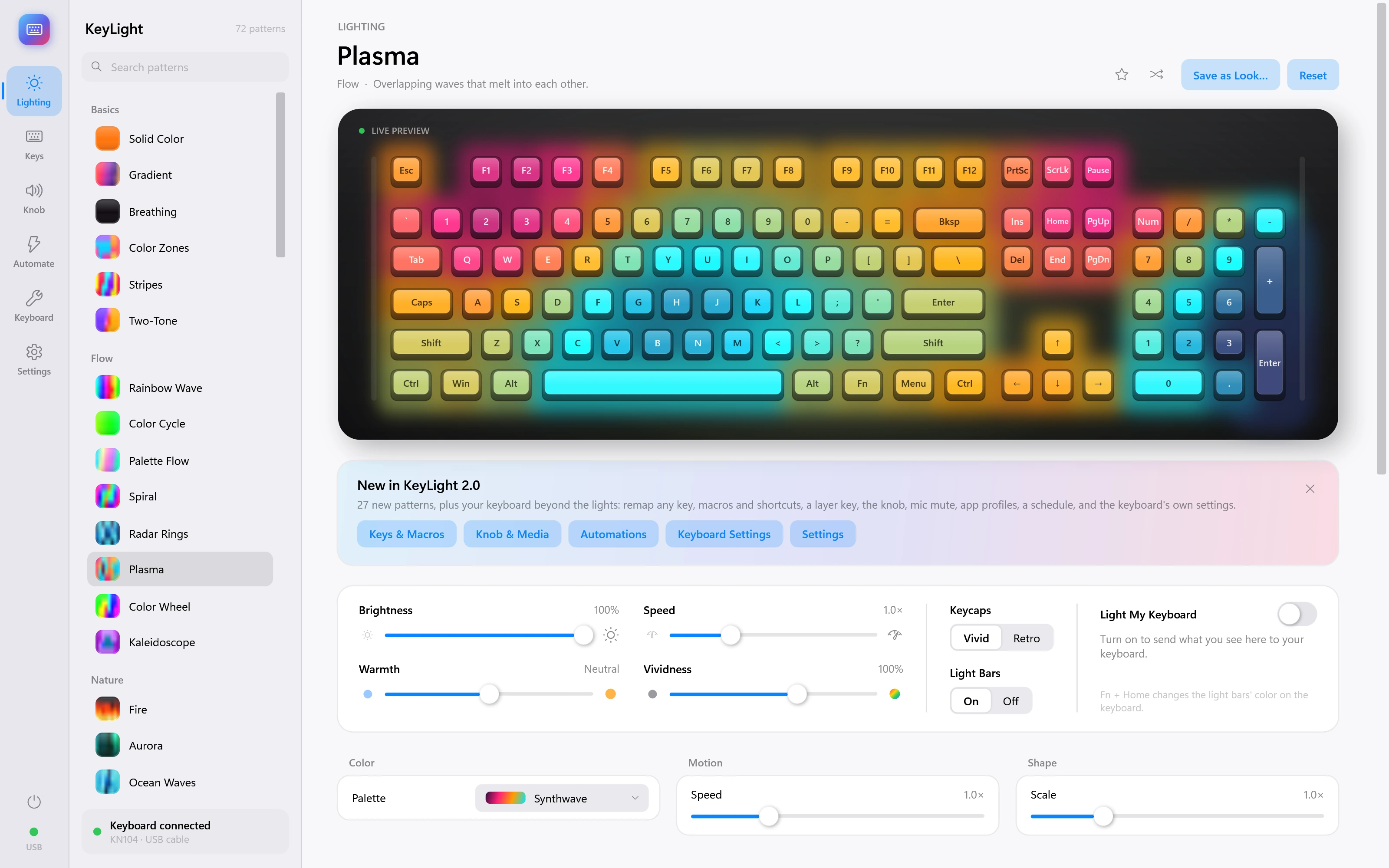
Plasma
Overlapping waves that melt into each other.
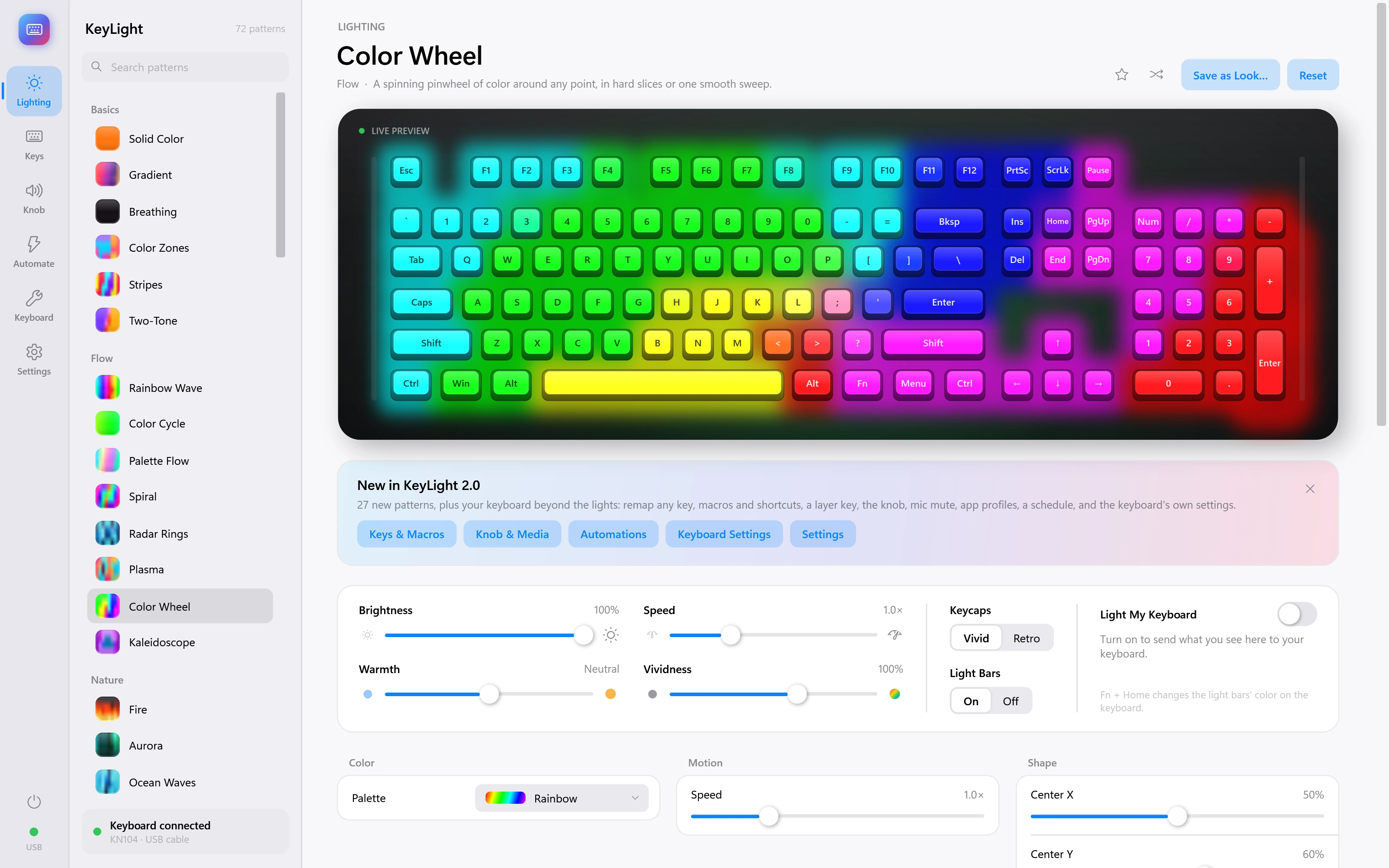
Color Wheel
A spinning pinwheel of color around any point, in hard slices or one smooth sweep.
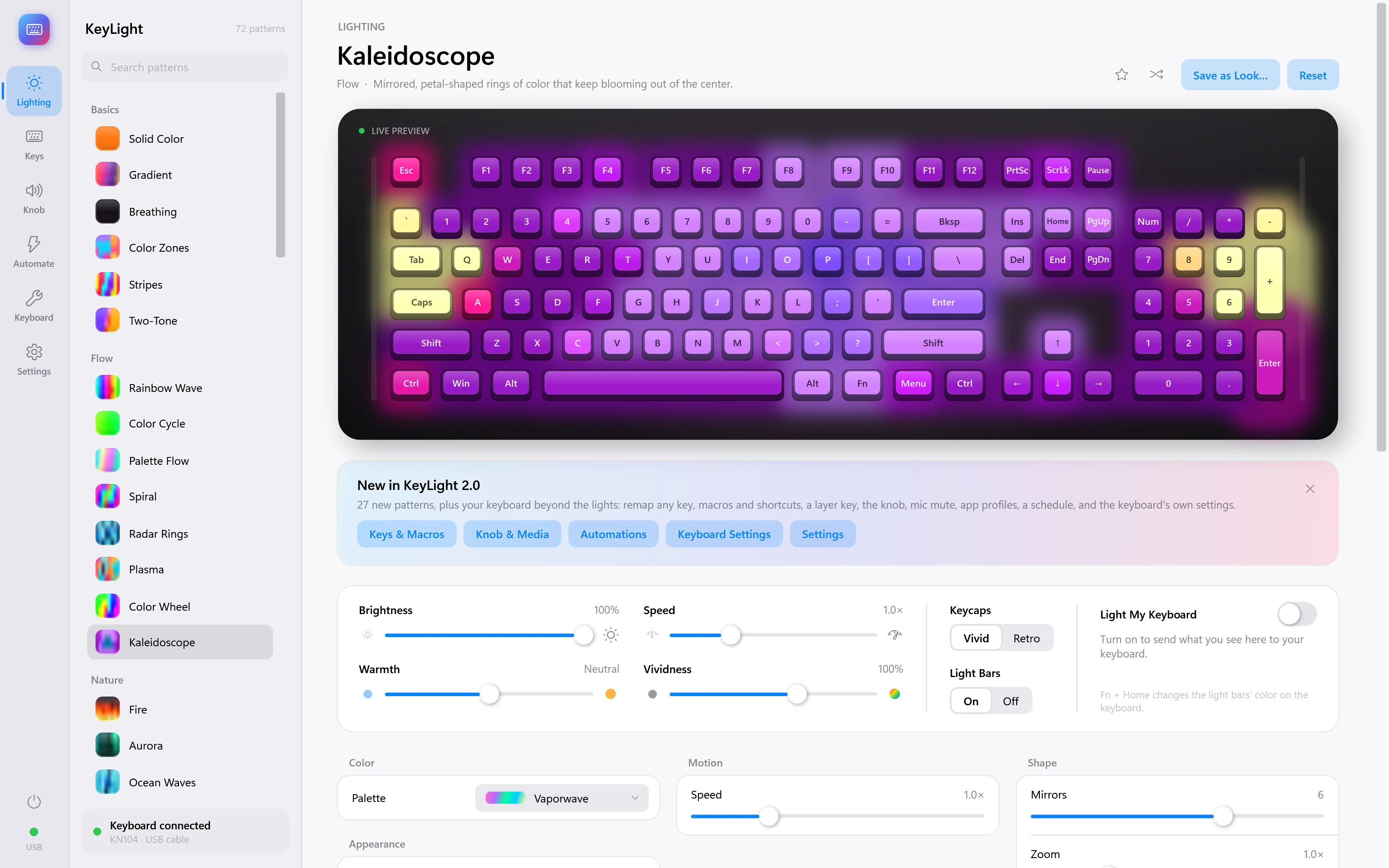
Kaleidoscope
Mirrored, petal-shaped rings of color that keep blooming out of the center.
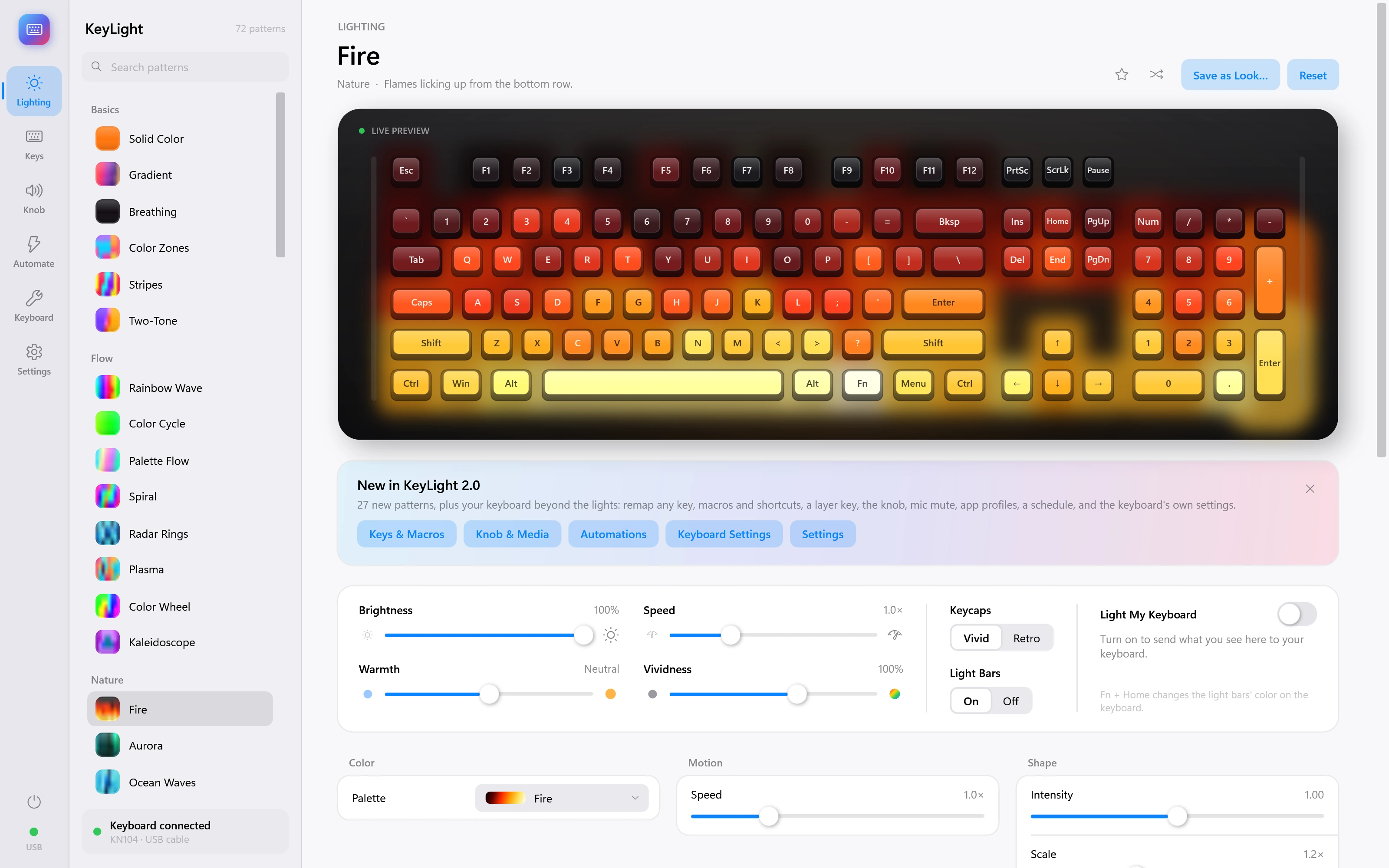
Fire
Flames licking up from the bottom row.
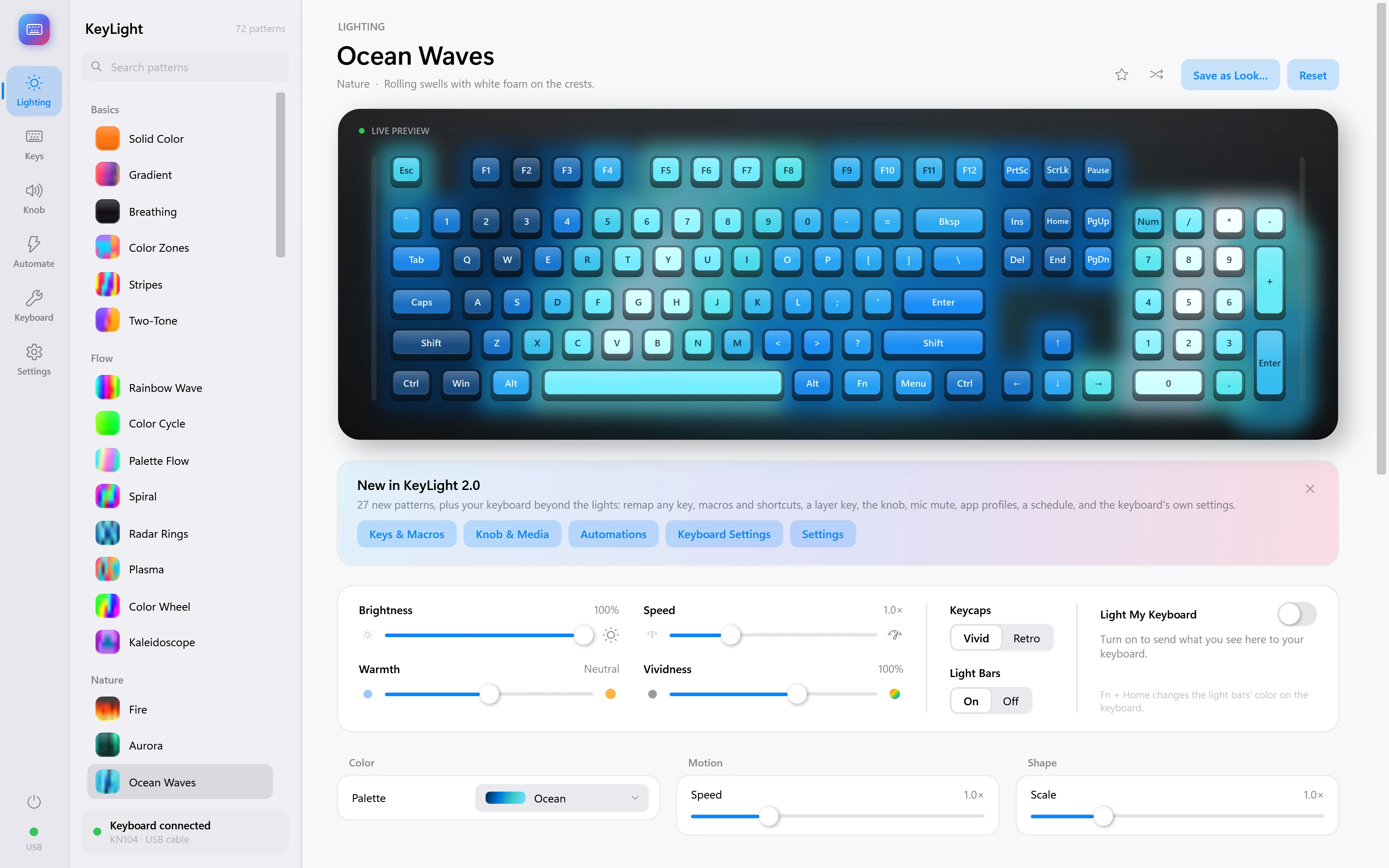
Ocean Waves
Rolling swells with white foam on the crests.
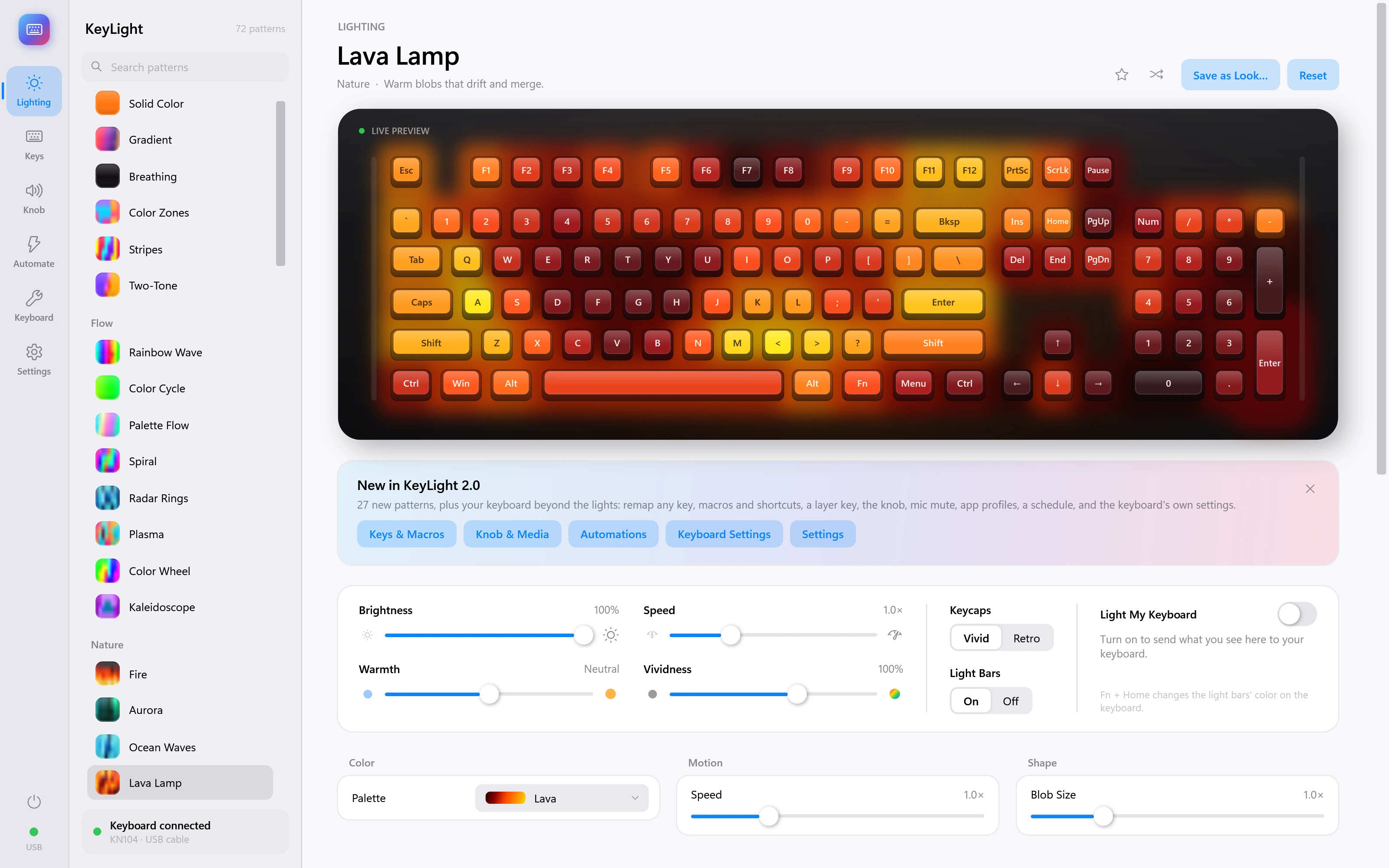
Lava Lamp
Warm blobs that drift and merge.
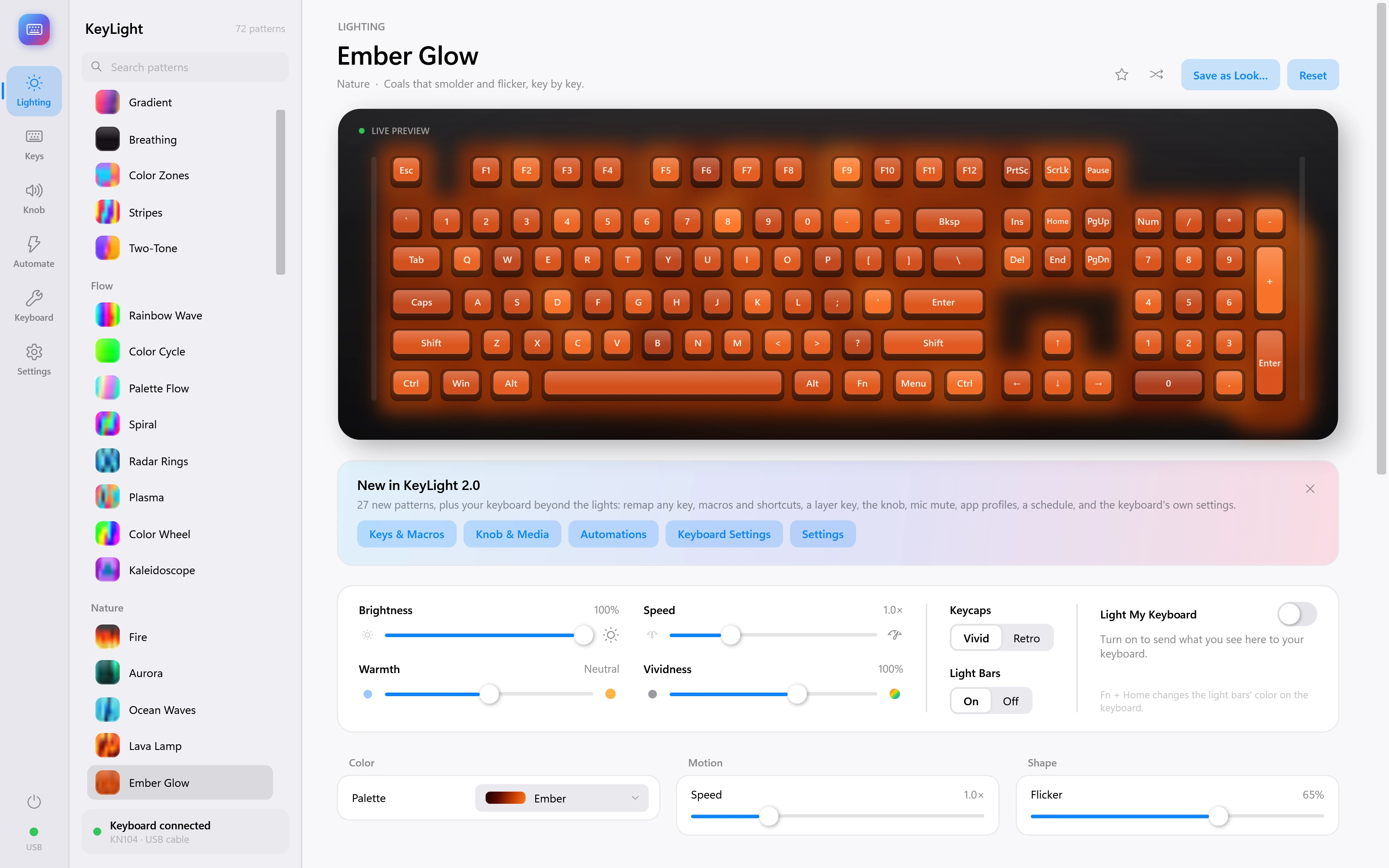
Ember Glow
Coals that smolder and flicker, key by key.
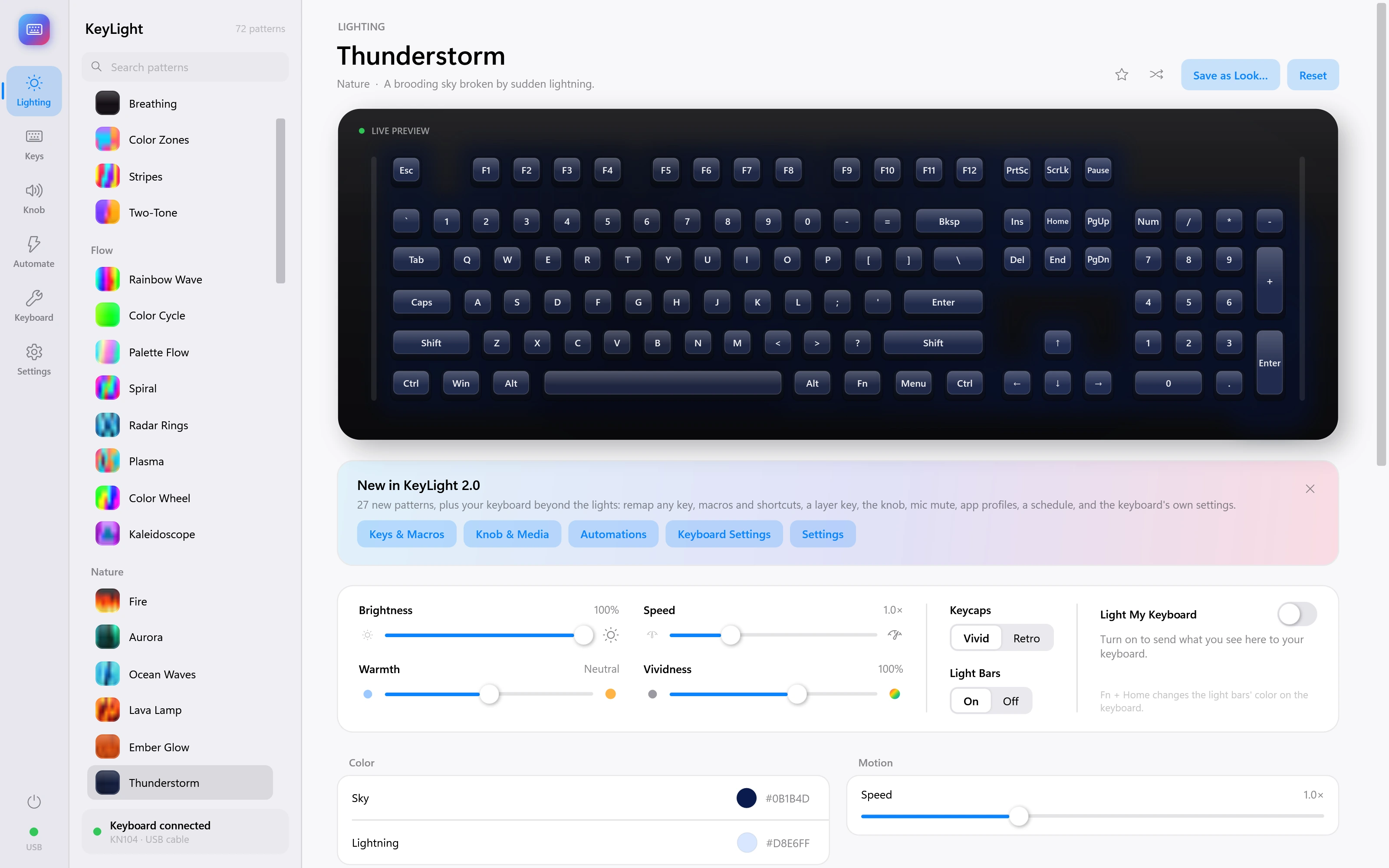
Thunderstorm
A brooding sky broken by sudden lightning.
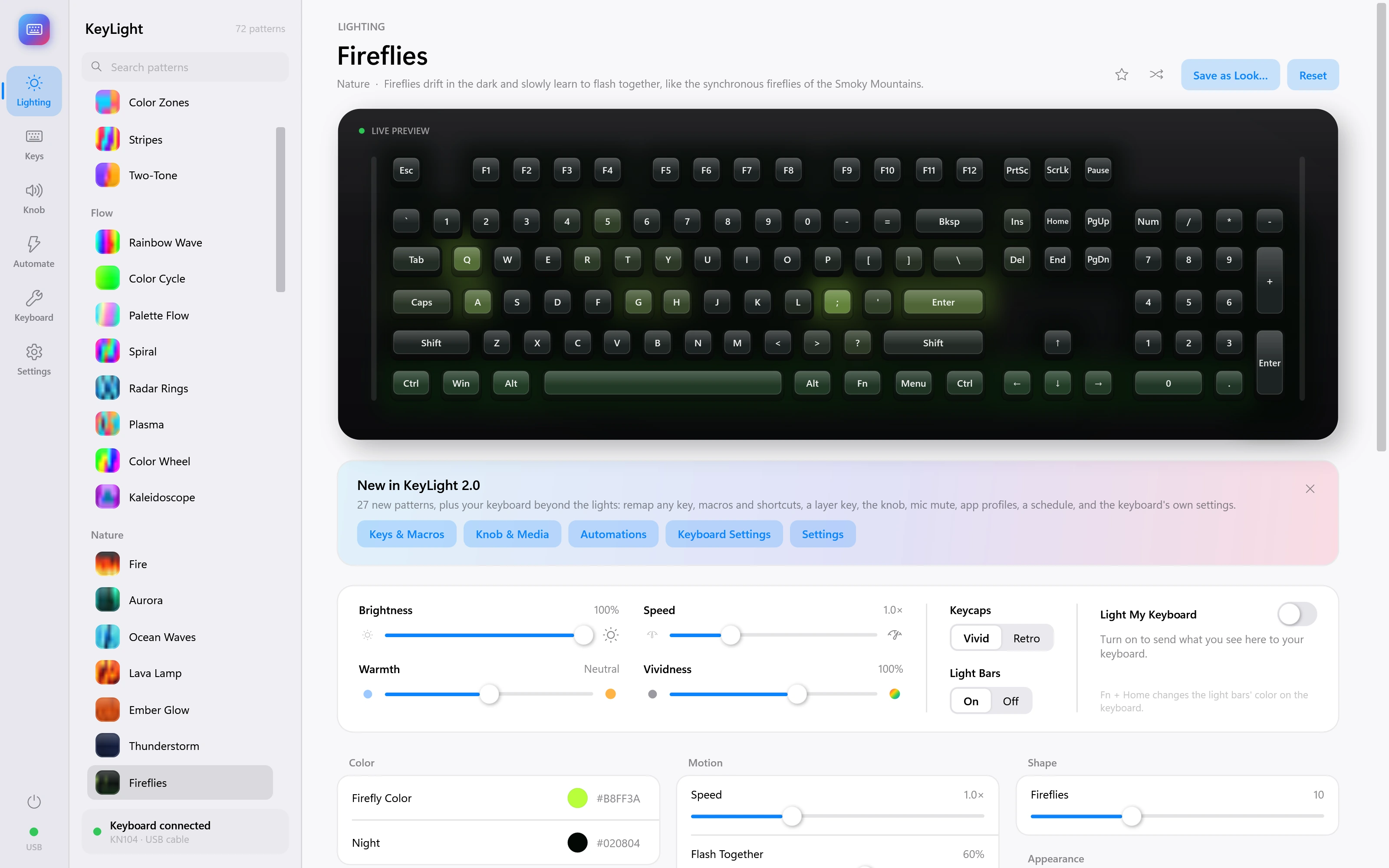
Fireflies
Fireflies drift in the dark and slowly learn to flash together, like the synchronous fireflies of the Smoky Mountains.
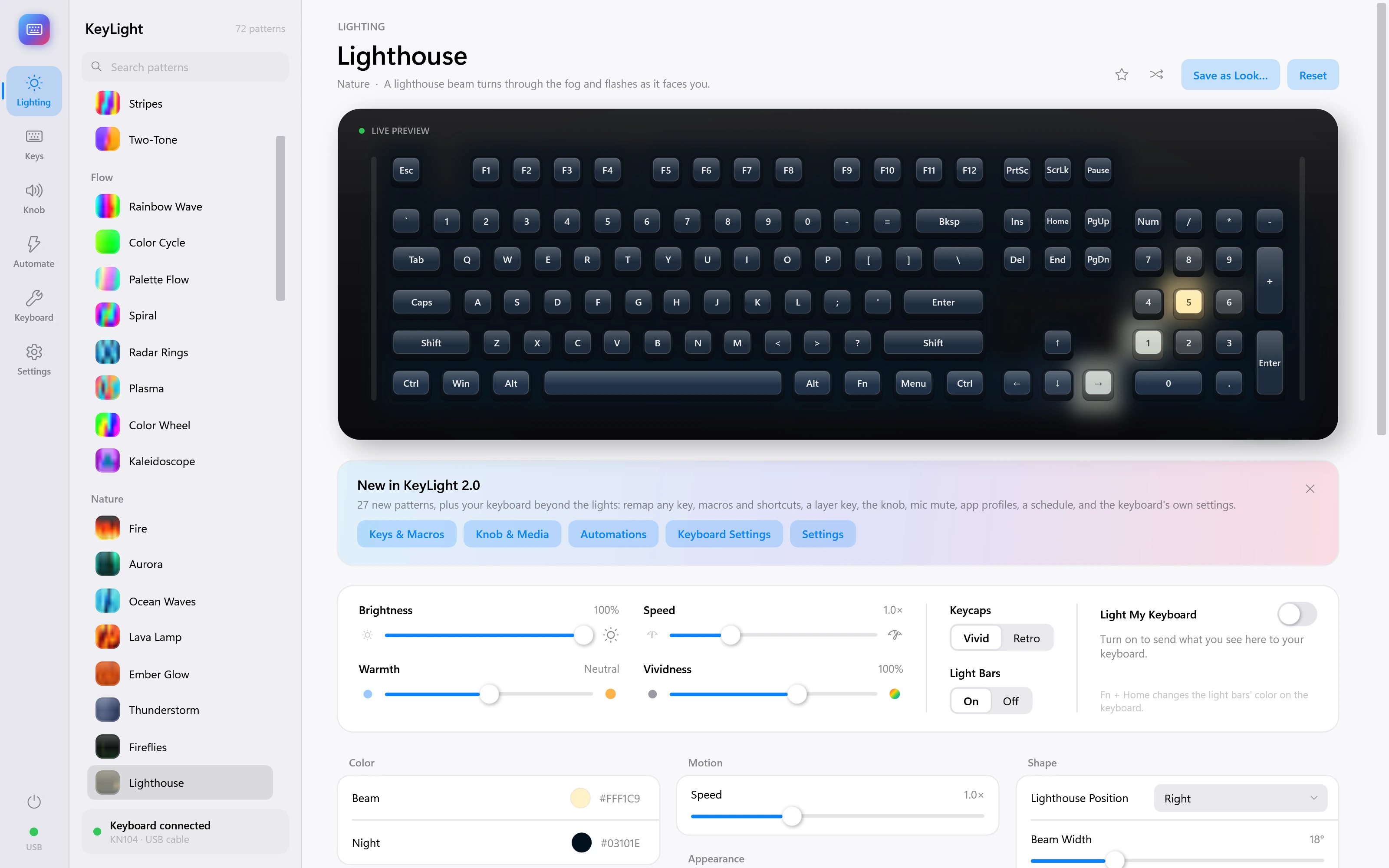
Lighthouse
A lighthouse beam turns through the fog and flashes as it faces you.
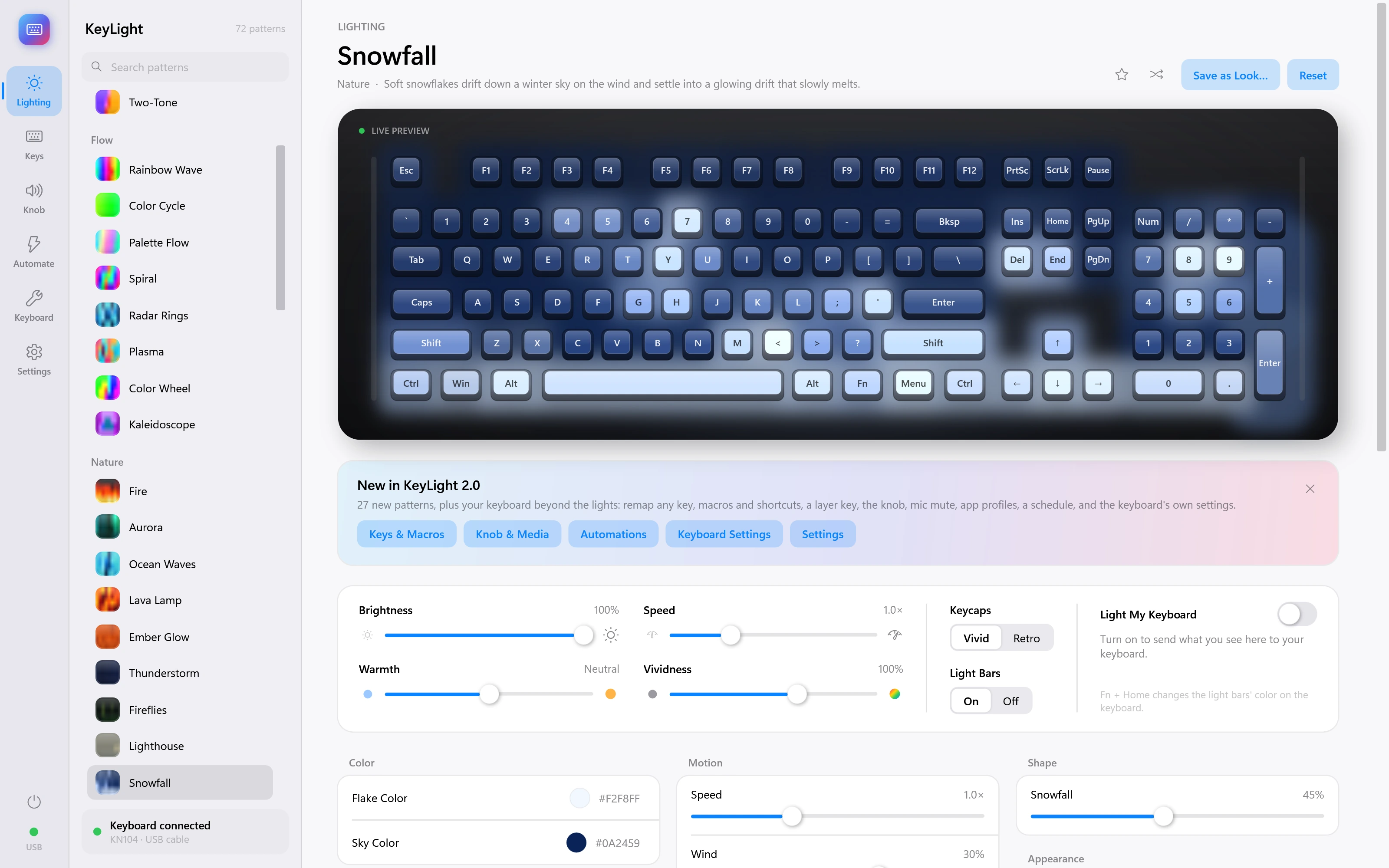
Snowfall
Soft snowflakes drift down a winter sky on the wind and settle into a glowing drift that slowly melts.
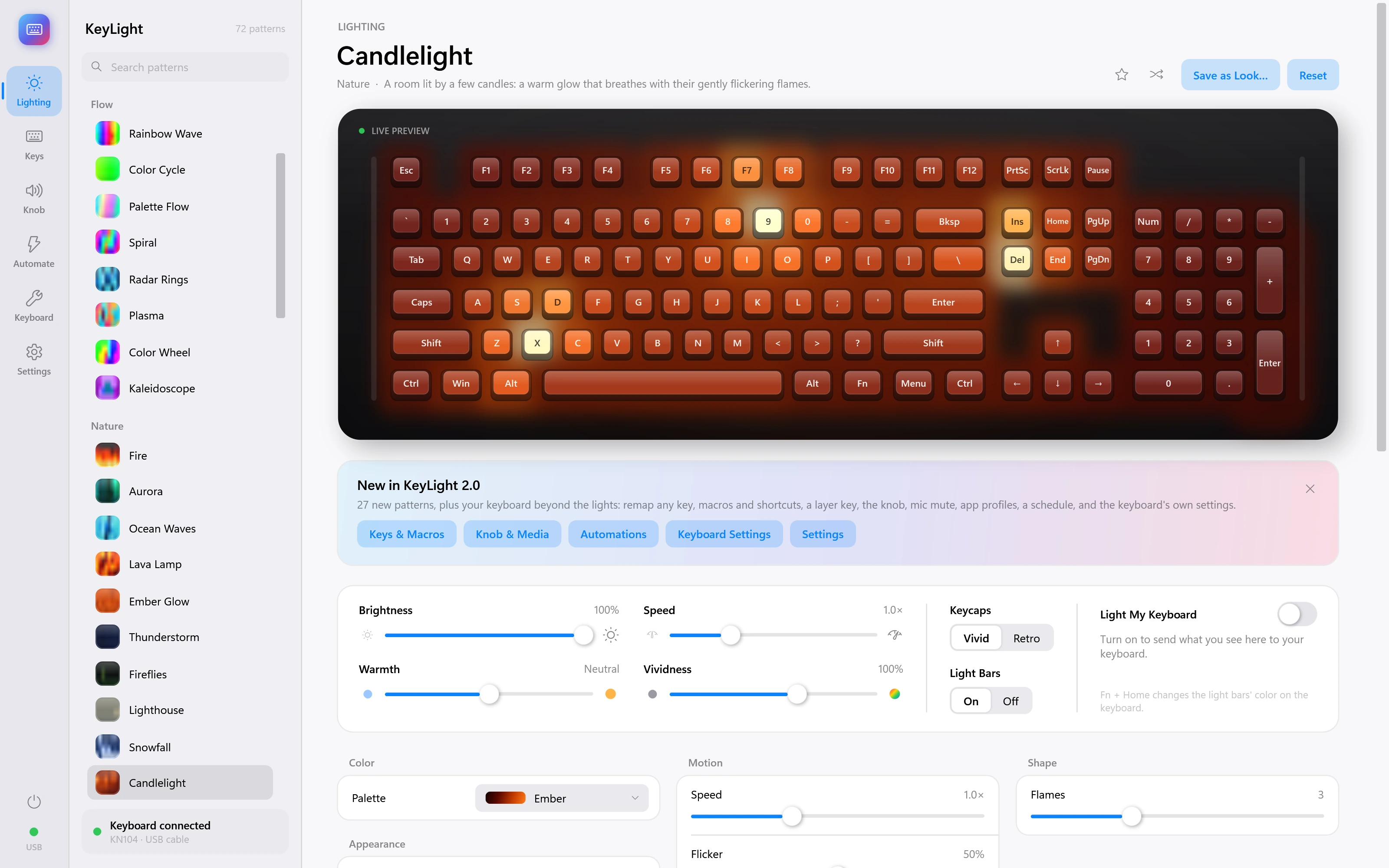
Candlelight
A room lit by a few candles: a warm glow that breathes with their gently flickering flames.
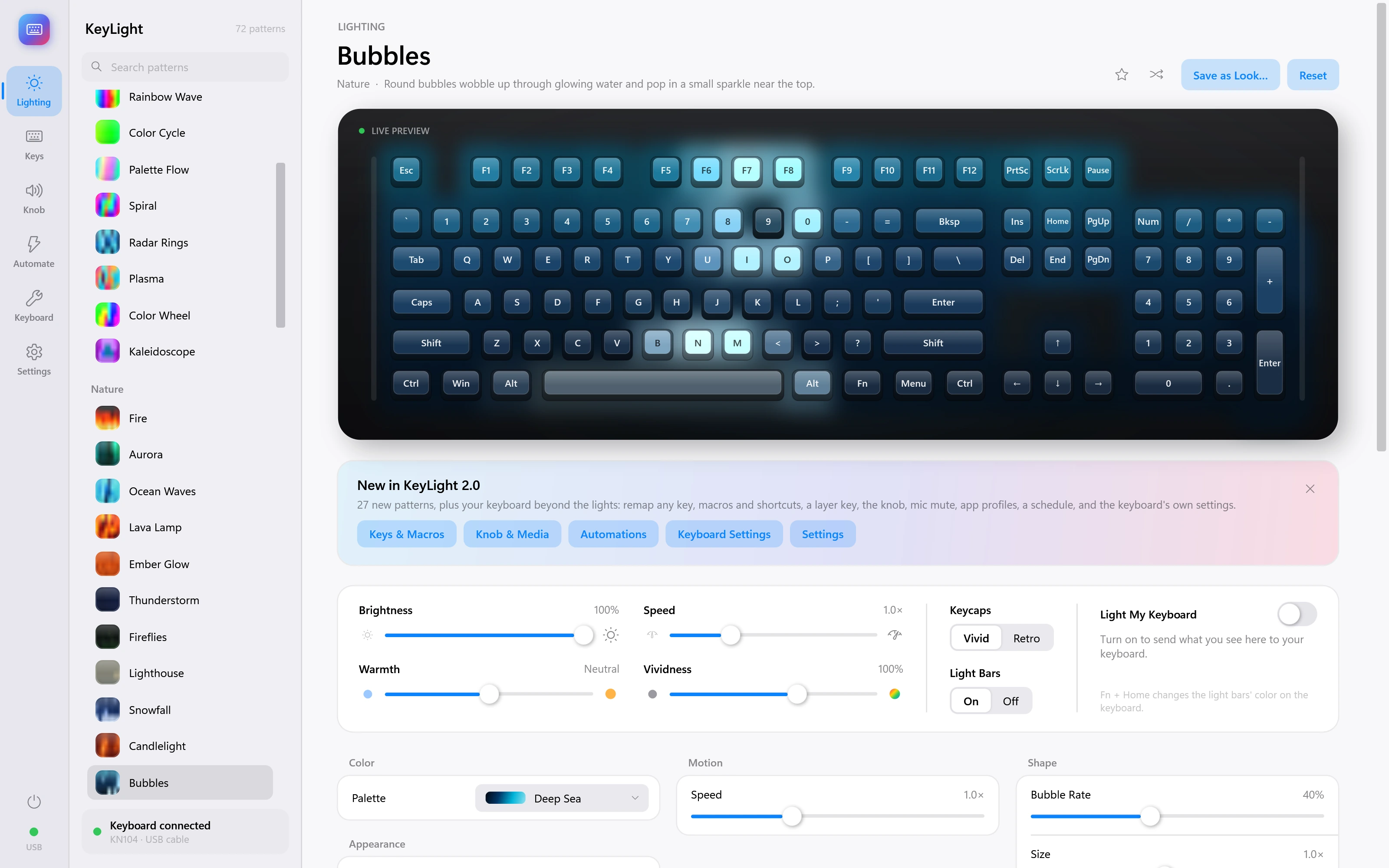
Bubbles
Round bubbles wobble up through glowing water and pop in a small sparkle near the top.
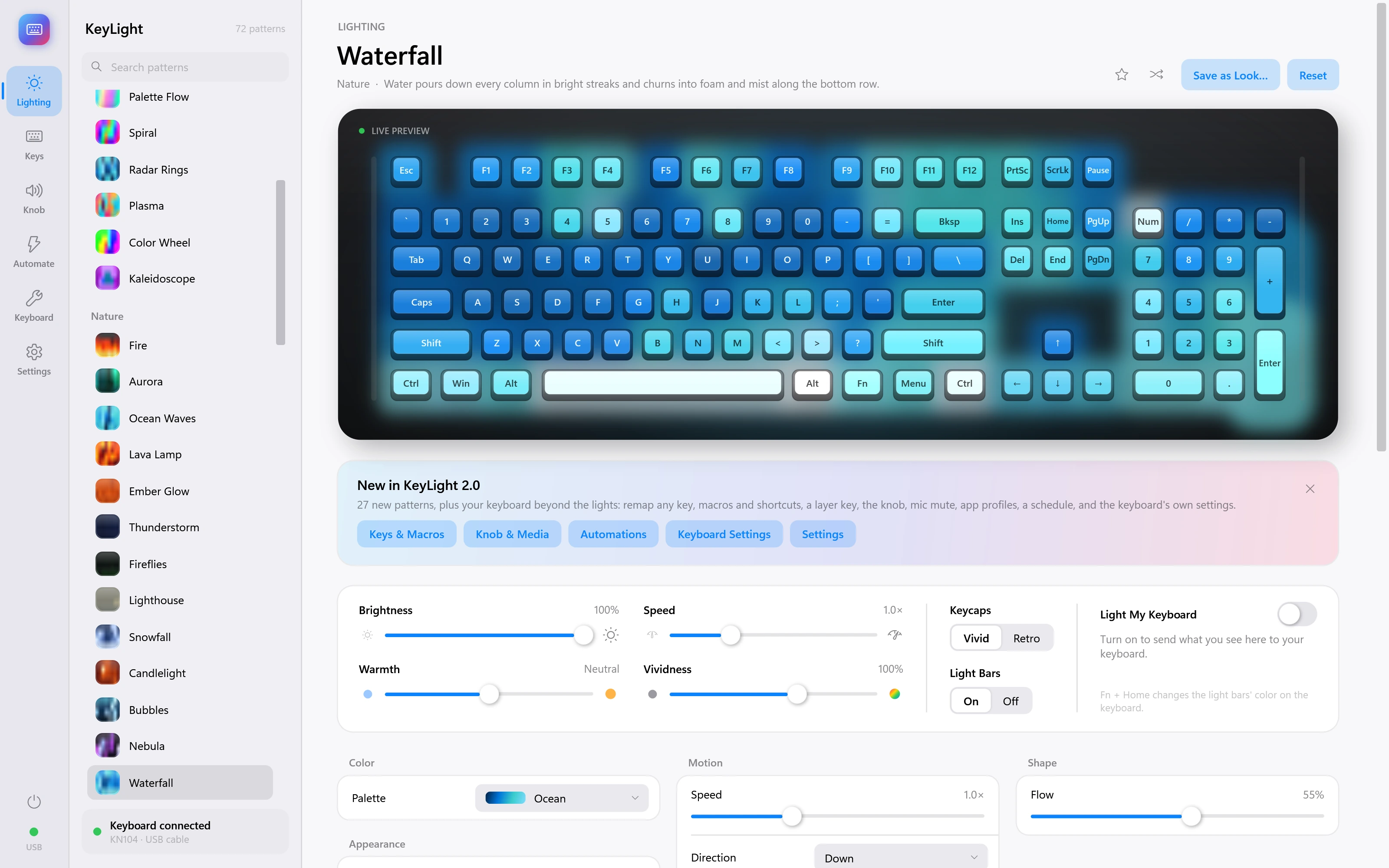
Waterfall
Water pours down every column in bright streaks and churns into foam and mist along the bottom row.
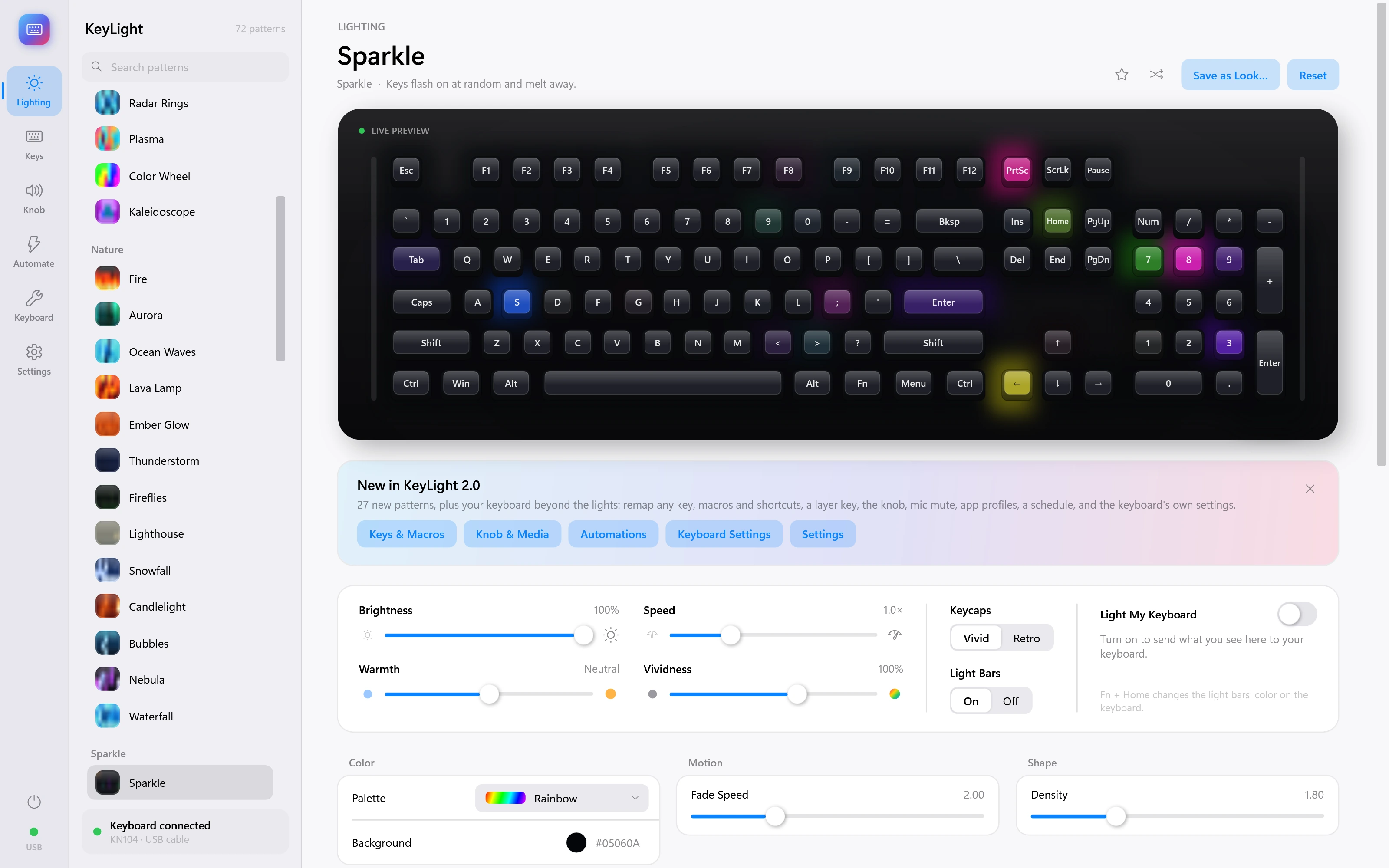
Sparkle
Keys flash on at random and melt away.
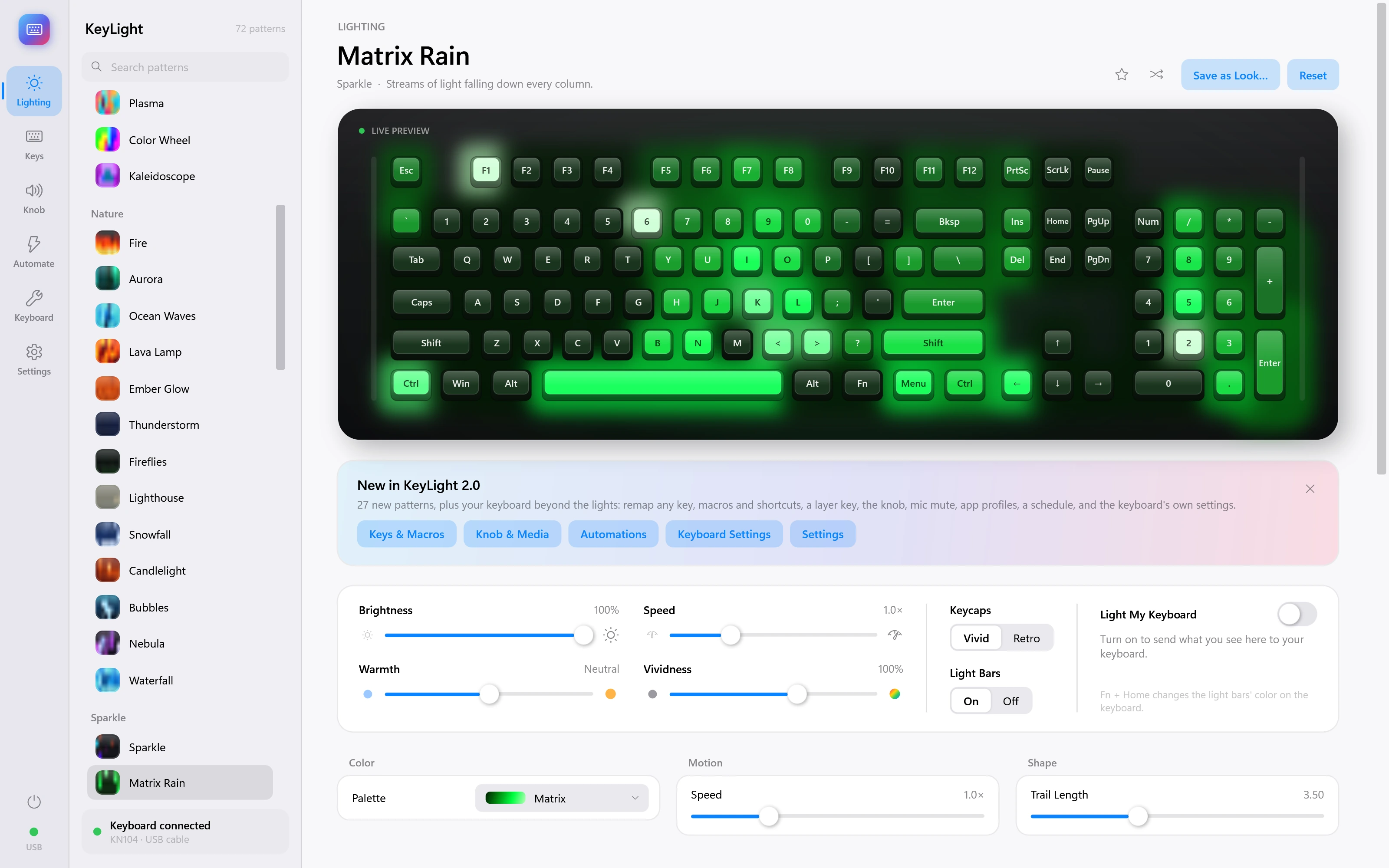
Matrix Rain
Streams of light falling down every column.
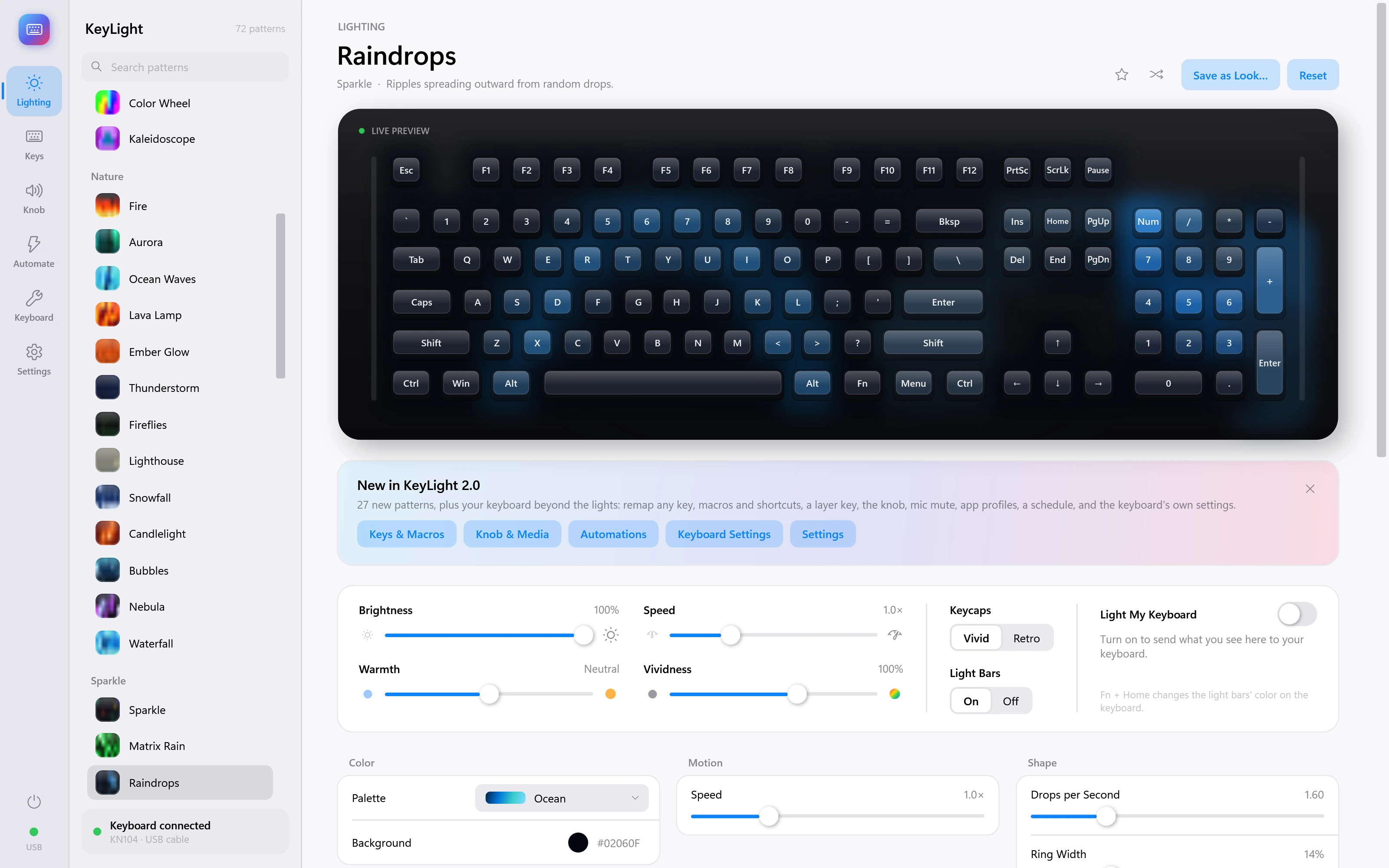
Raindrops
Ripples spreading outward from random drops.
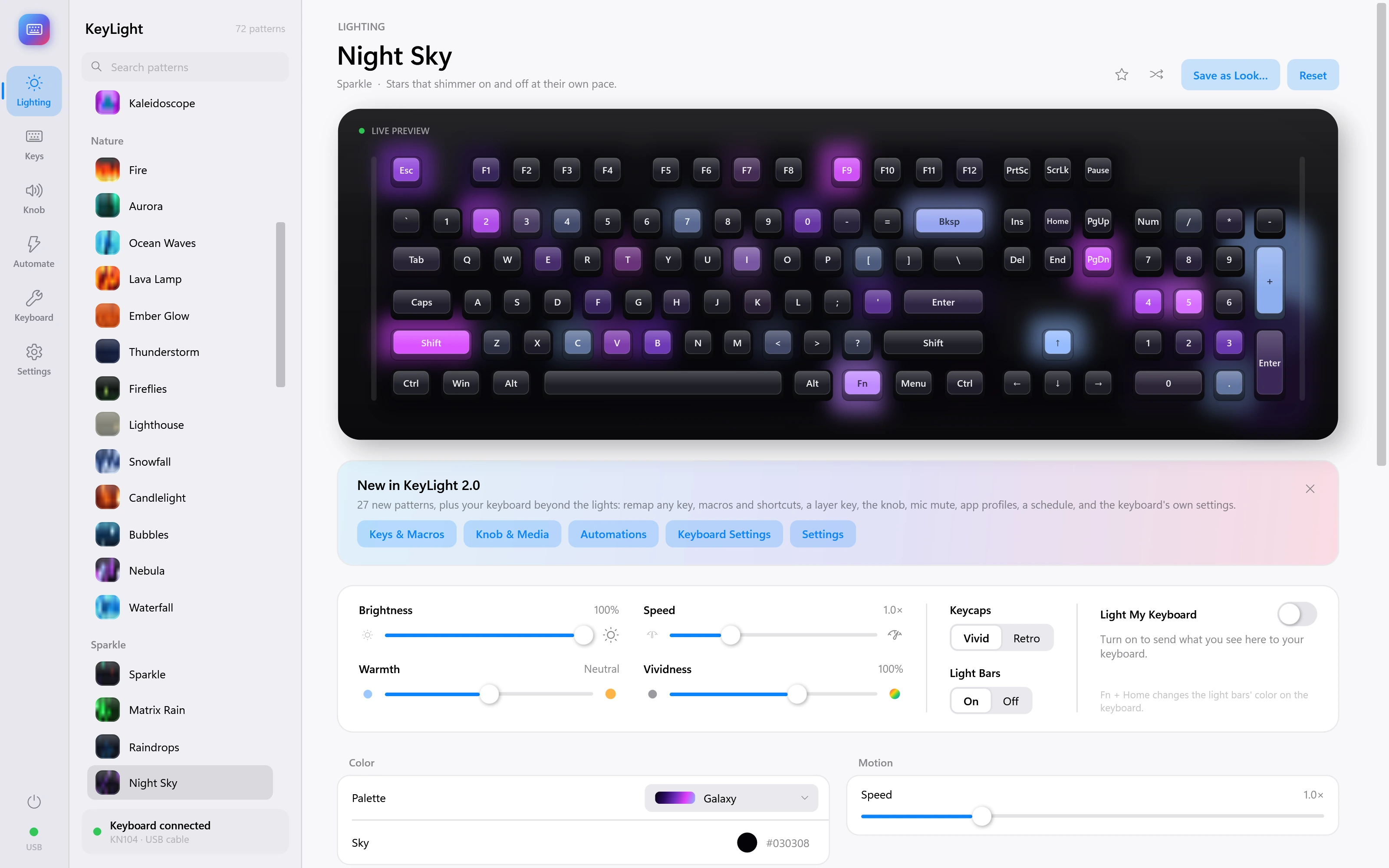
Night Sky
Stars that shimmer on and off at their own pace.
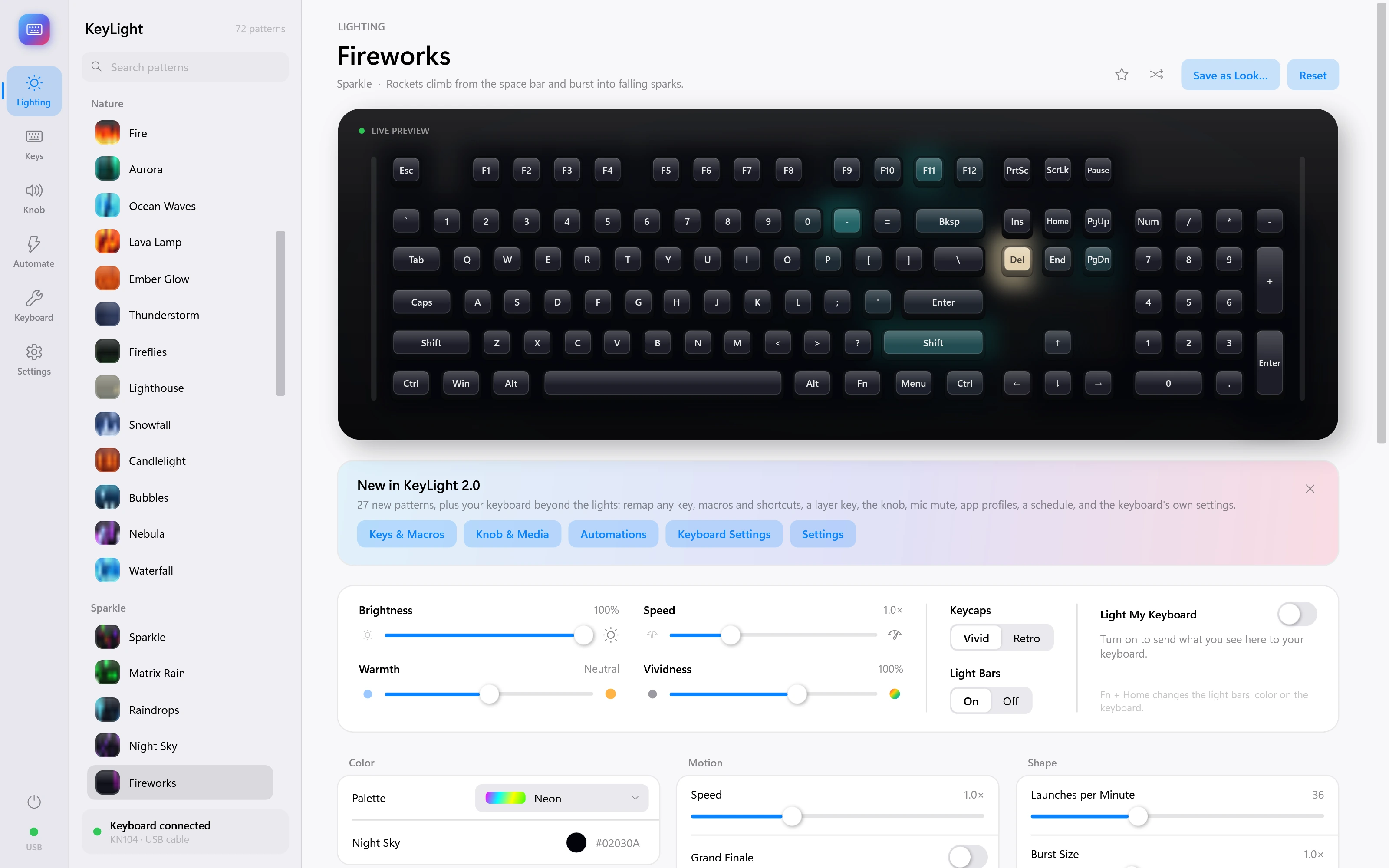
Fireworks
Rockets climb from the space bar and burst into falling sparks.
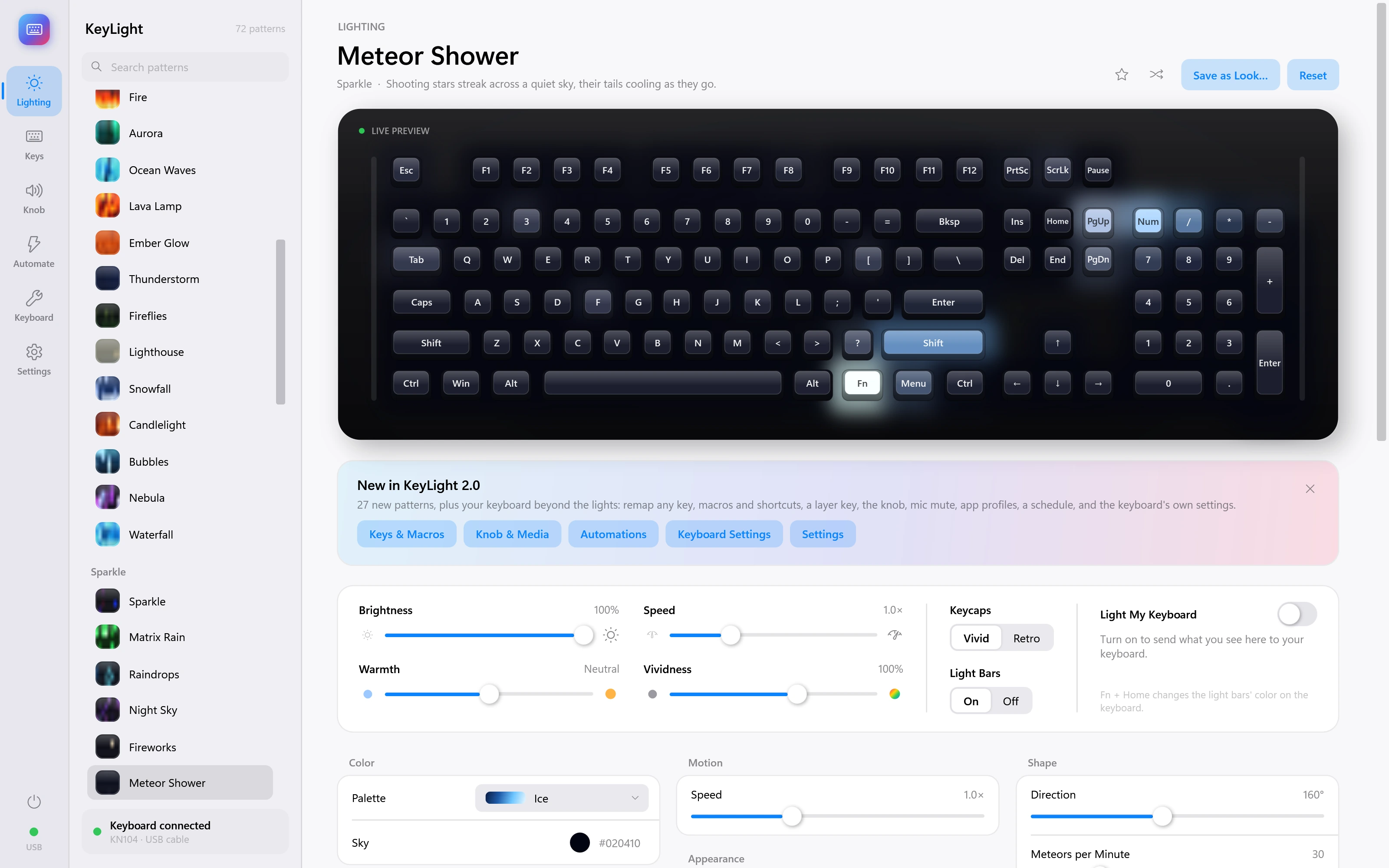
Meteor Shower
Shooting stars streak across a quiet sky, their tails cooling as they go.
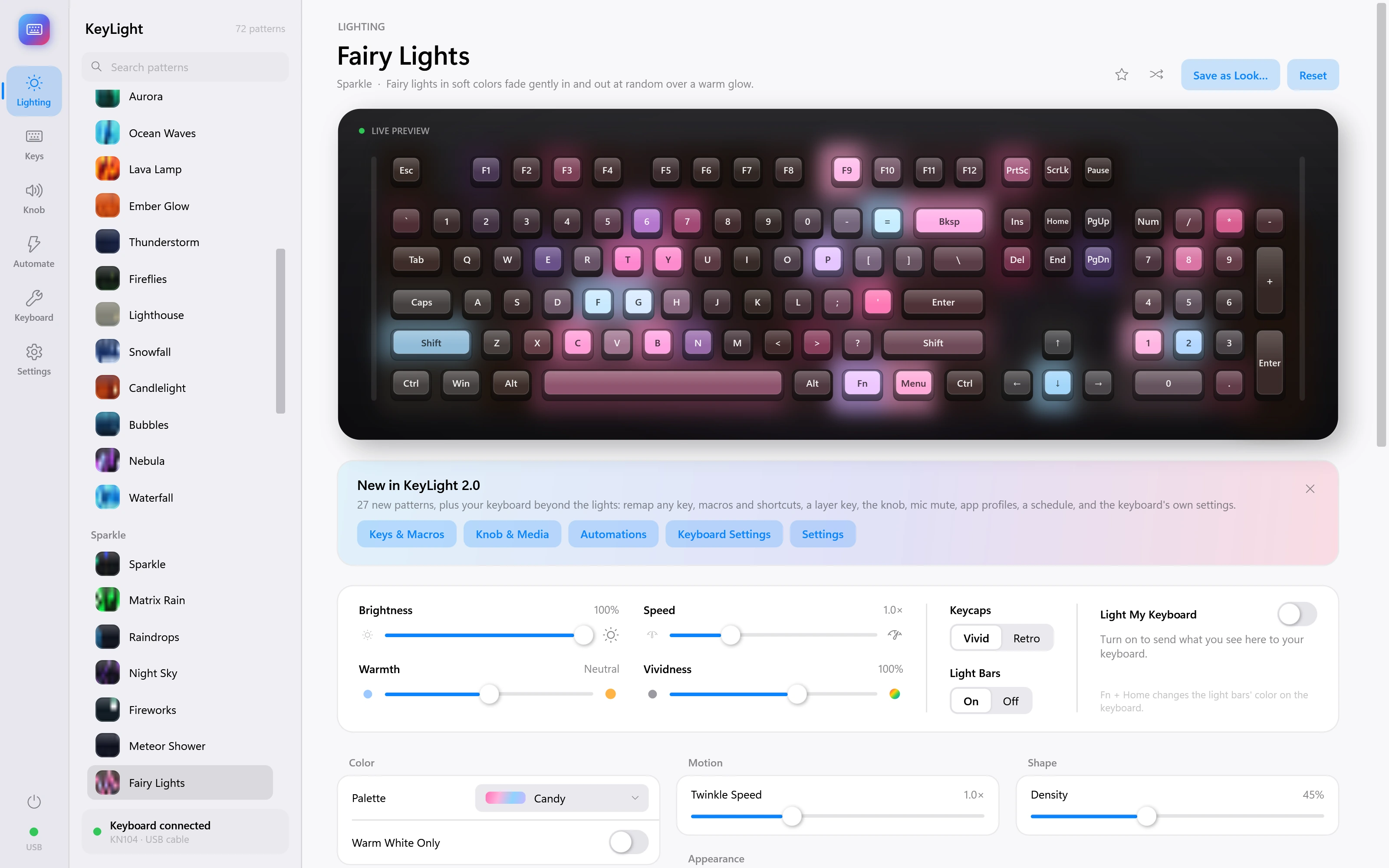
Fairy Lights
Fairy lights in soft colors fade gently in and out at random over a warm glow.
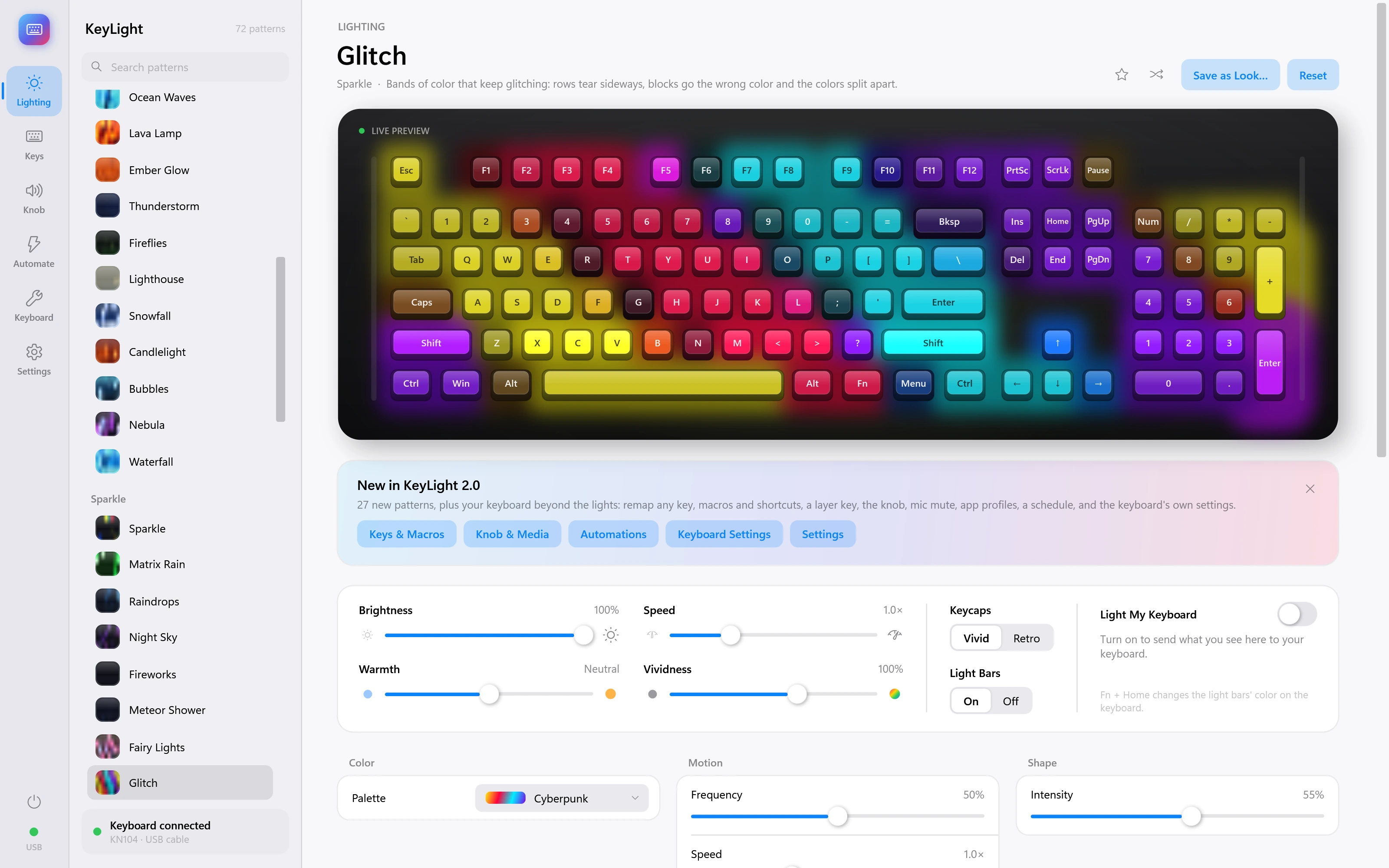
Glitch
Bands of color that keep glitching: rows tear sideways, blocks go the wrong color and the colors split apart.
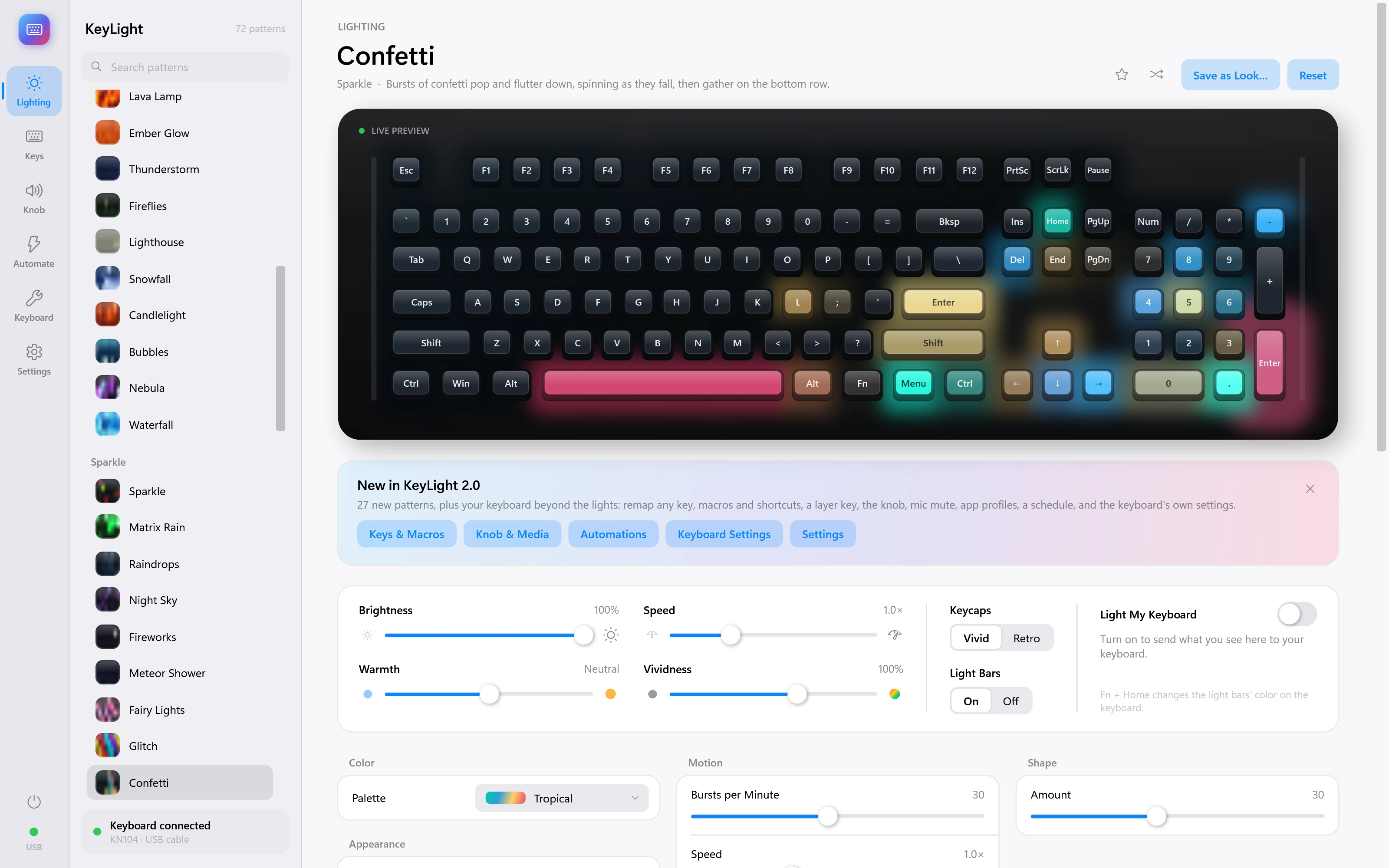
Confetti
Bursts of confetti pop and flutter down, spinning as they fall, then gather on the bottom row.
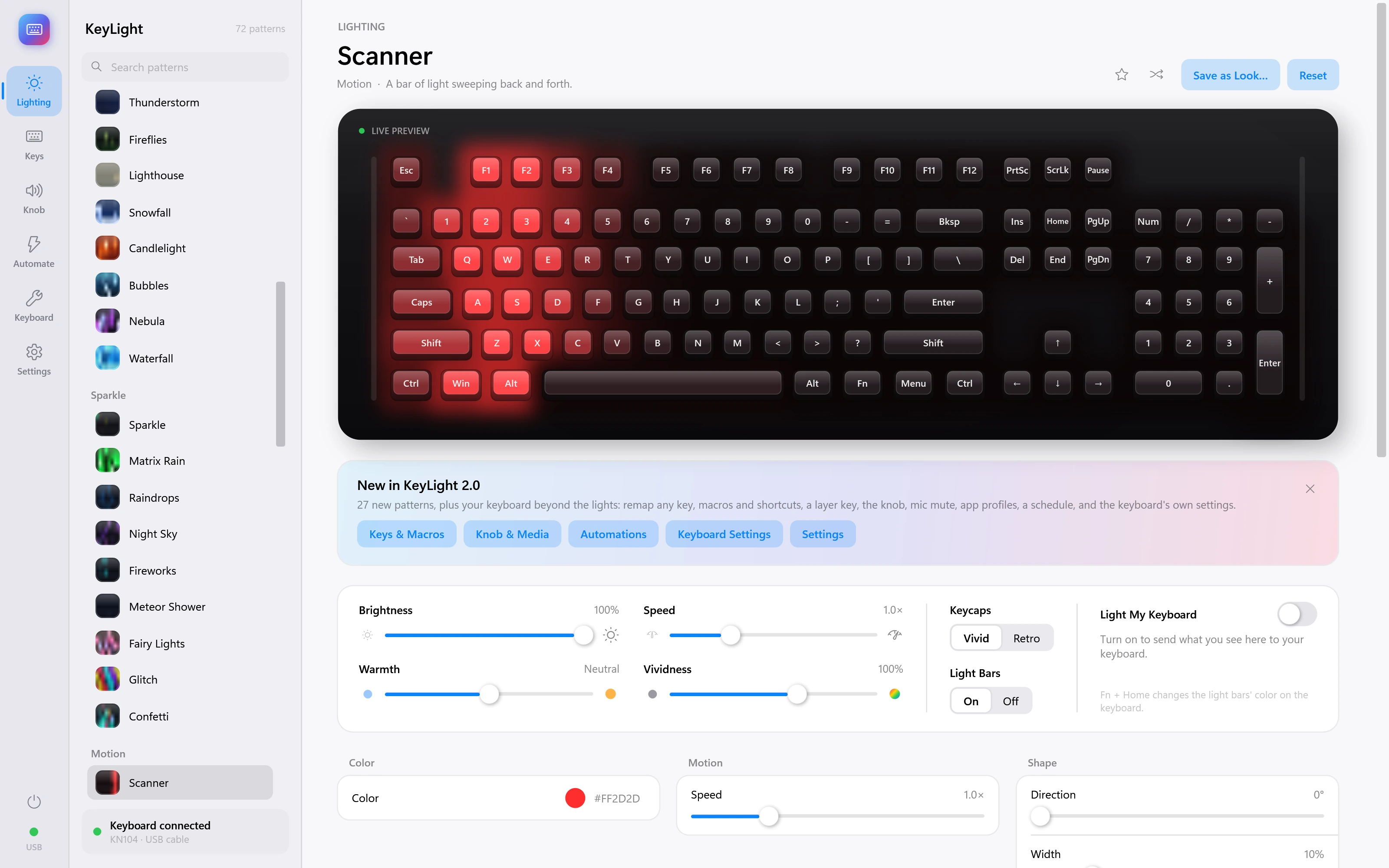
Scanner
A bar of light sweeping back and forth.
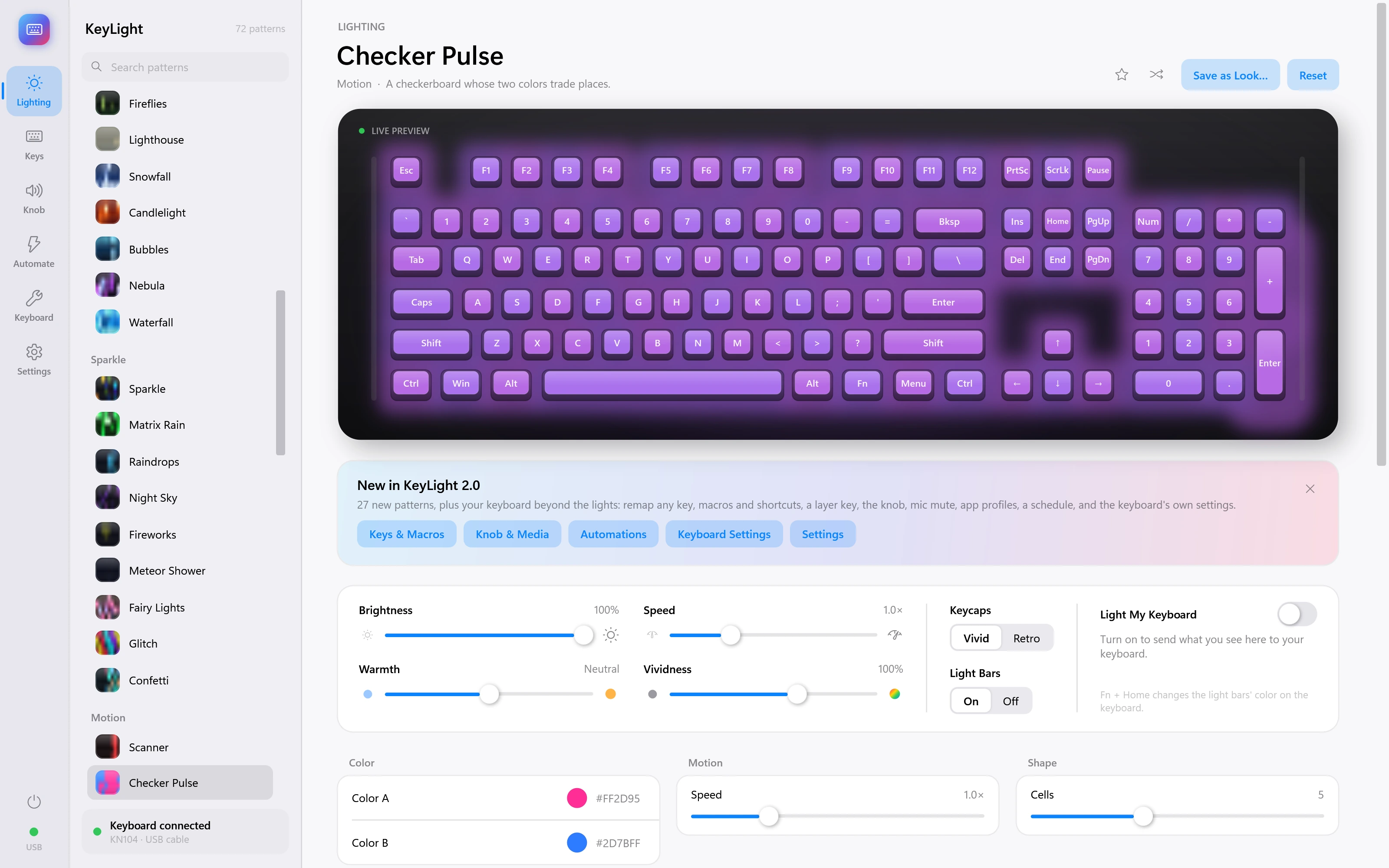
Checker Pulse
A checkerboard whose two colors trade places.
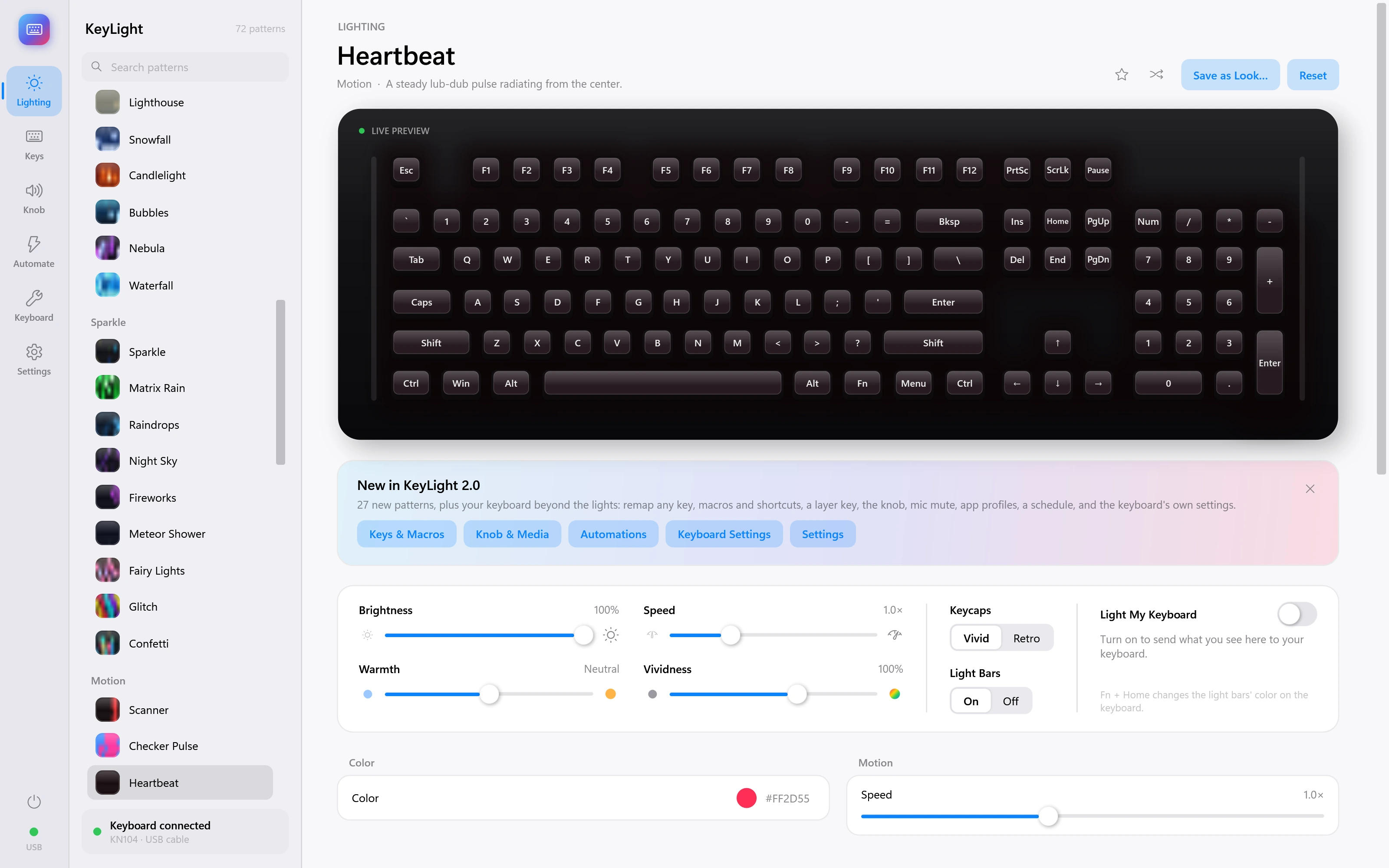
Heartbeat
A steady lub-dub pulse radiating from the center.
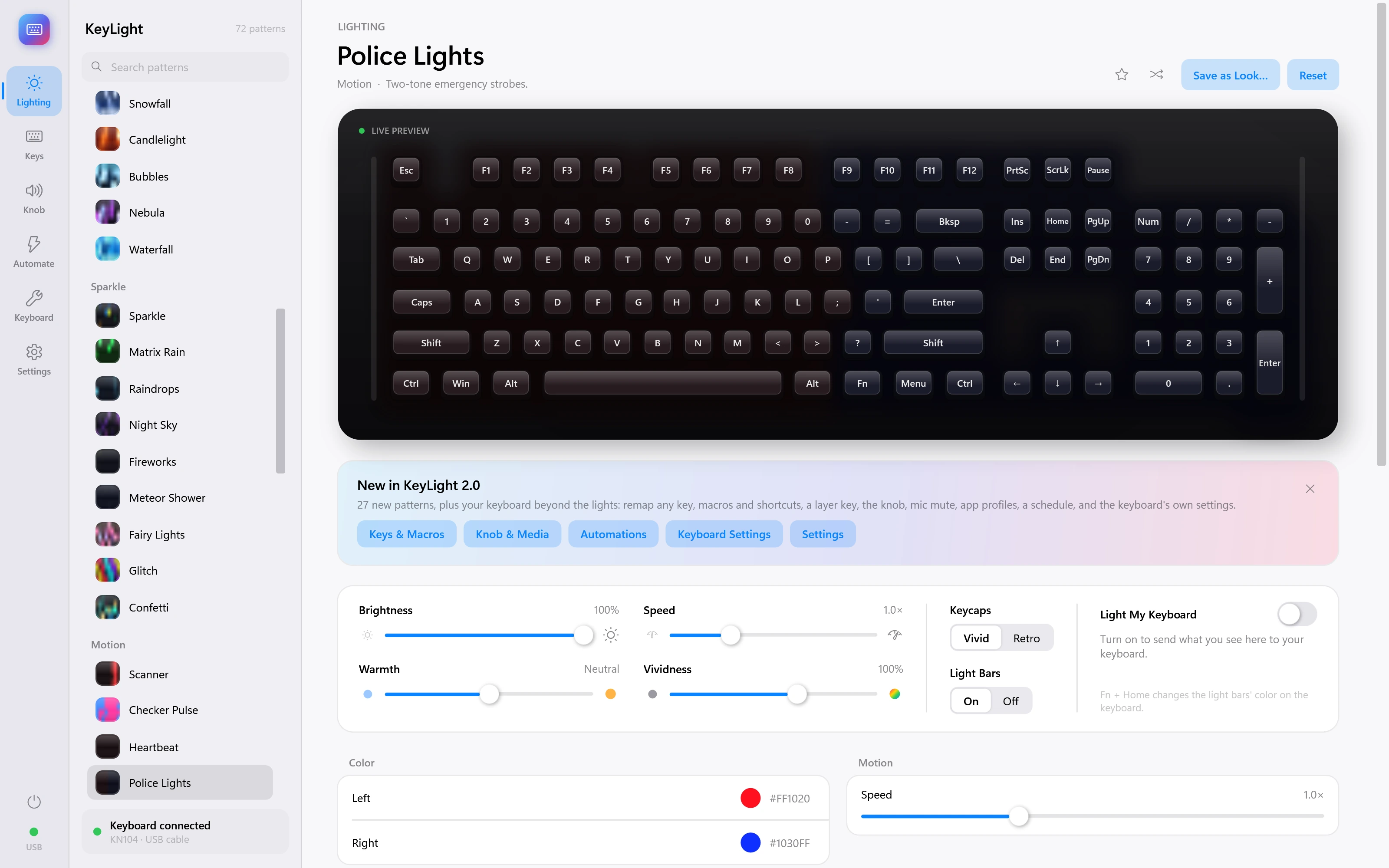
Police Lights
Two-tone emergency strobes.
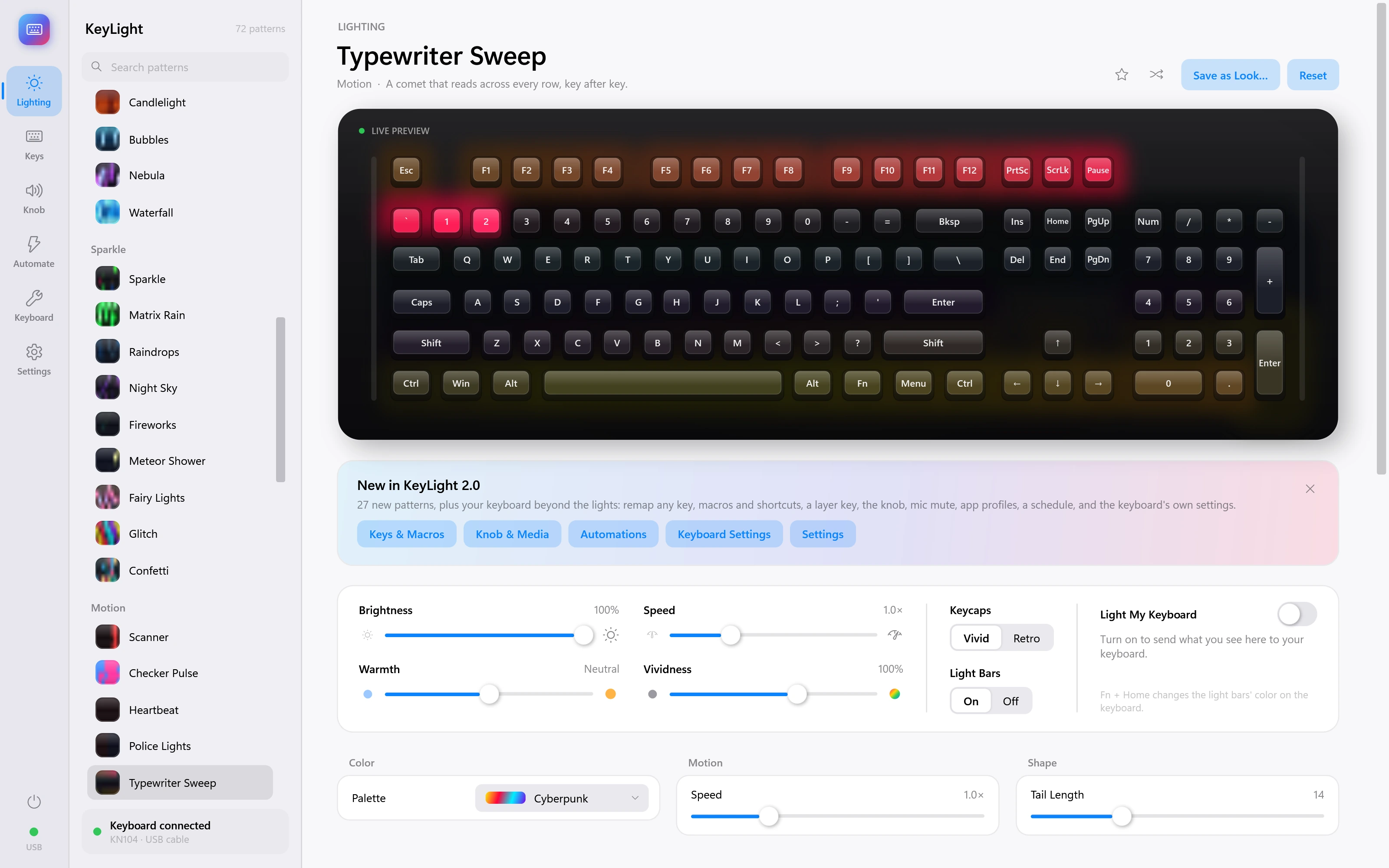
Typewriter Sweep
A comet that reads across every row, key after key.
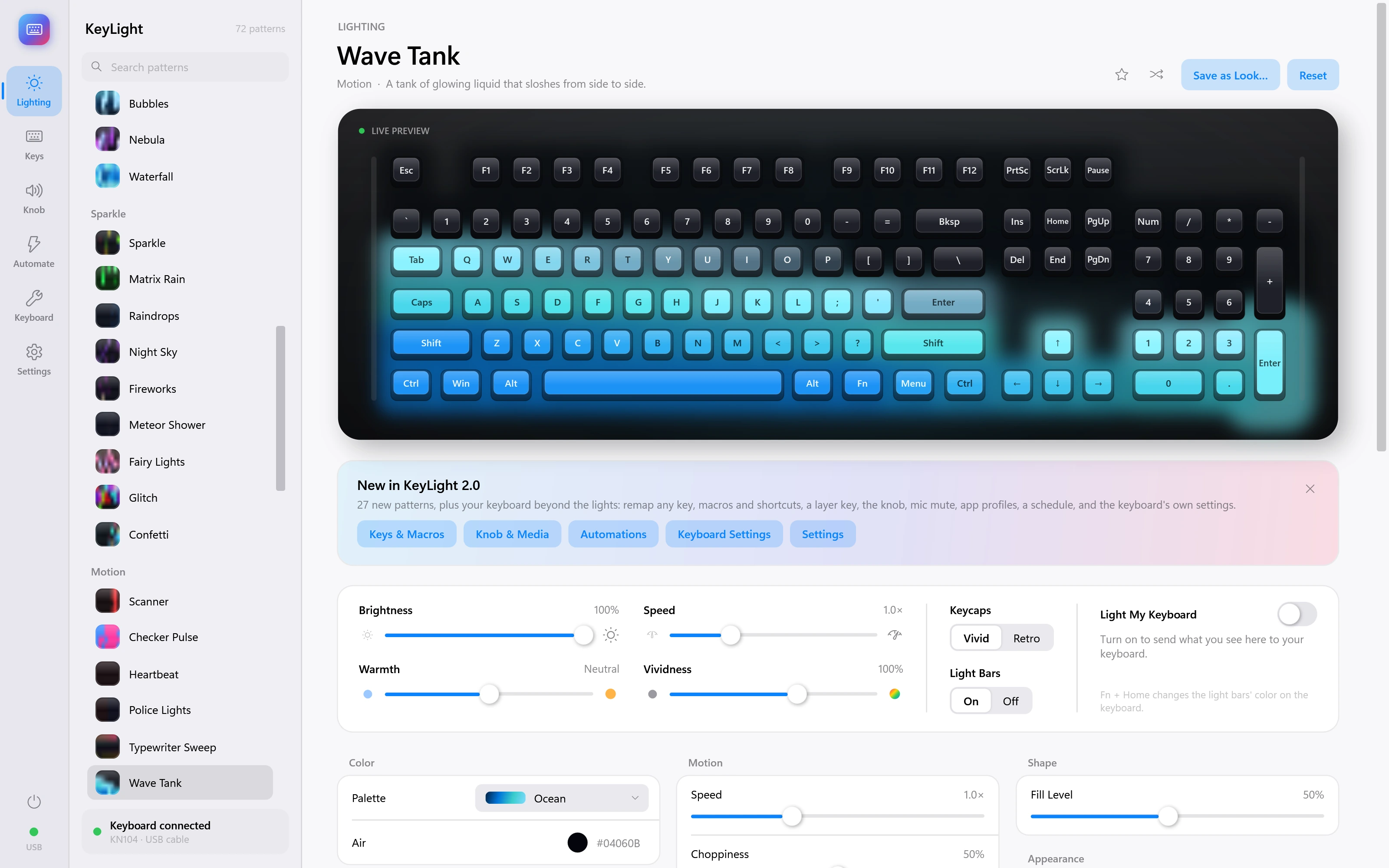
Wave Tank
A tank of glowing liquid that sloshes from side to side.
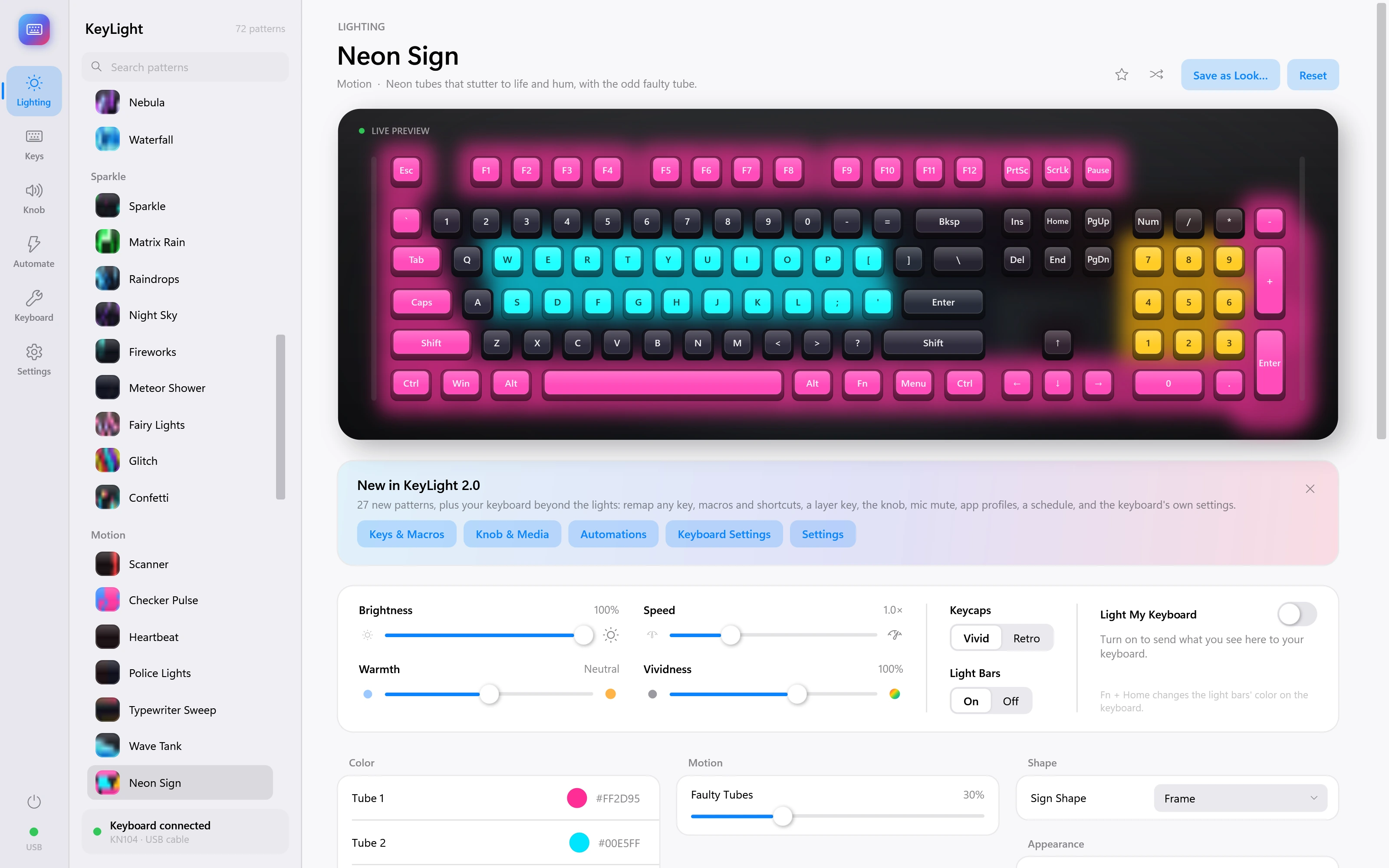
Neon Sign
Neon tubes that stutter to life and hum, with the odd faulty tube.
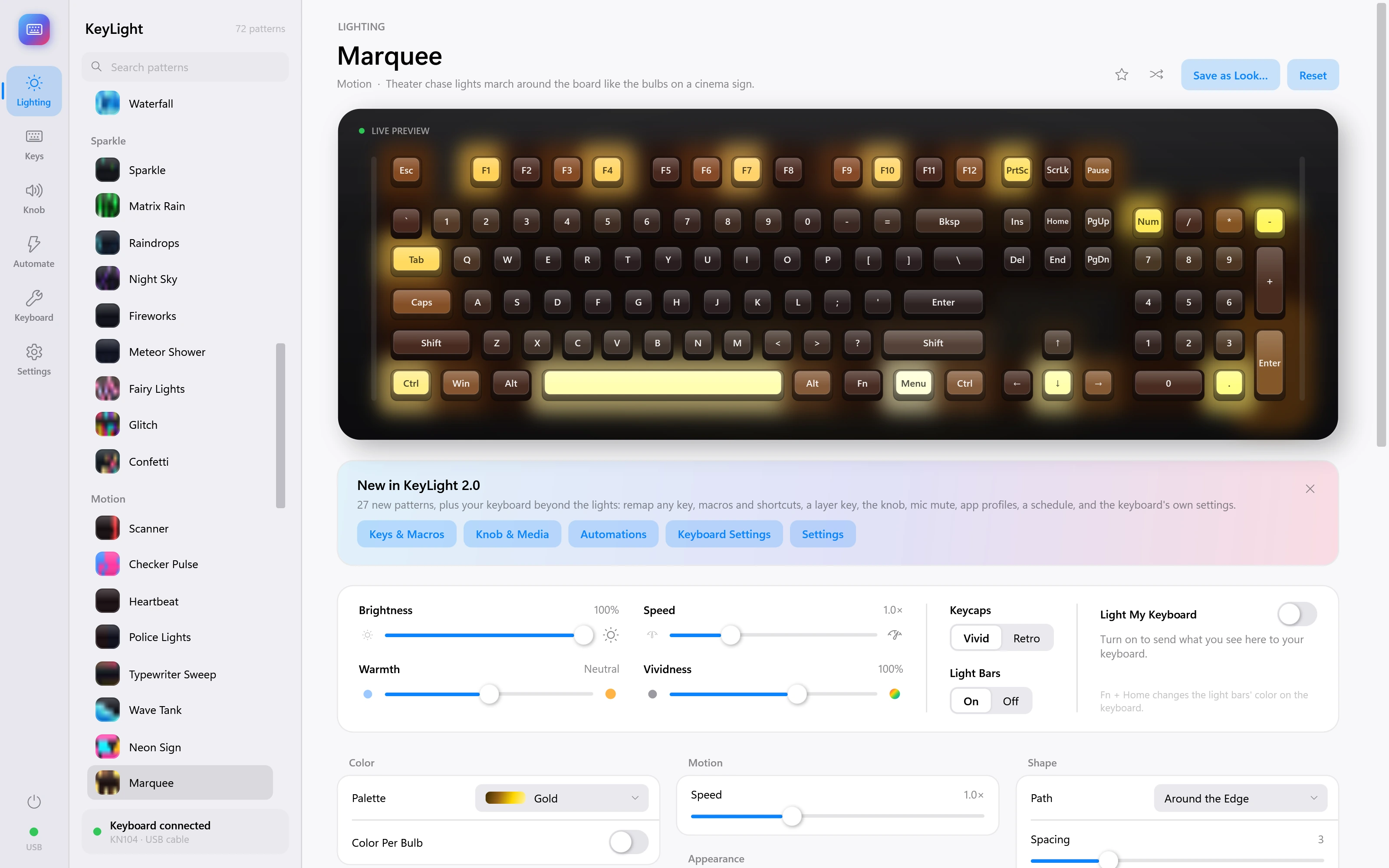
Marquee
Theater chase lights march around the board like the bulbs on a cinema sign.
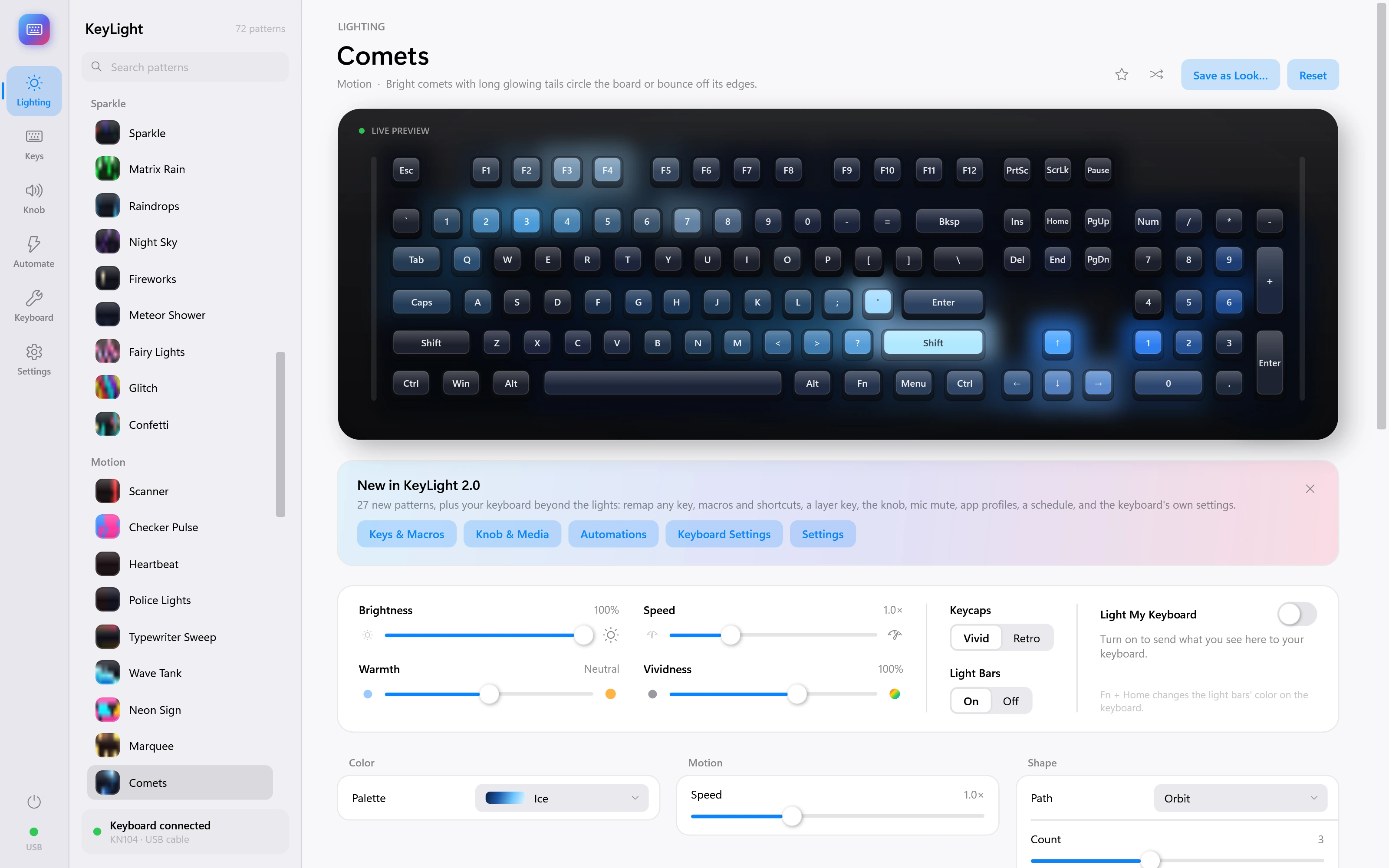
Comets
Bright comets with long glowing tails circle the board or bounce off its edges.
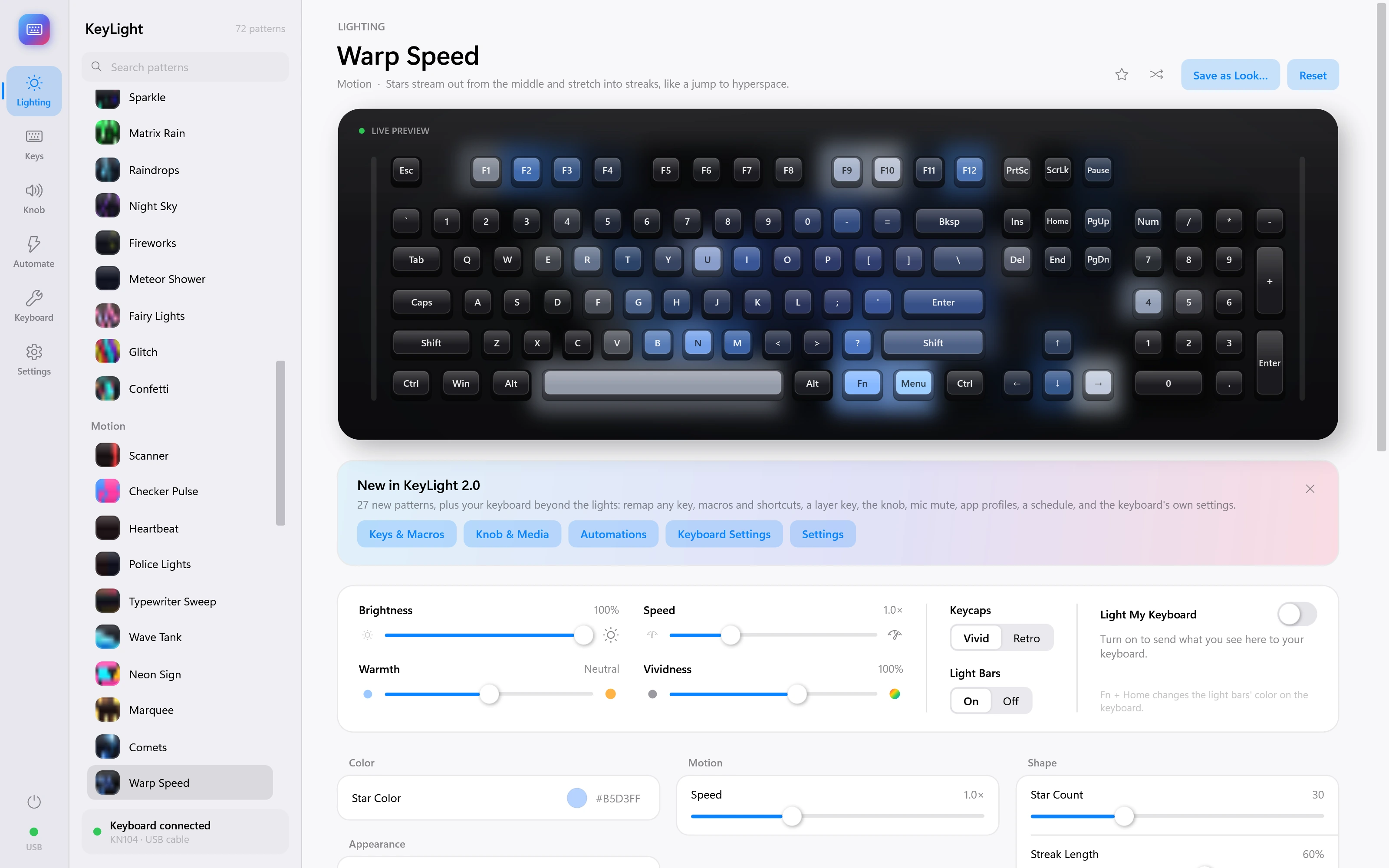
Warp Speed
Stars stream out from the middle and stretch into streaks, like a jump to hyperspace.
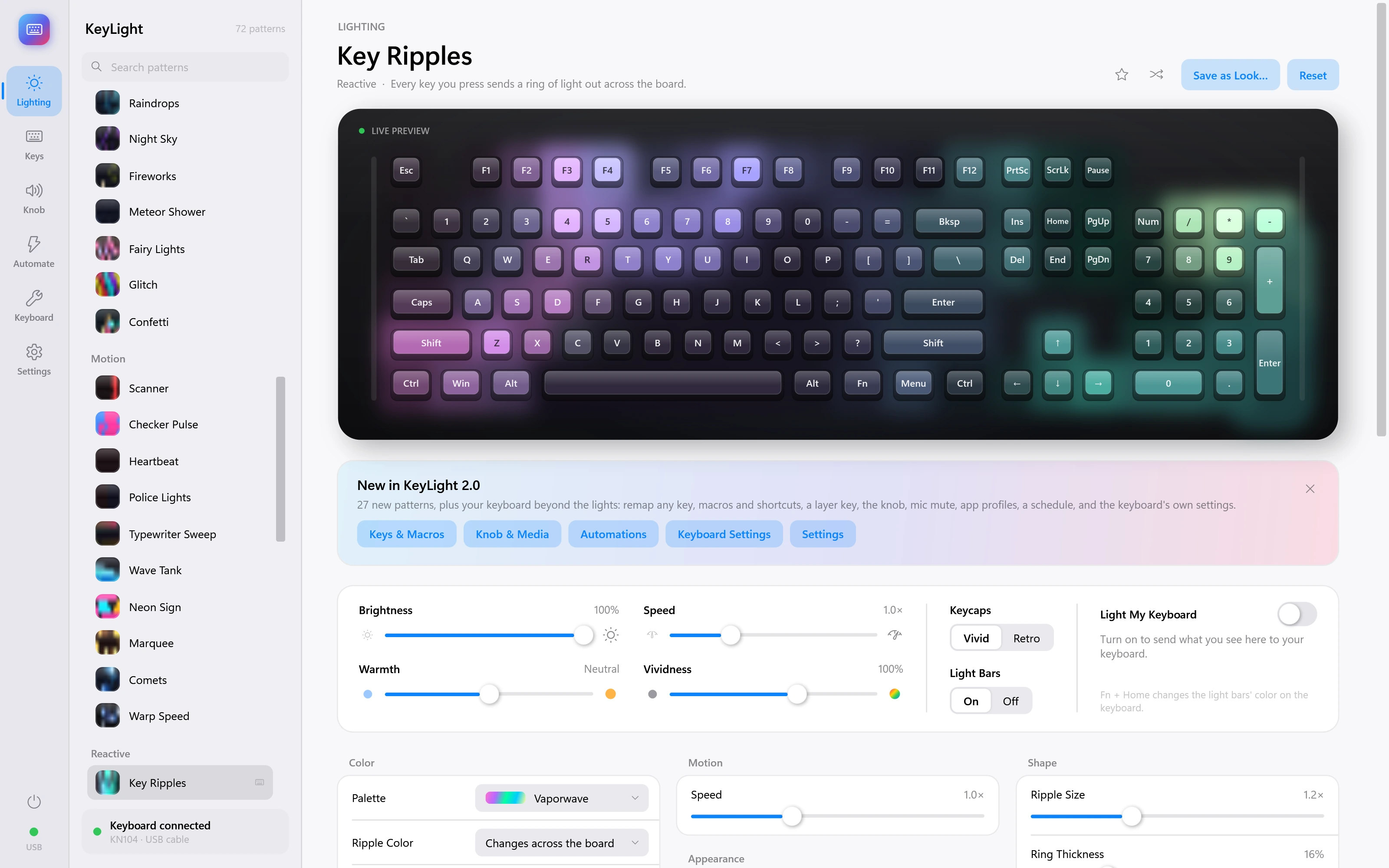
Key Ripples
Every key you press sends a ring of light out across the board. Demonstration inputs.
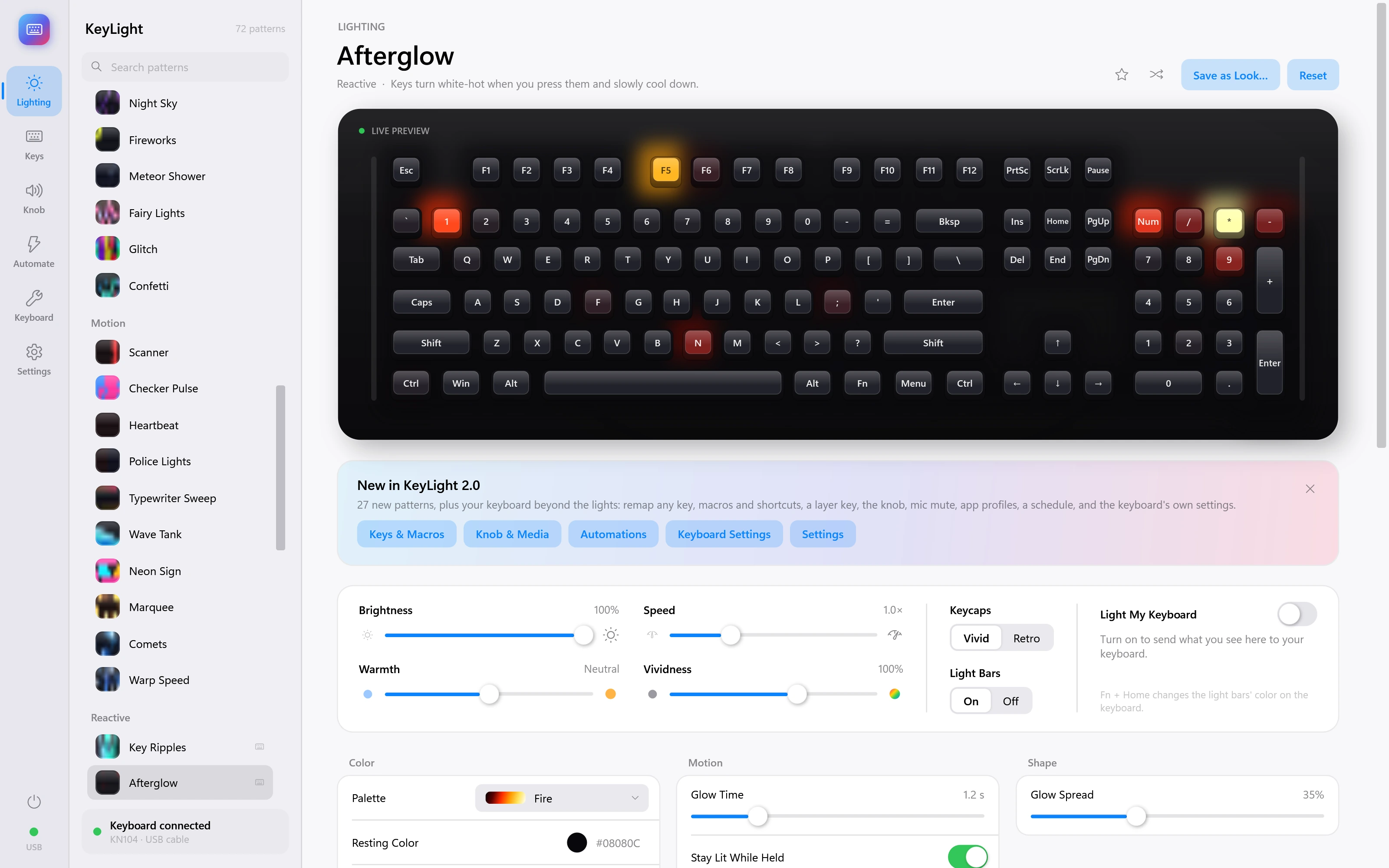
Afterglow
Keys turn white-hot when you press them and slowly cool down. Demonstration inputs.
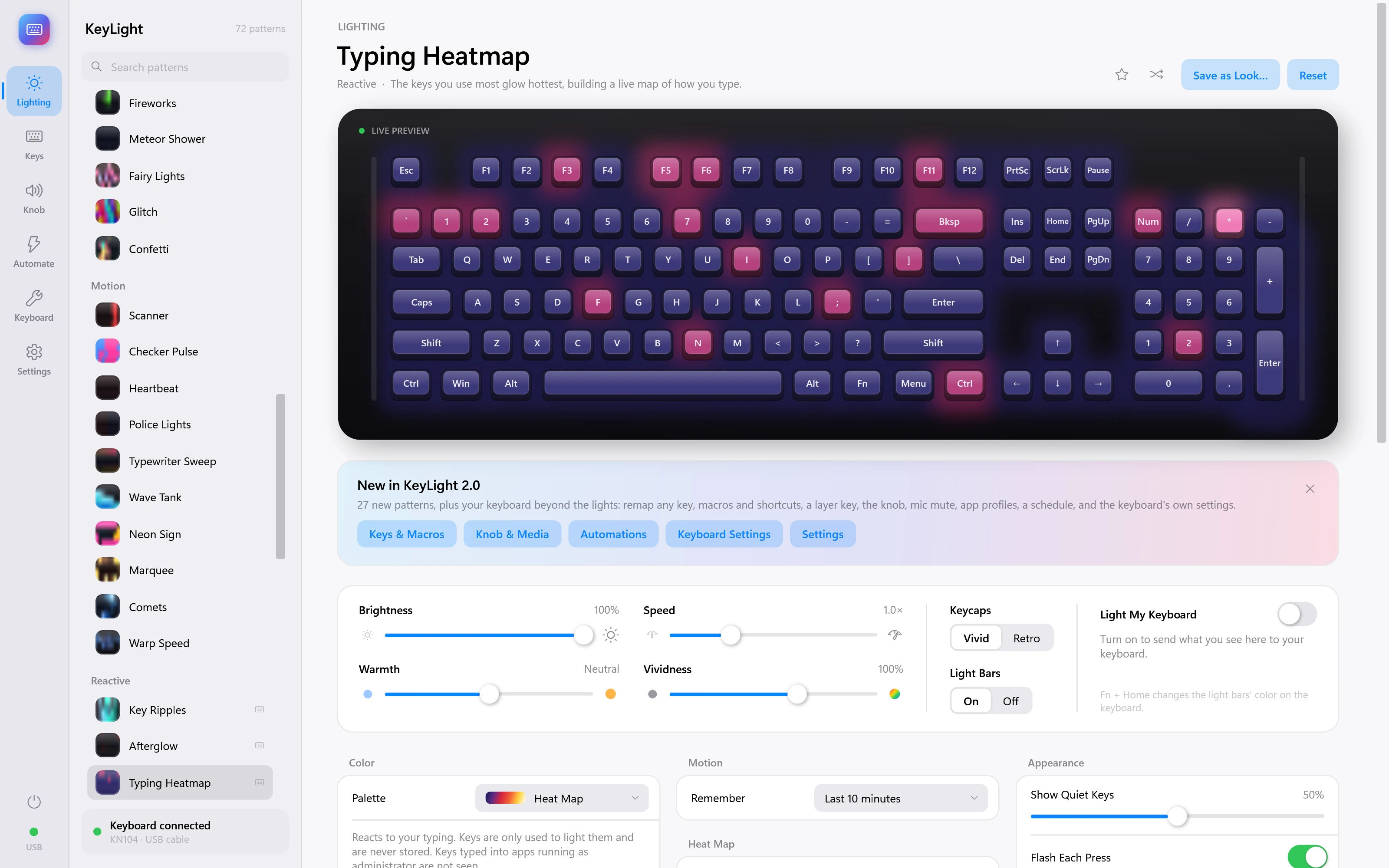
Typing Heatmap
The keys you use most glow hottest, building a live map of how you type. Demonstration inputs.
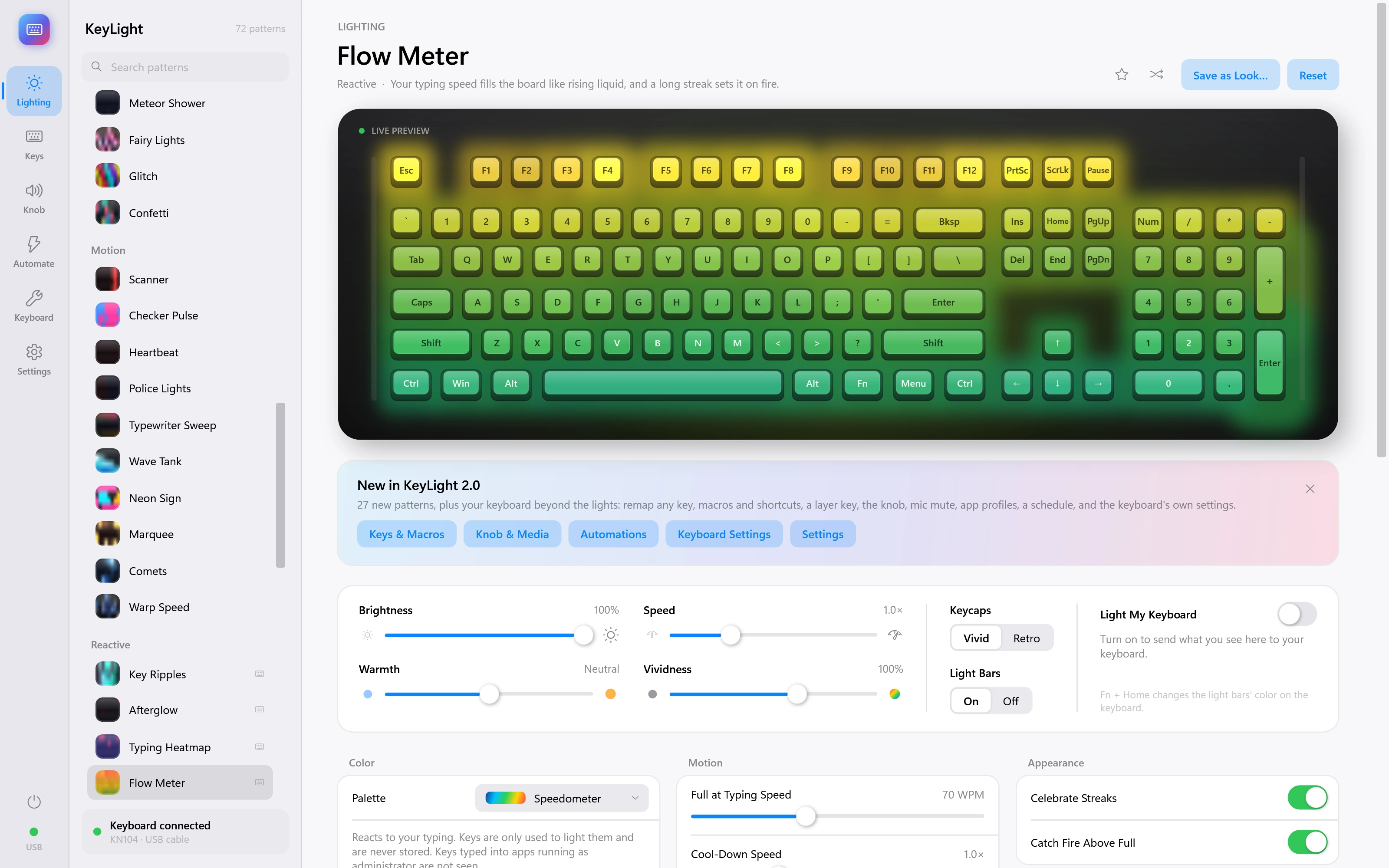
Flow Meter
Your typing speed fills the board like rising liquid, and a long streak sets it on fire. Demonstration inputs.
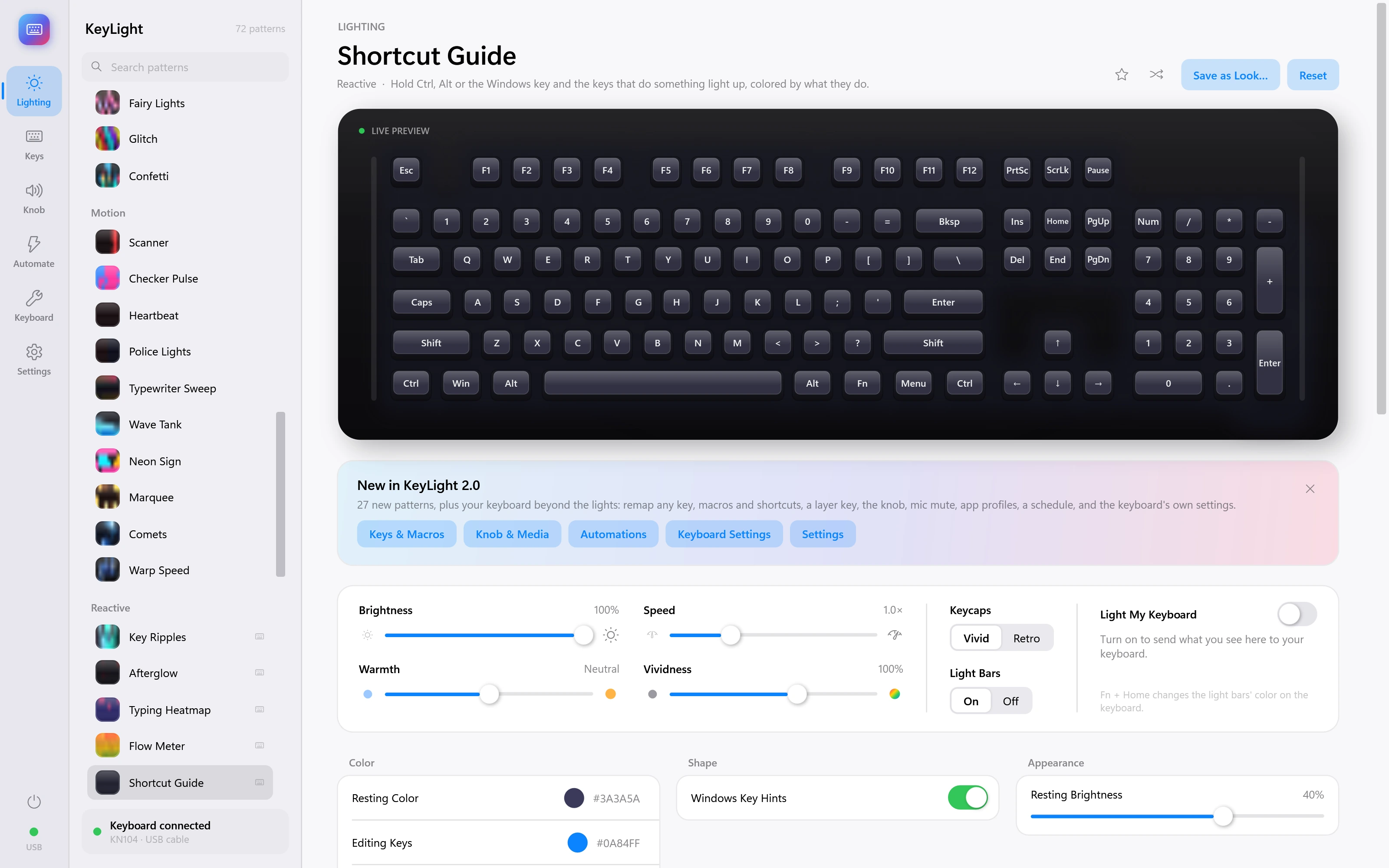
Shortcut Guide
Hold Ctrl, Alt or the Windows key and the keys that do something light up, colored by what they do. Demonstration inputs.
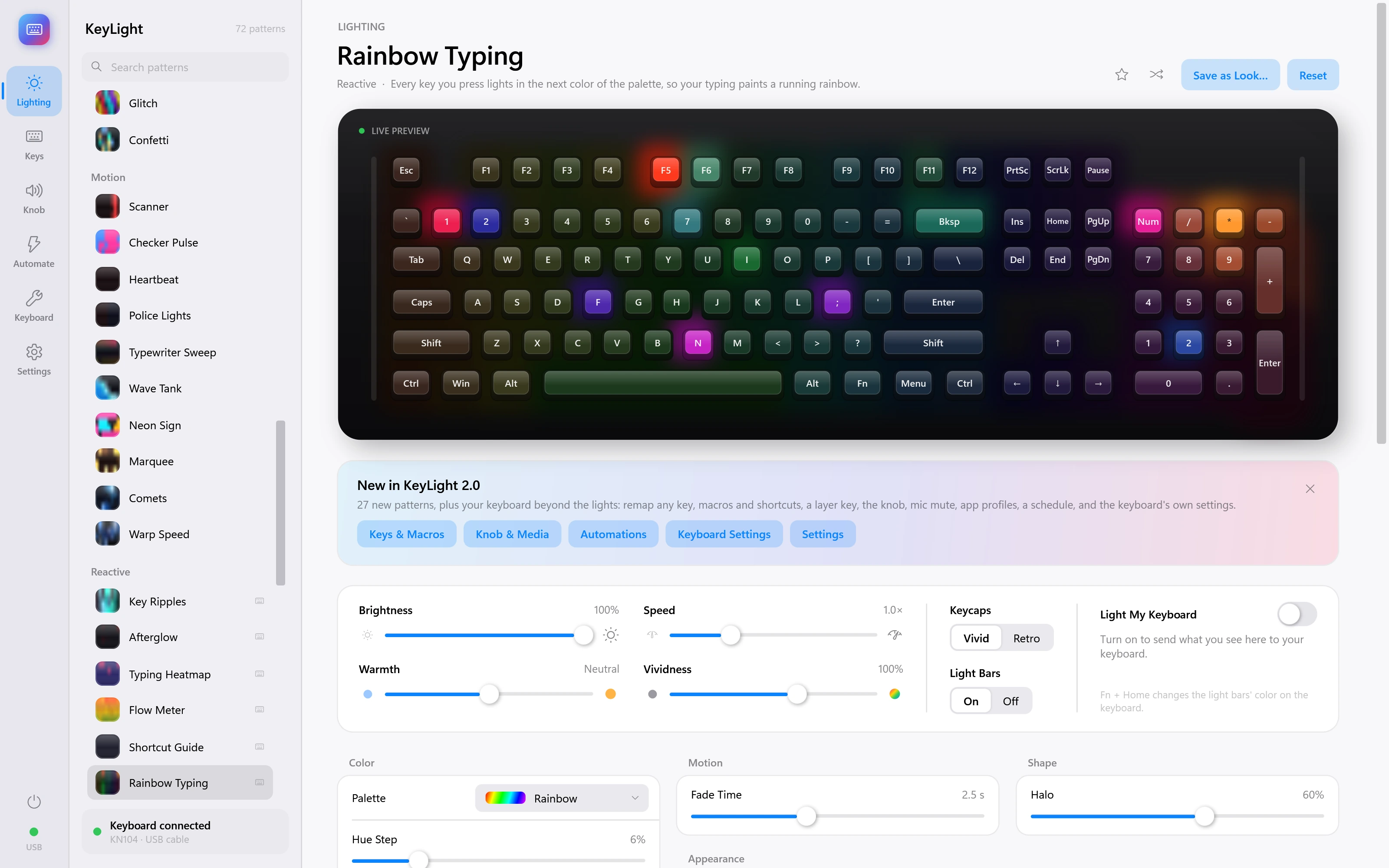
Rainbow Typing
Every key you press lights in the next color of the palette, so your typing paints a running rainbow. Demonstration inputs.
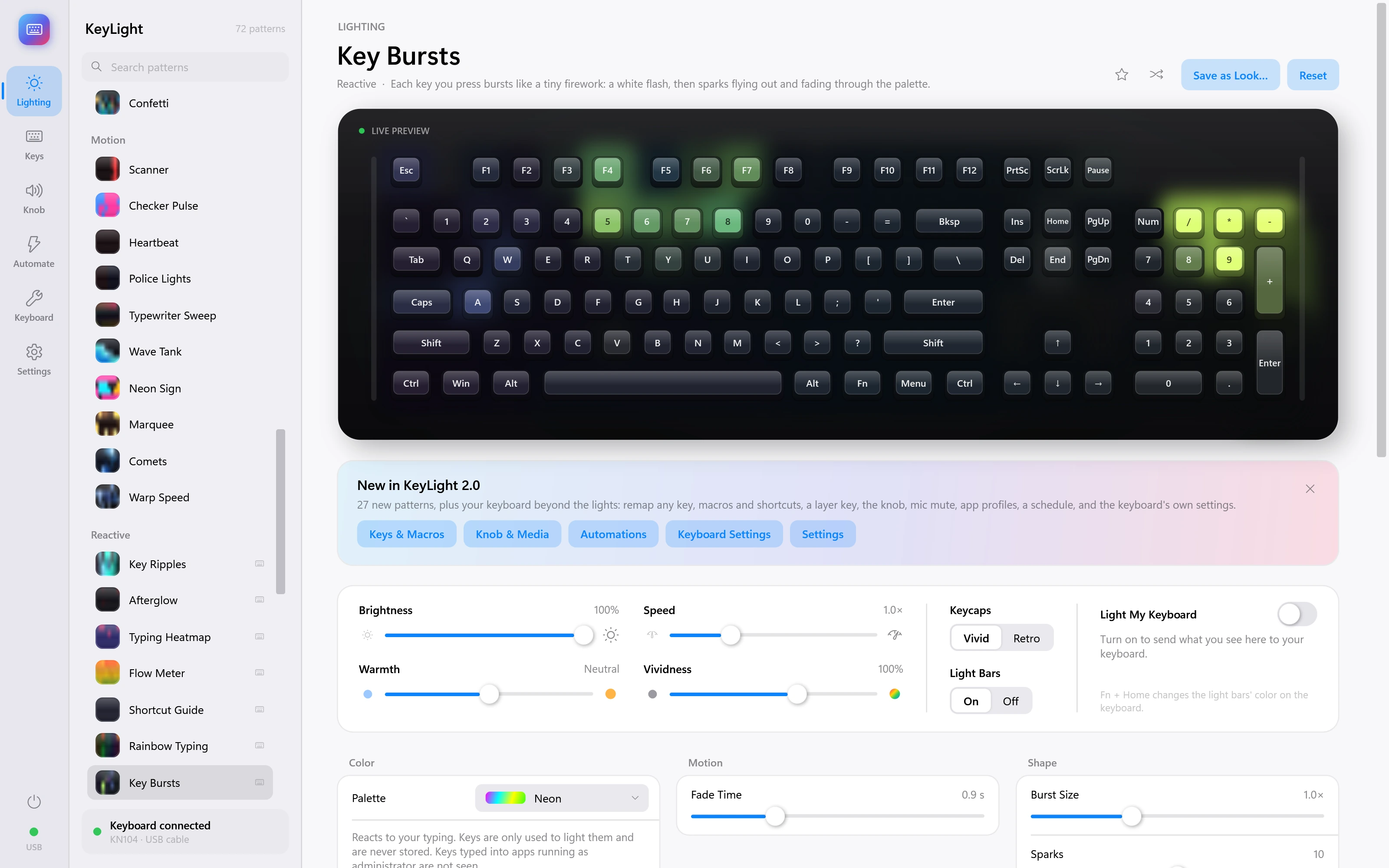
Key Bursts
Each key you press bursts like a tiny firework: a white flash, then sparks flying out and fading through the palette. Demonstration inputs.
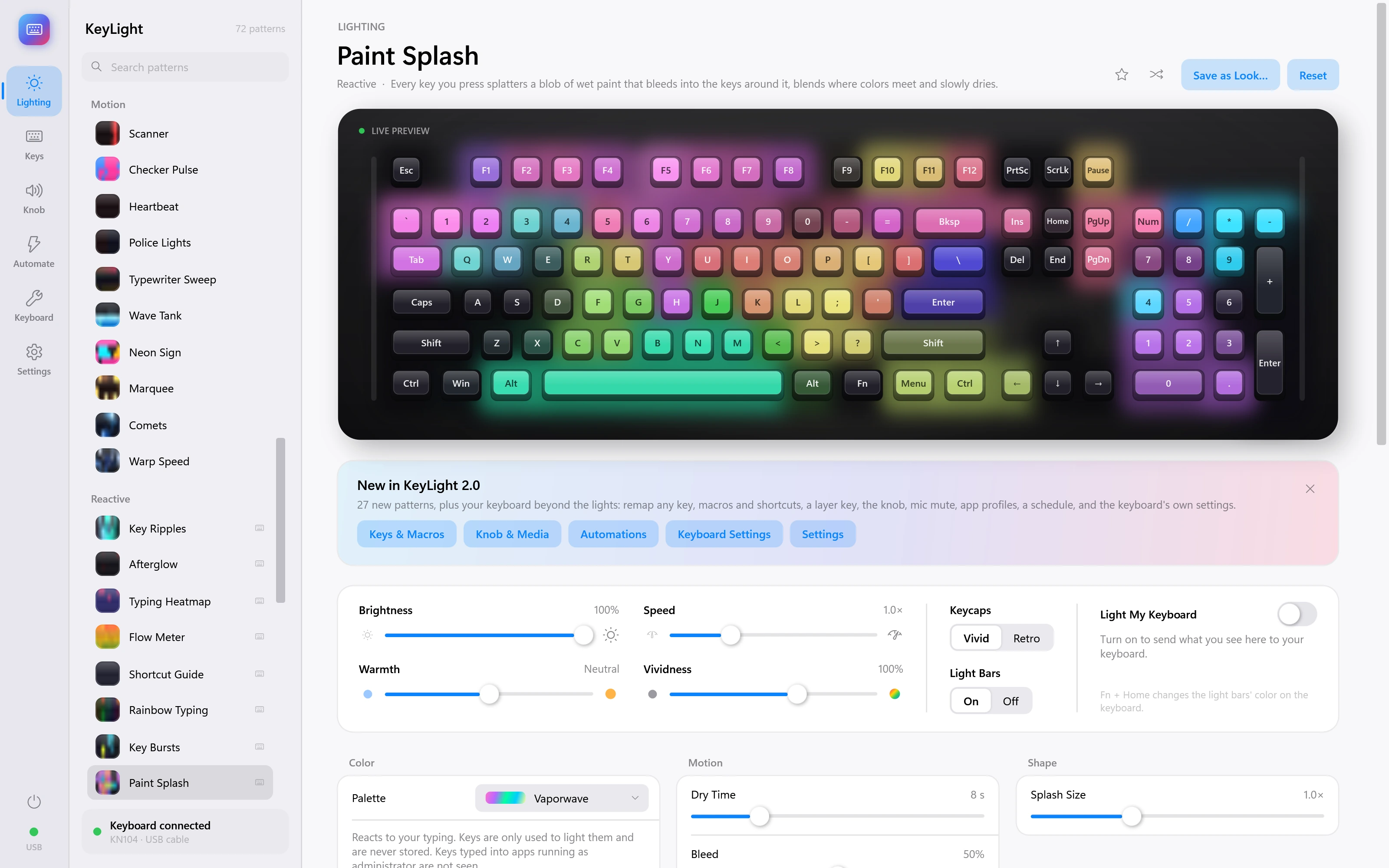
Paint Splash
Every key you press splatters a blob of wet paint that bleeds into the keys around it, blends where colors meet and slowly dries. Demonstration inputs.
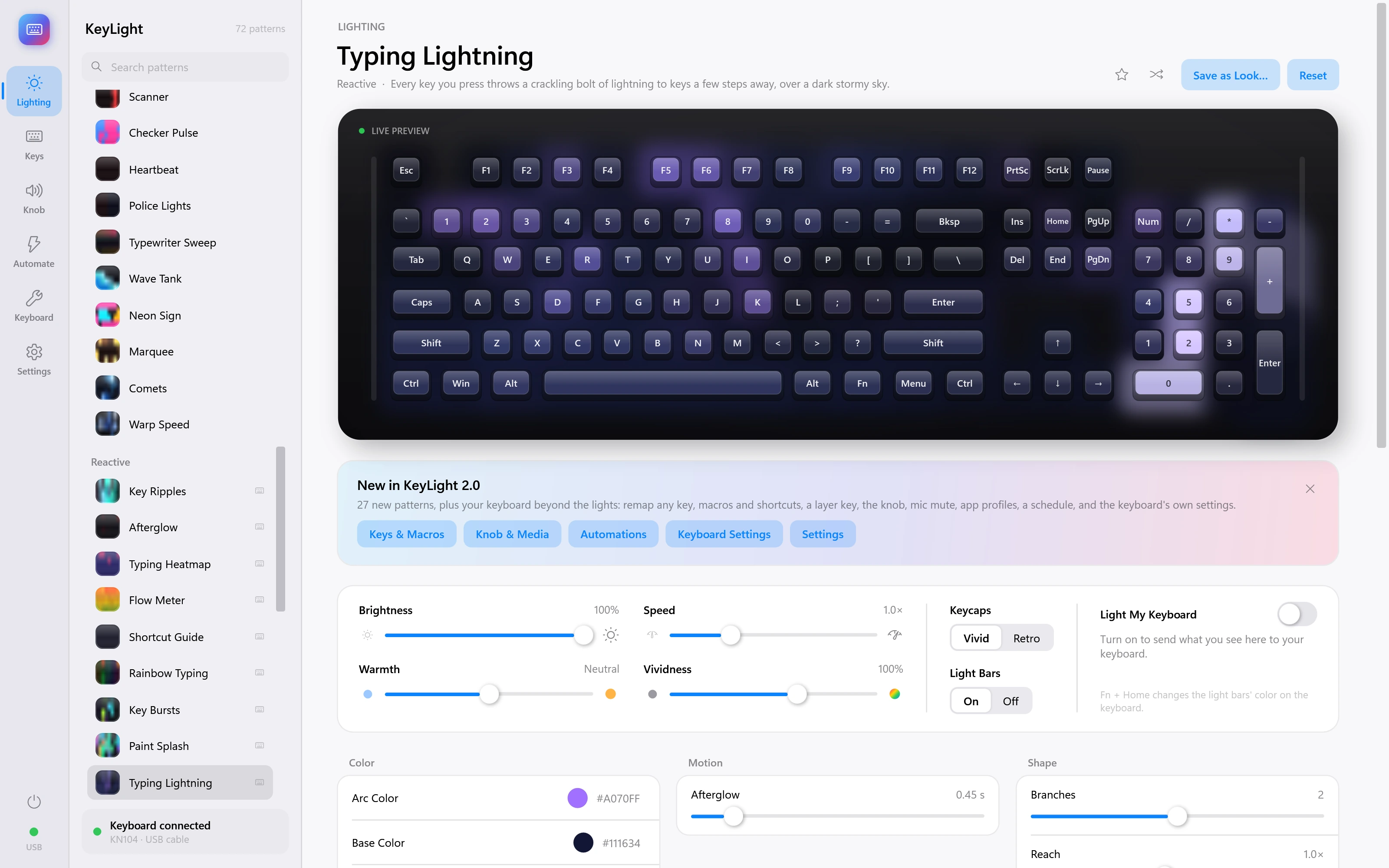
Typing Lightning
Every key you press throws a crackling bolt of lightning to keys a few steps away, over a dark stormy sky. Demonstration inputs.
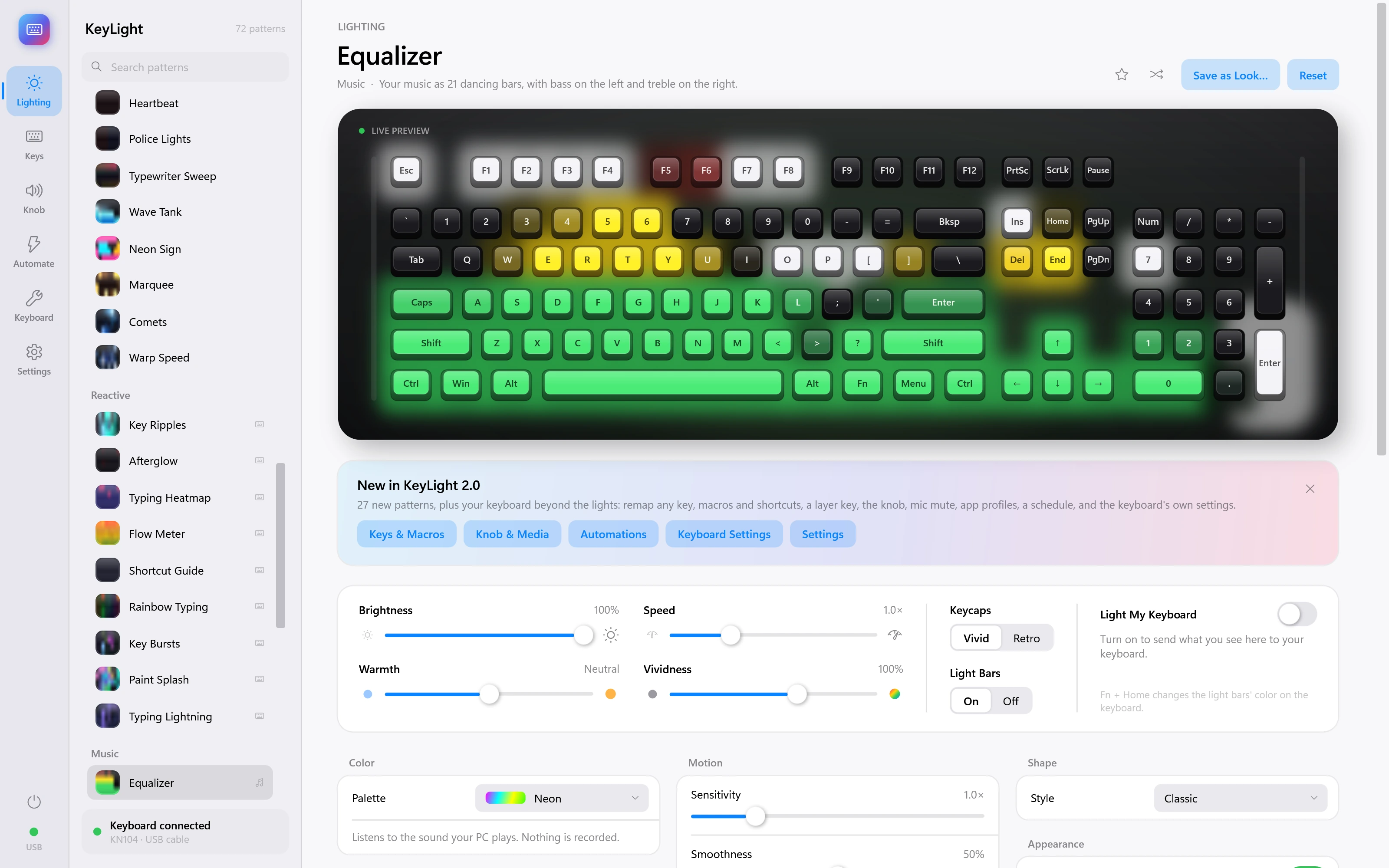
Equalizer
Your music as 21 dancing bars, with bass on the left and treble on the right. Demonstration inputs.
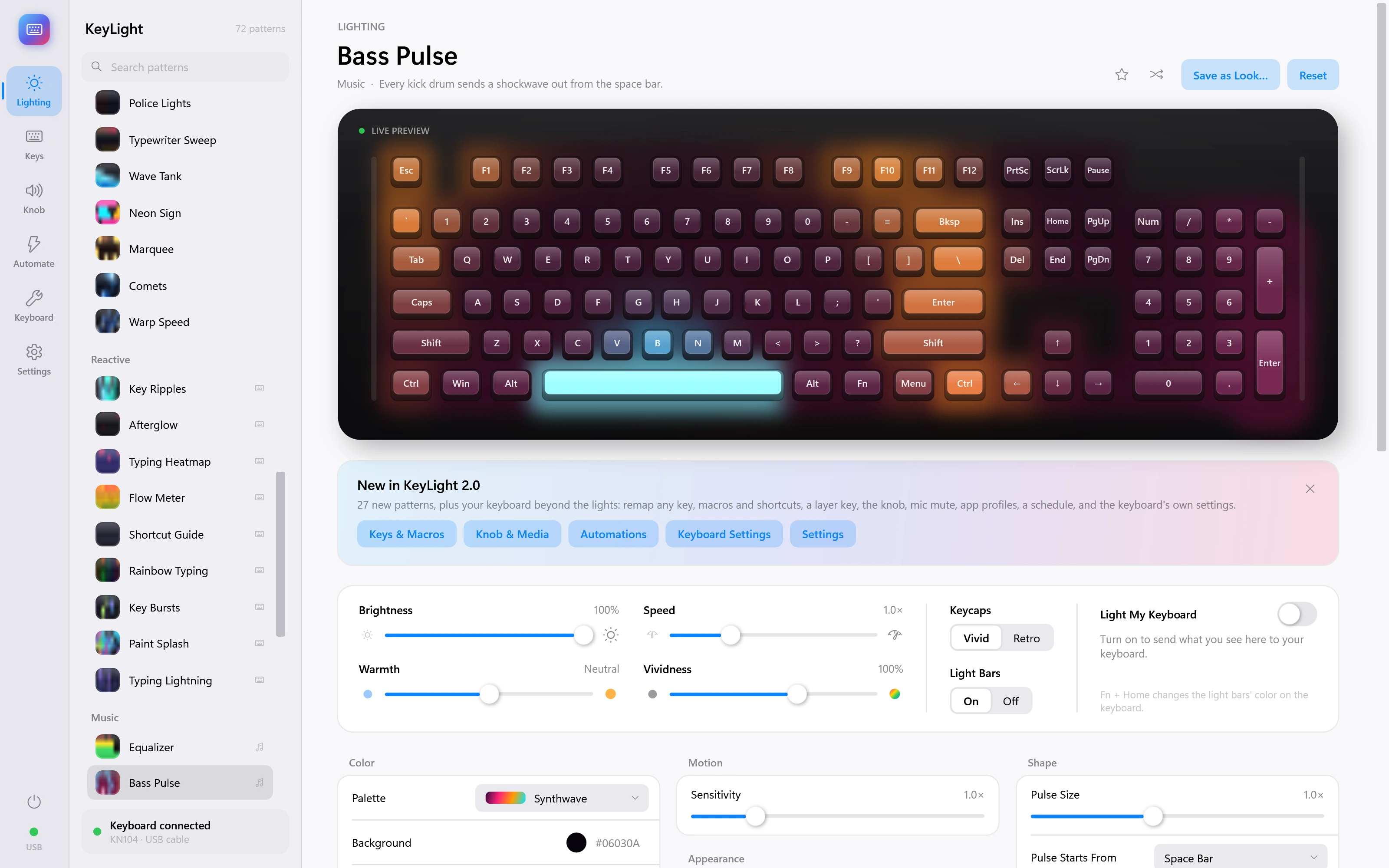
Bass Pulse
Every kick drum sends a shockwave out from the space bar. Demonstration inputs.
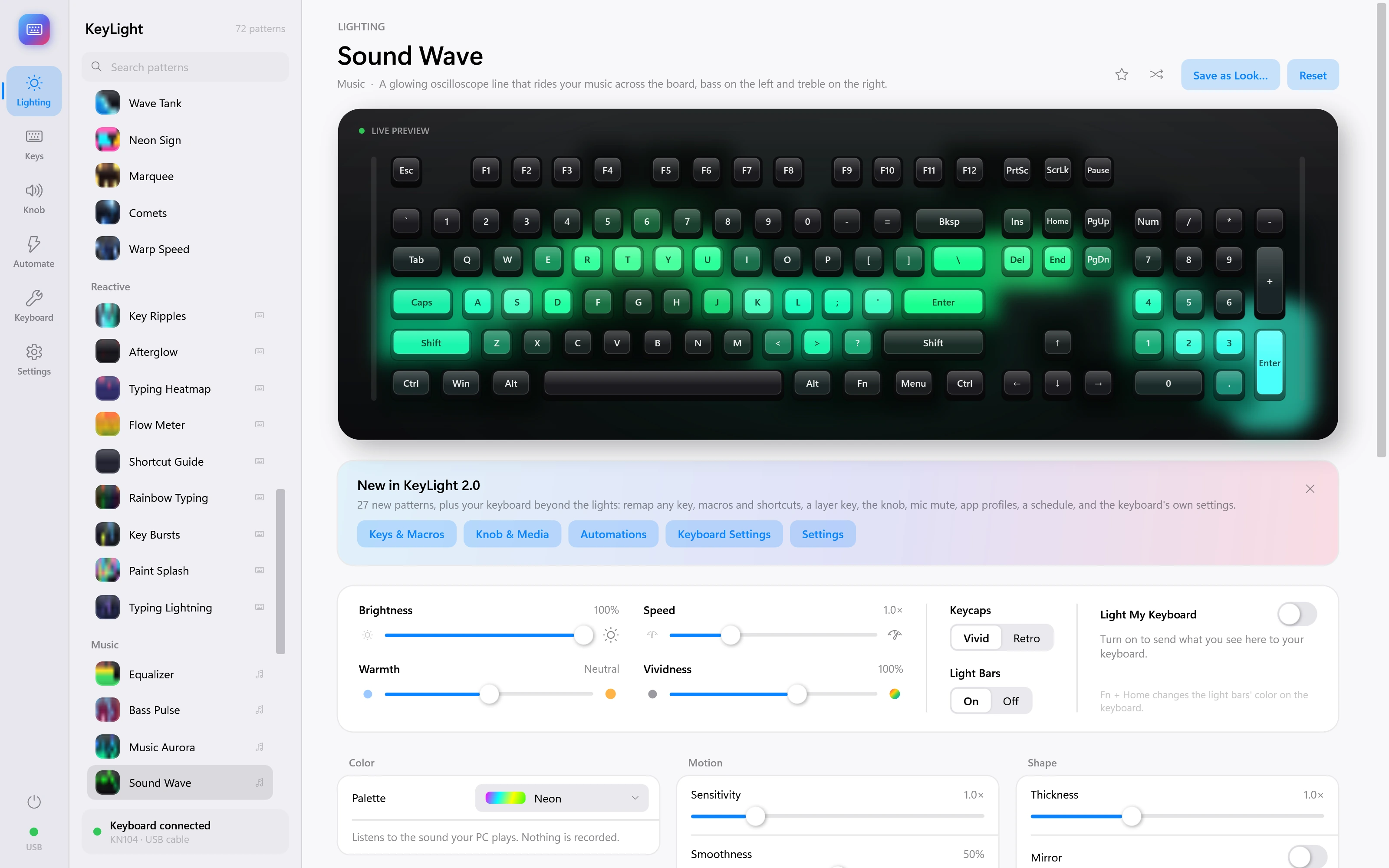
Sound Wave
A glowing oscilloscope line that rides your music across the board, bass on the left and treble on the right. Demonstration inputs.
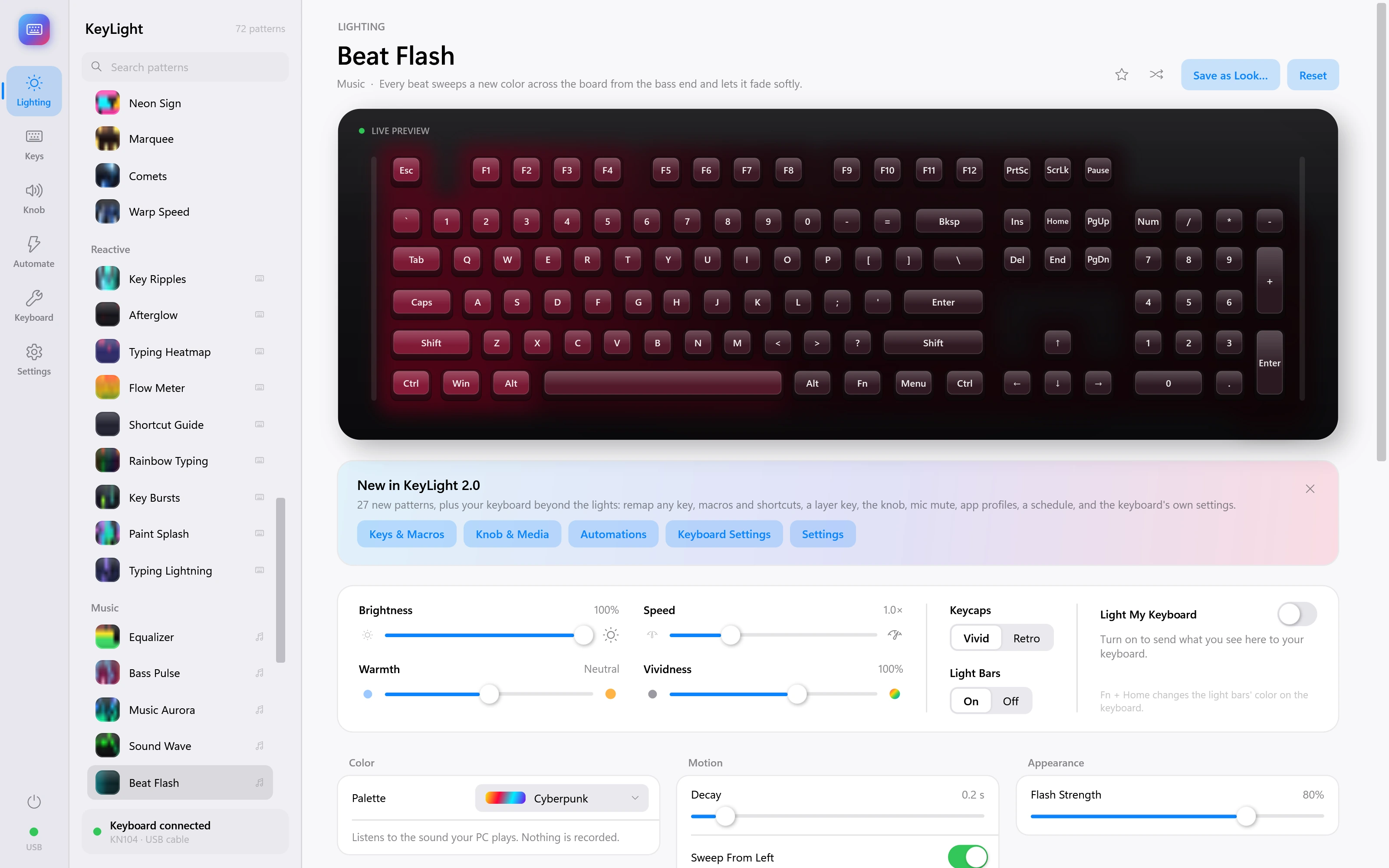
Beat Flash
Every beat sweeps a new color across the board from the bass end and lets it fade softly. Demonstration inputs.
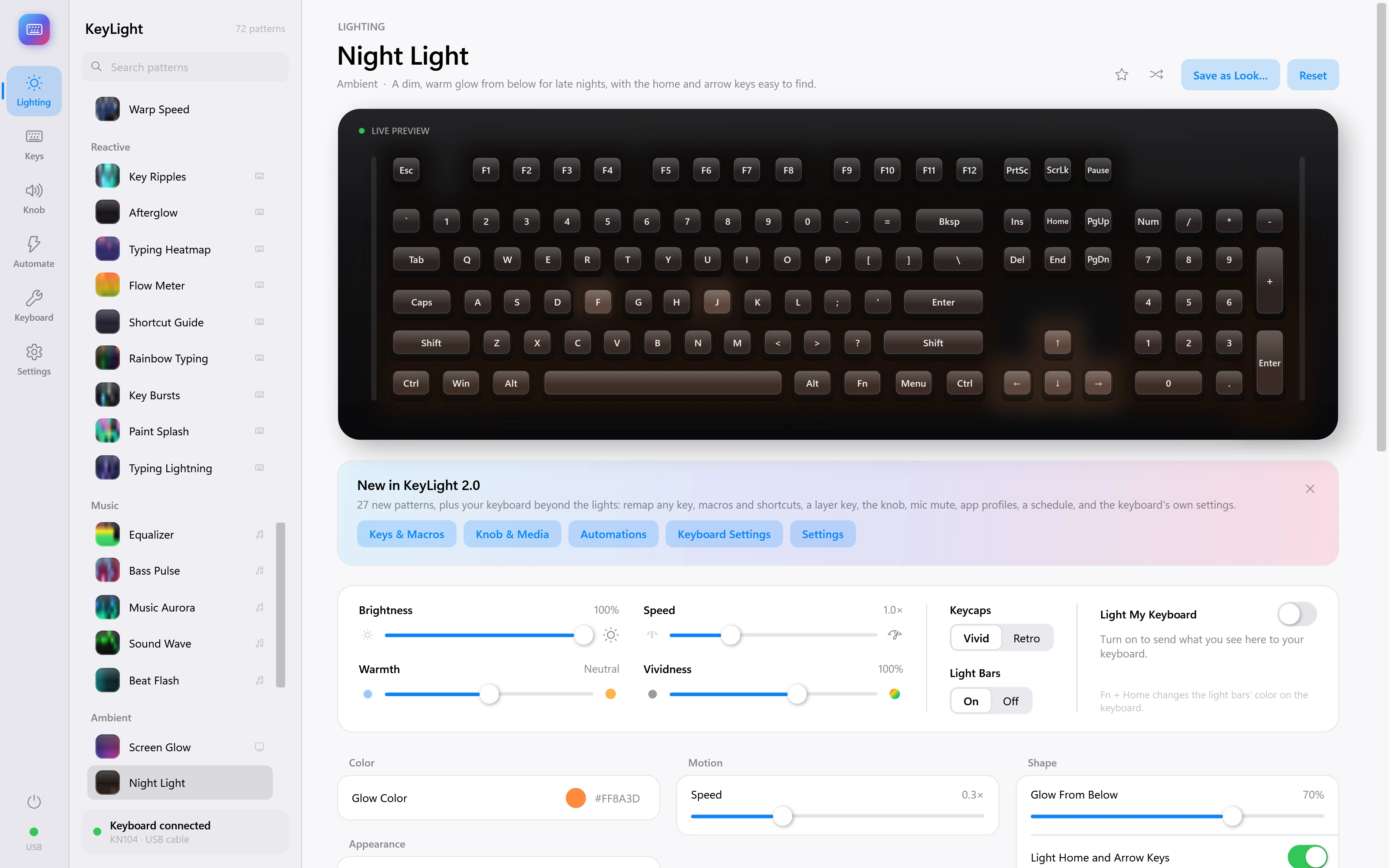
Night Light
A dim, warm glow from below for late nights, with the home and arrow keys easy to find. Demonstration inputs.
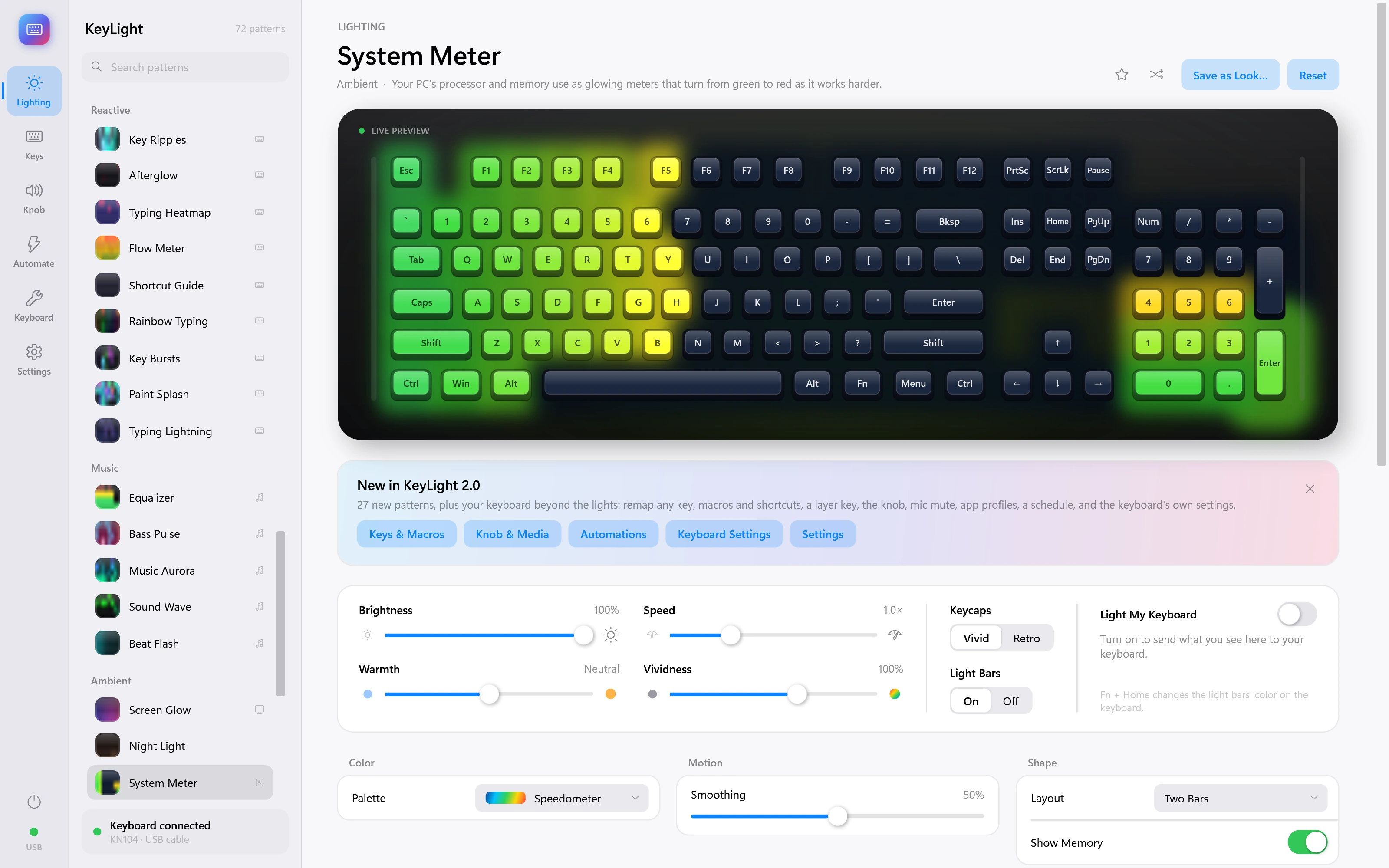
System Meter
Your PC's processor and memory use as glowing meters that turn from green to red as it works harder. Demonstration inputs.
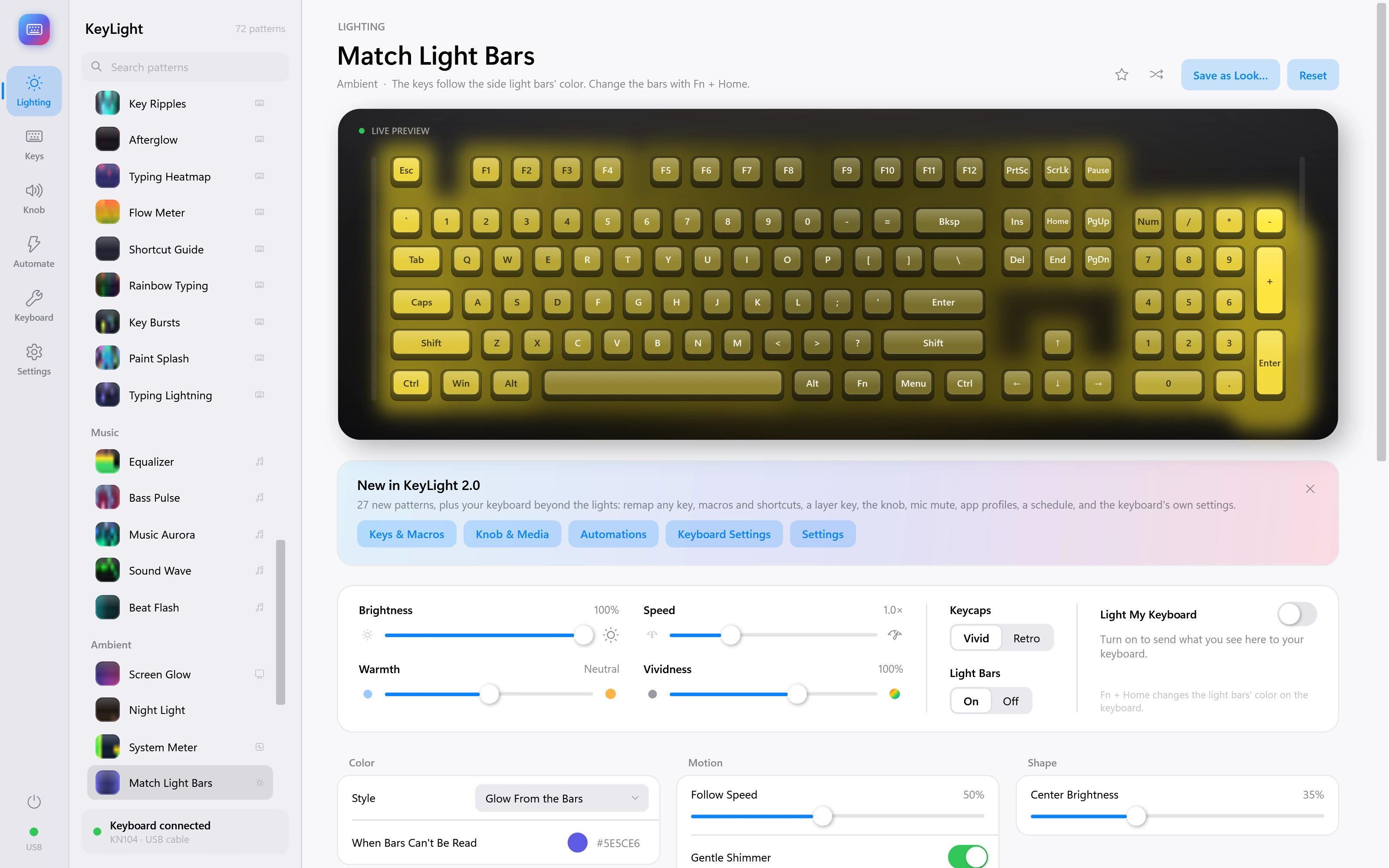
Match Light Bars
The keys follow the side light bars' color. Change the bars with Fn + Home. Demonstration inputs.
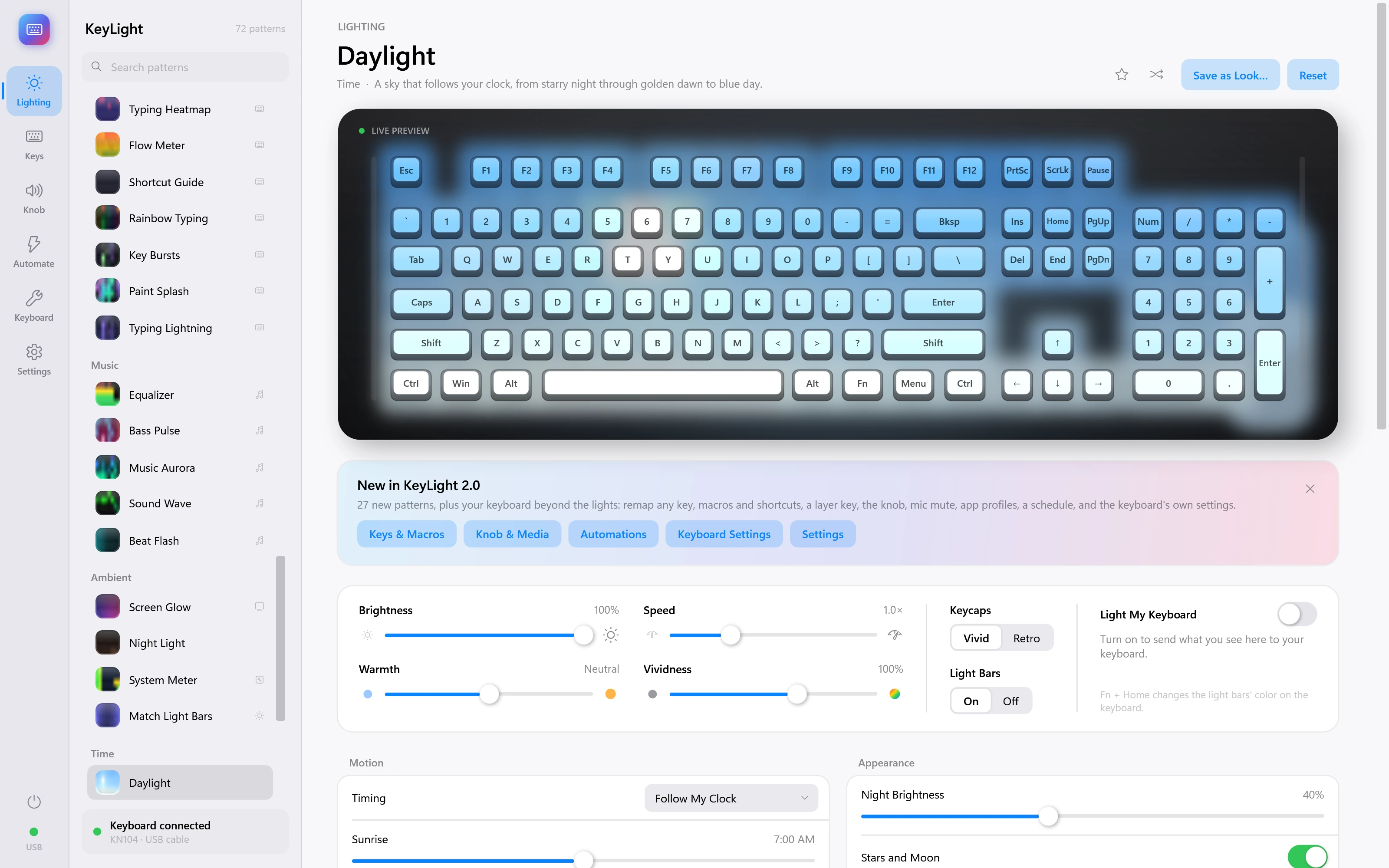
Daylight
A sky that follows your clock, from starry night through golden dawn to blue day. Demonstration inputs.
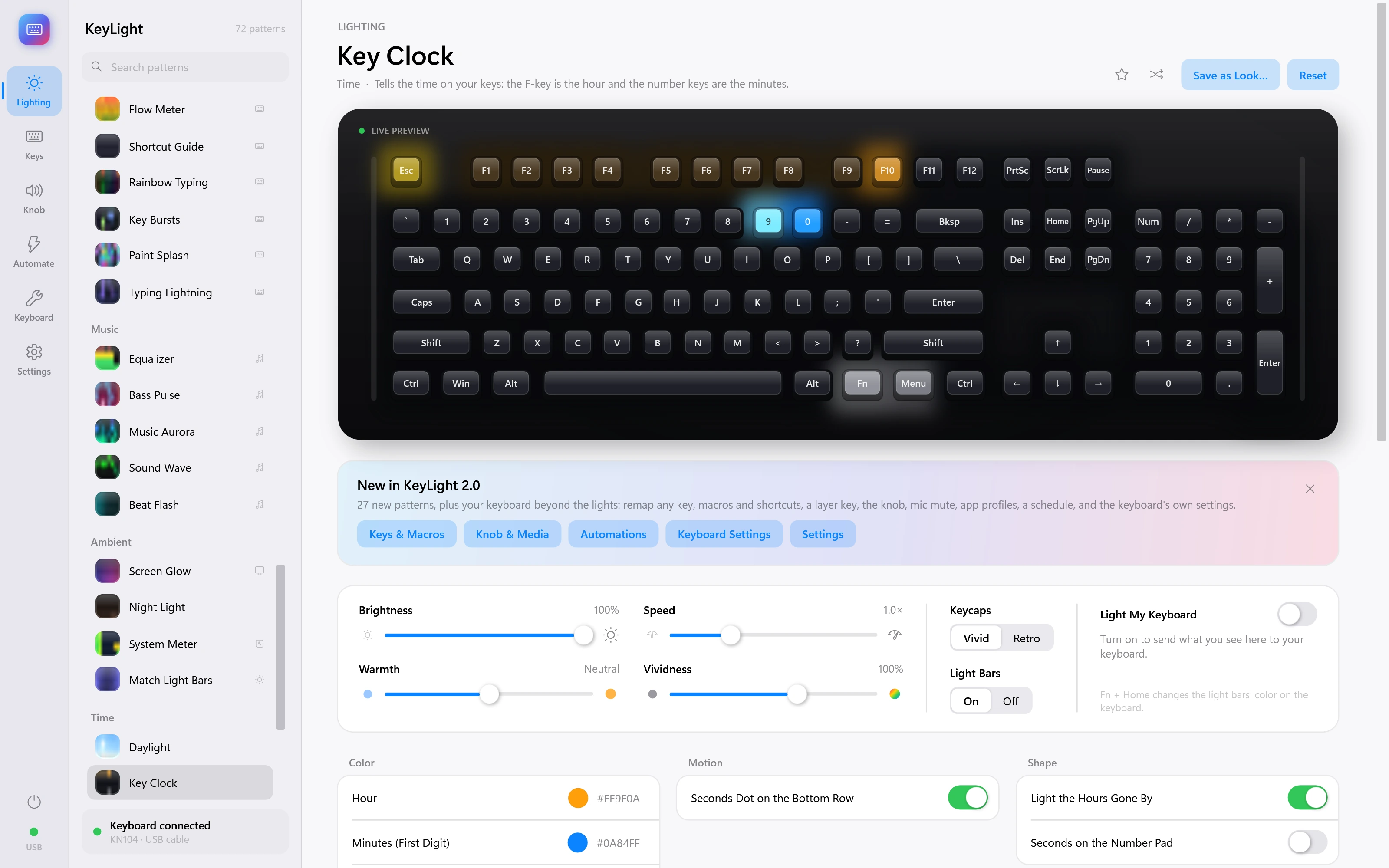
Key Clock
Tells the time on your keys: the F-key is the hour and the number keys are the minutes. Demonstration inputs.
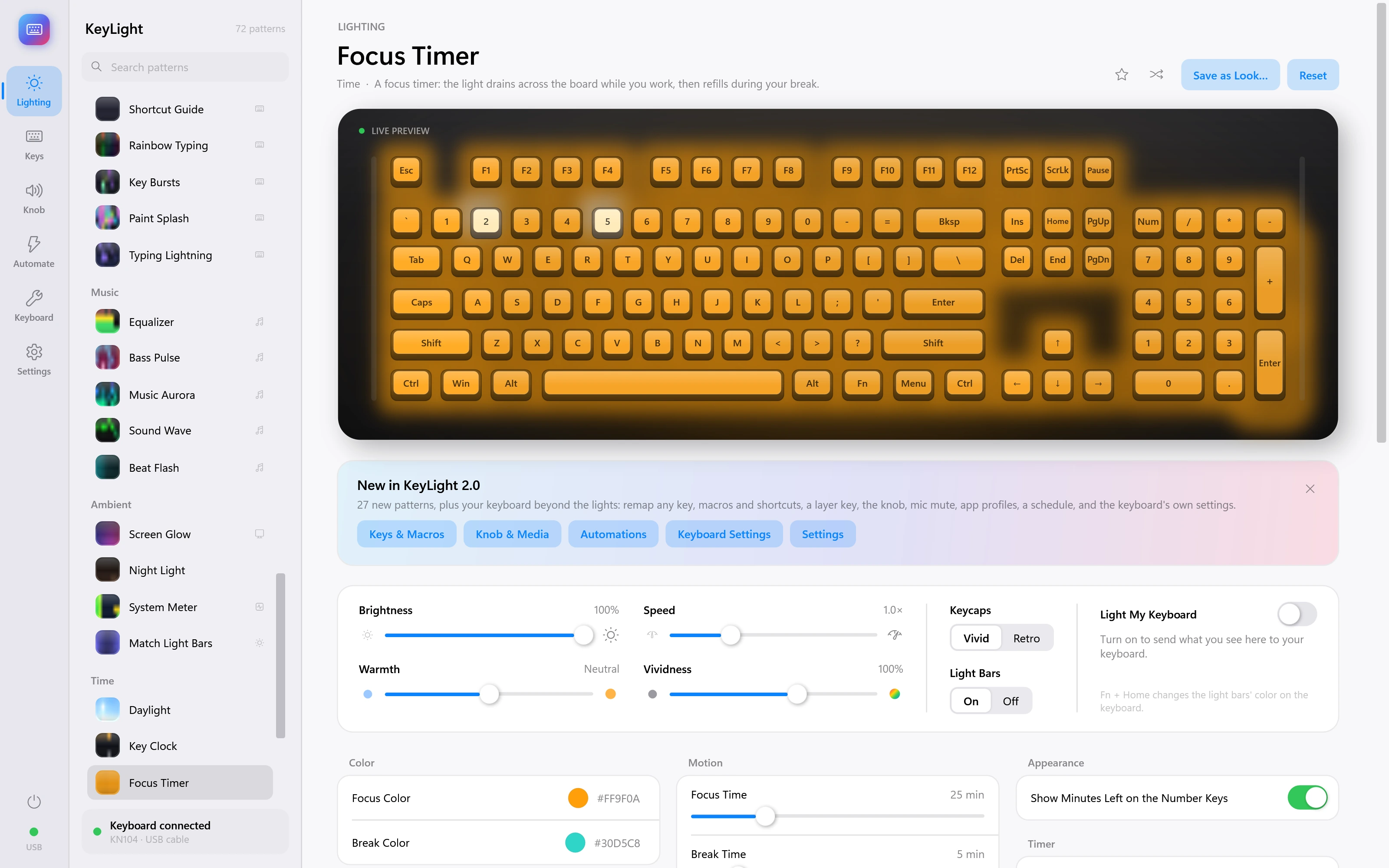
Focus Timer
A focus timer: the light drains across the board while you work, then refills during your break. Demonstration inputs.
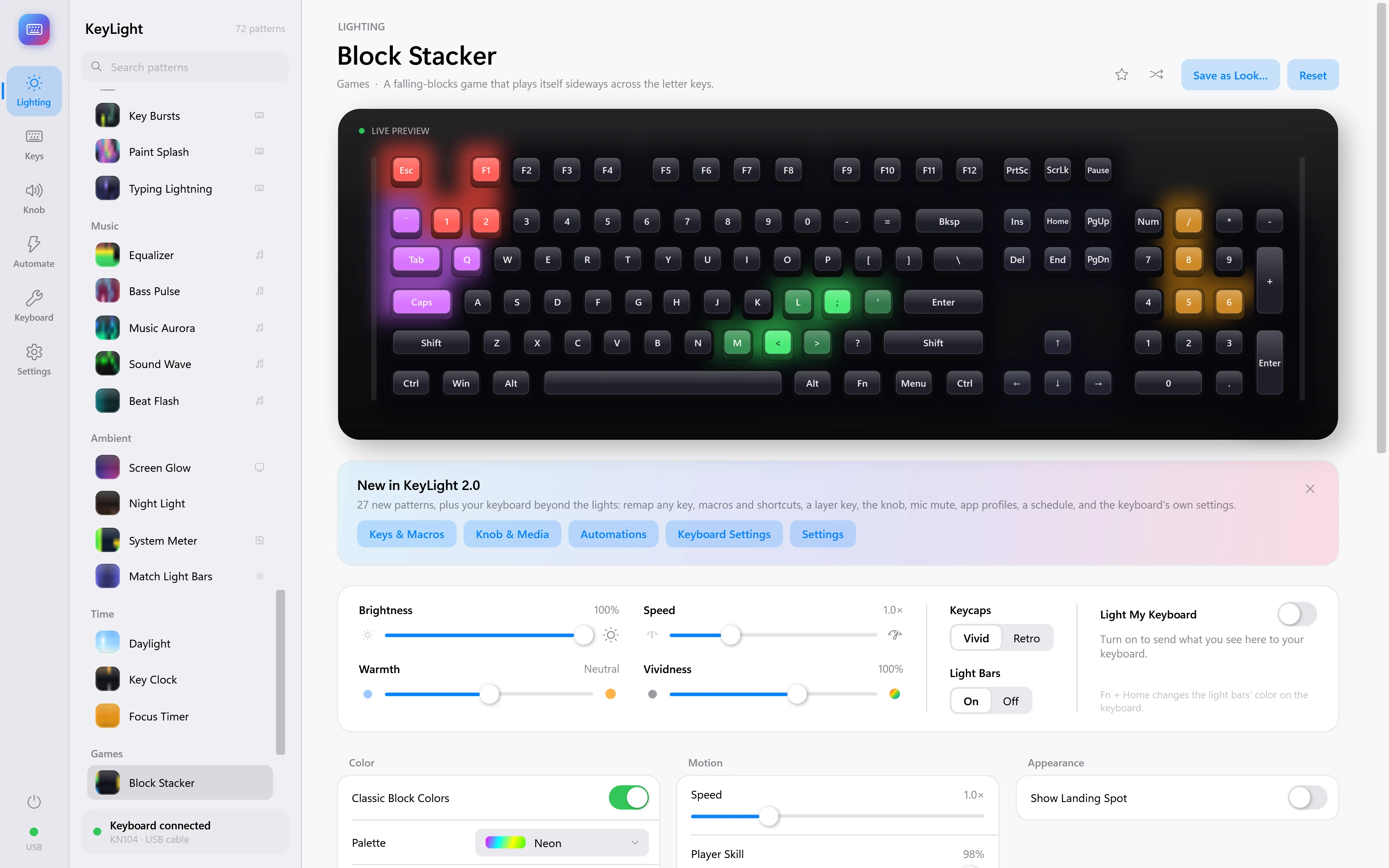
Block Stacker
A falling-blocks game that plays itself sideways across the letter keys. Demonstration inputs.
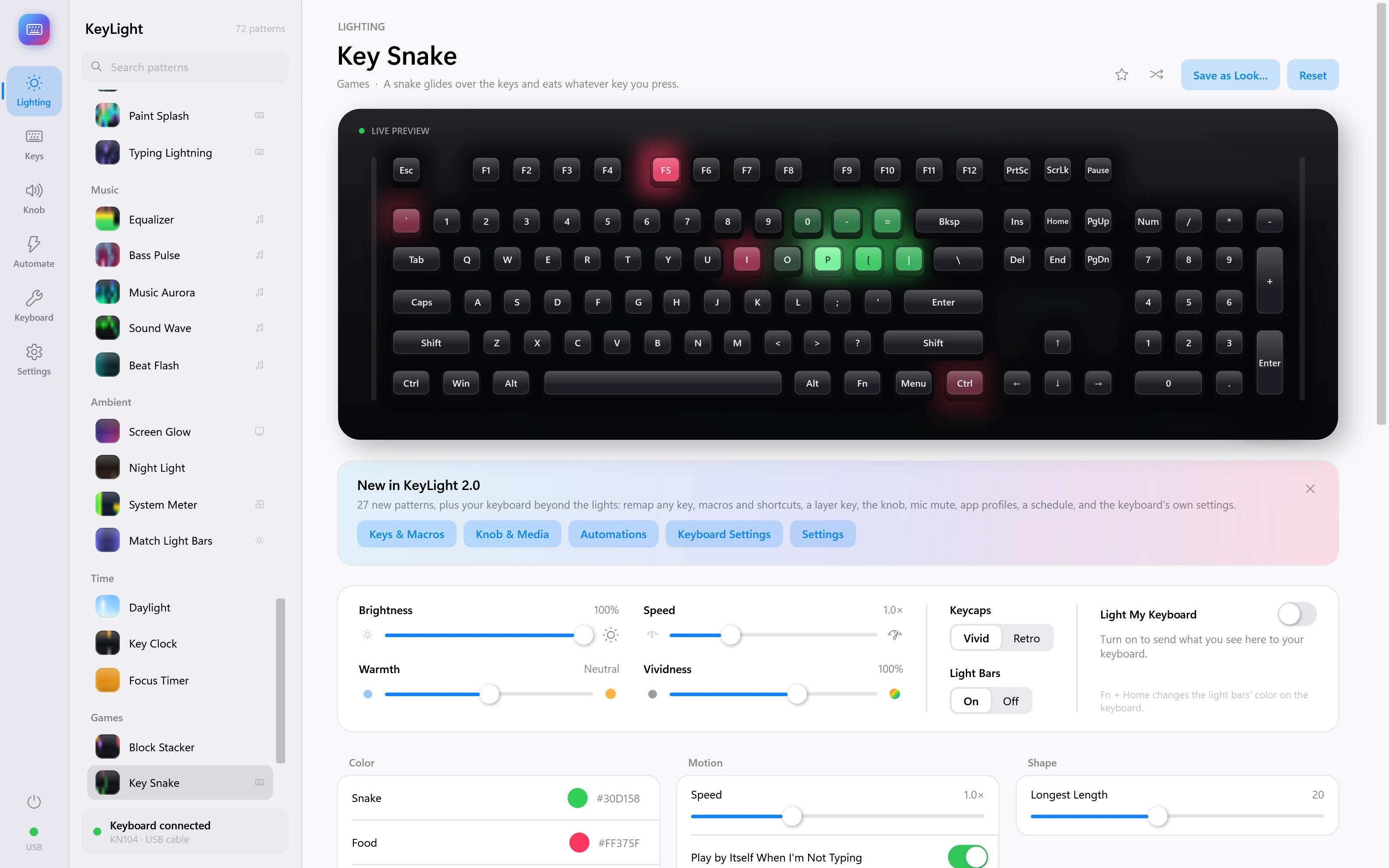
Key Snake
A snake glides over the keys and eats whatever key you press. Demonstration inputs.
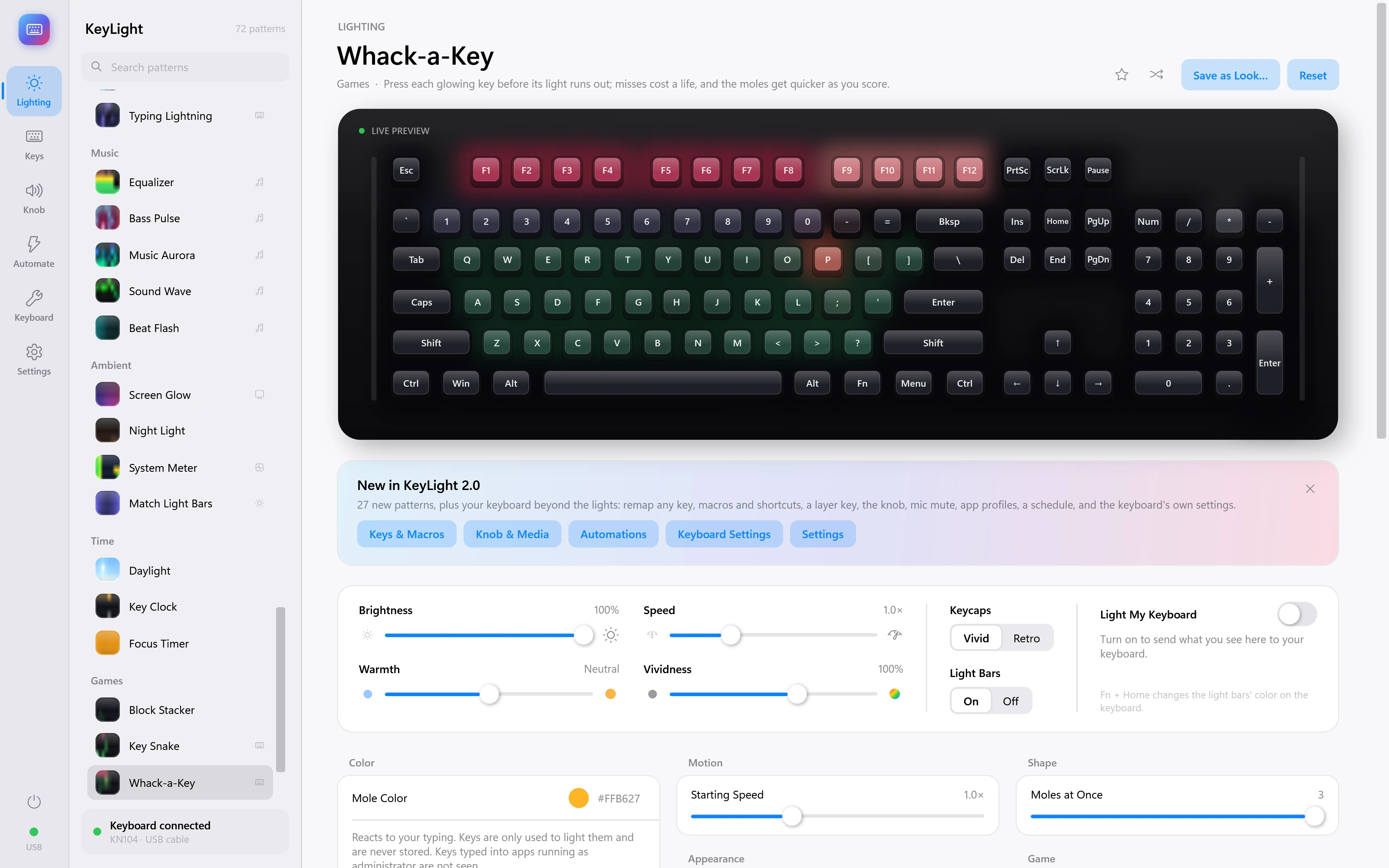
Whack-a-Key
Press each glowing key before its light runs out; misses cost a life, and the moles get quicker as you score. Demonstration inputs.
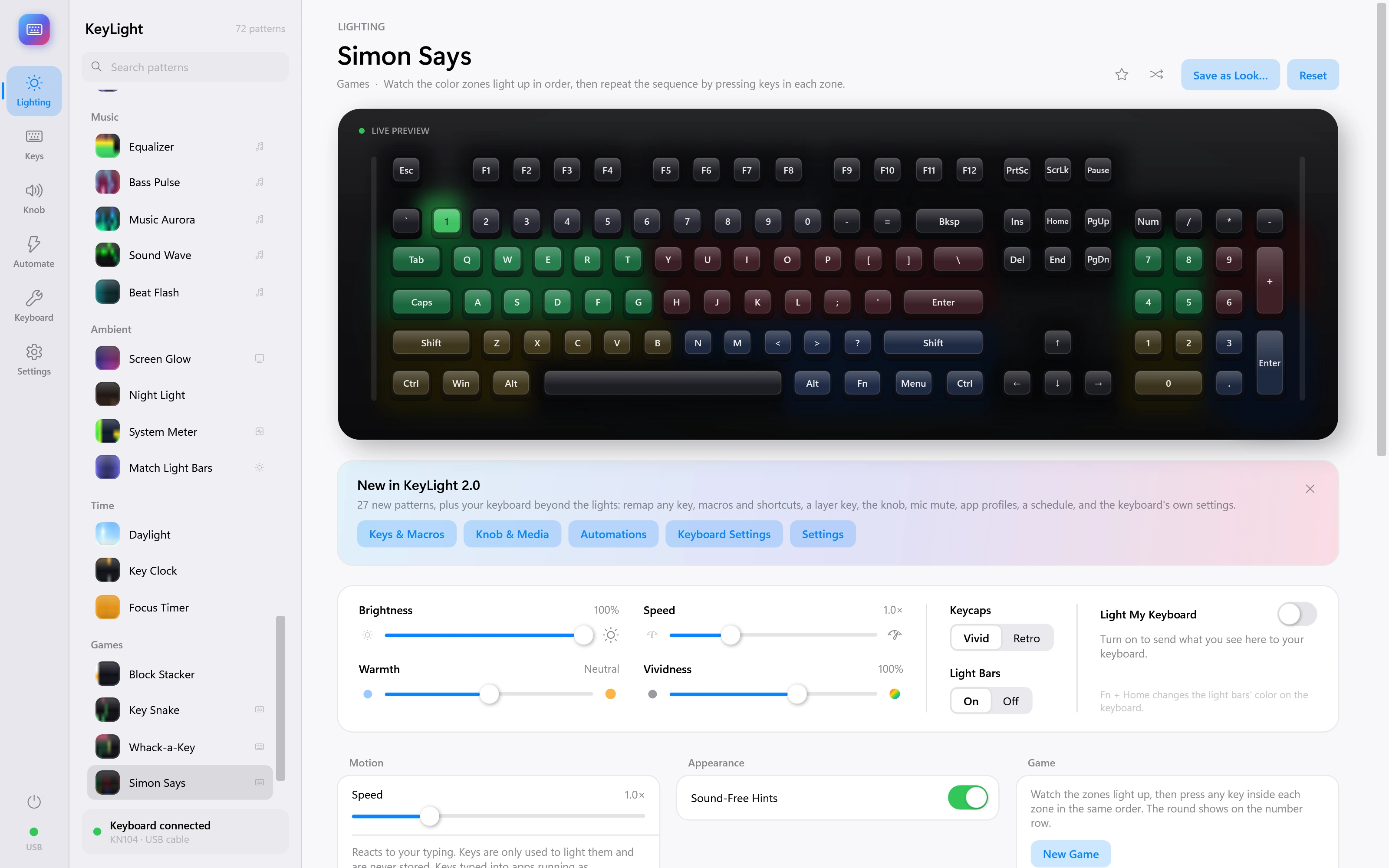
Simon Says
Watch the color zones light up in order, then repeat the sequence by pressing keys in each zone. Demonstration inputs.
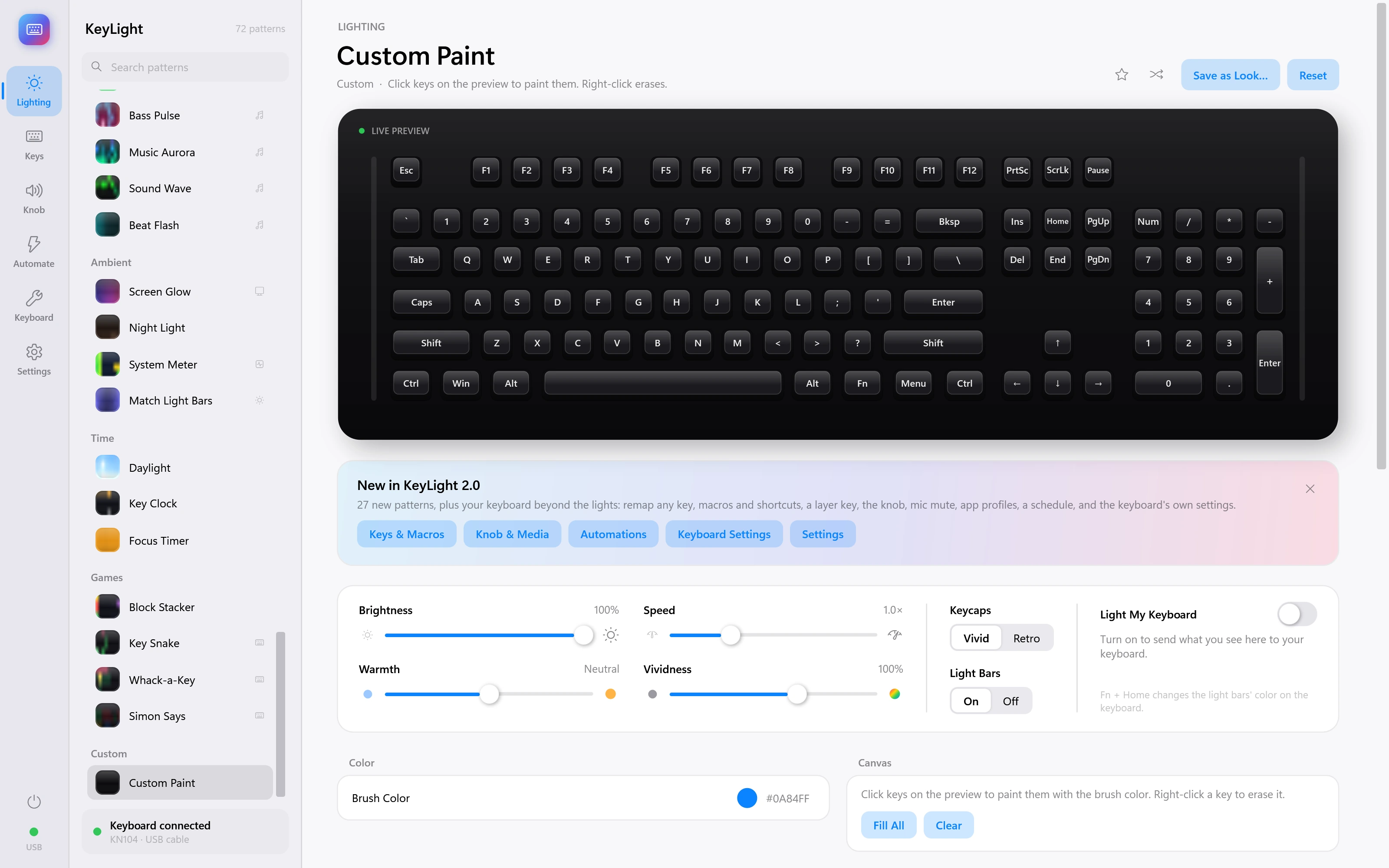
Custom Paint
Click keys on the preview to paint them. Right-click erases.
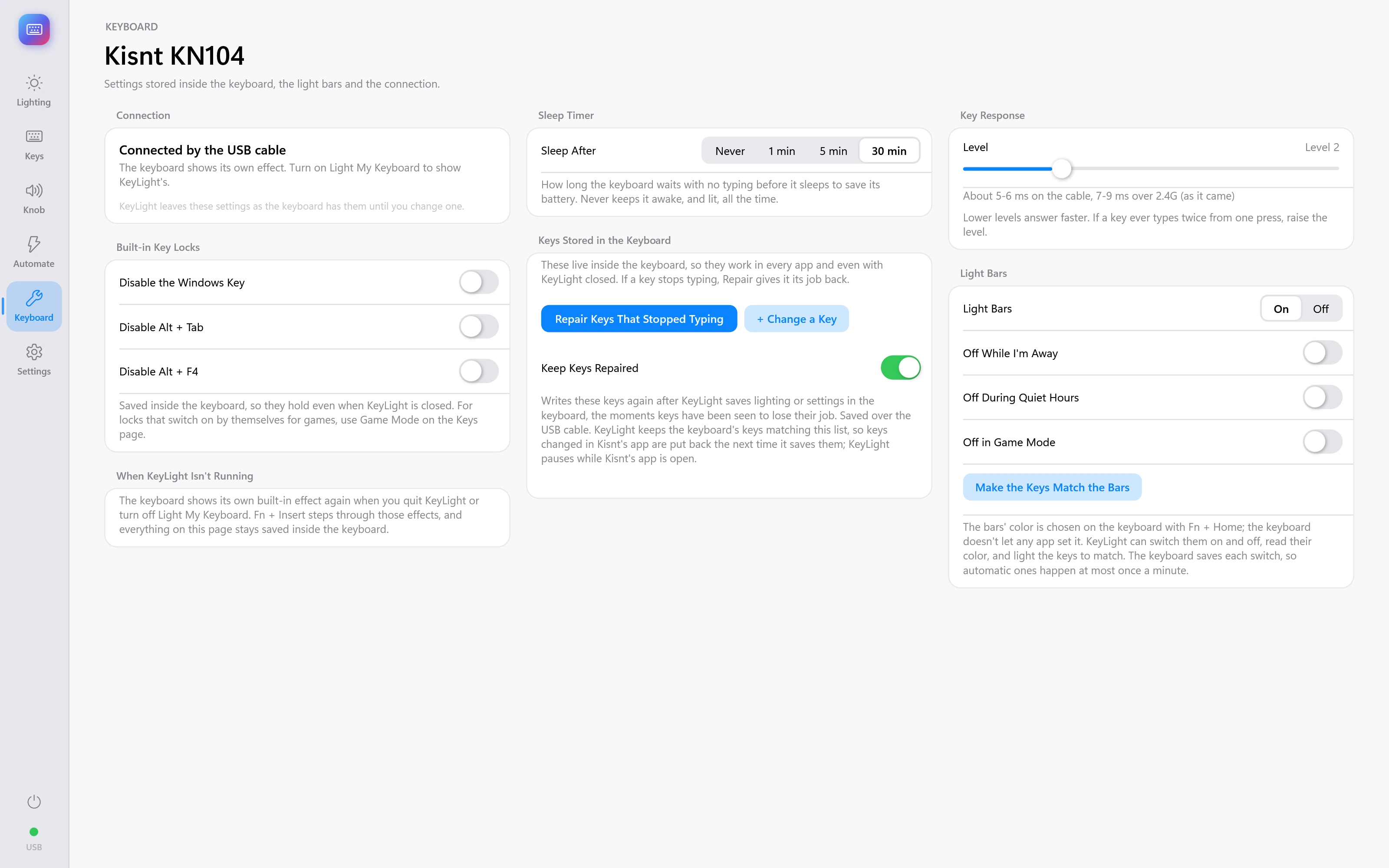
Keyboard settings
The device settings page for the Kisnt KN104.
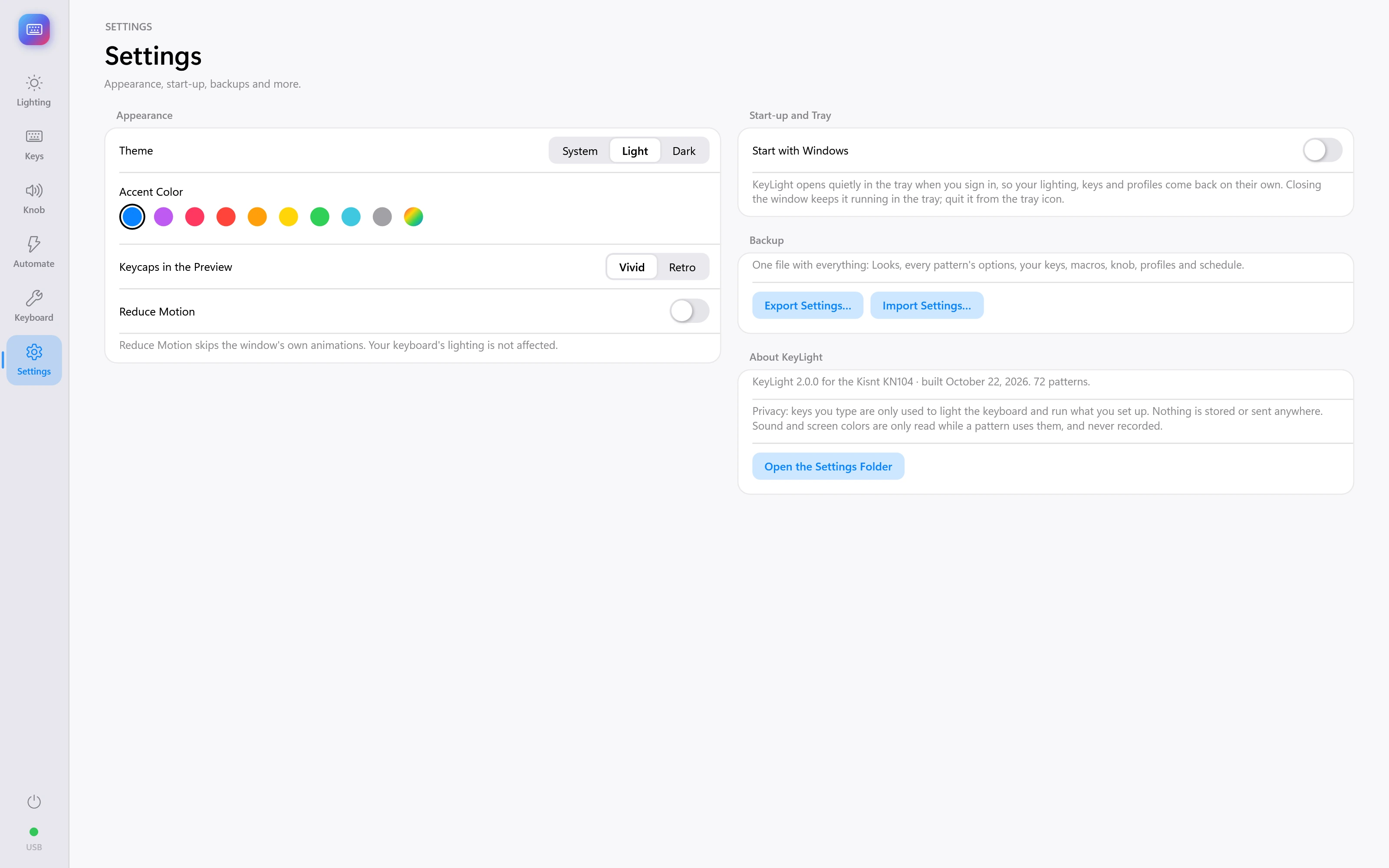
App settings
Appearance and application preferences.
Interface captures with demonstration data. Screens show the project at the time of capture.